


Write New Message also opens main window

Around early December 2025, right after a new Thunderbird release (I forget the exact version number), there was a change in Thunderbird’s behavior when I click on “Write new message” on Thunderbird’s jump list for its pinned icon on my Windows Taskbar.
In the past, Thunderbird would simply open the composition window by itself and I could get right to typing the new email.
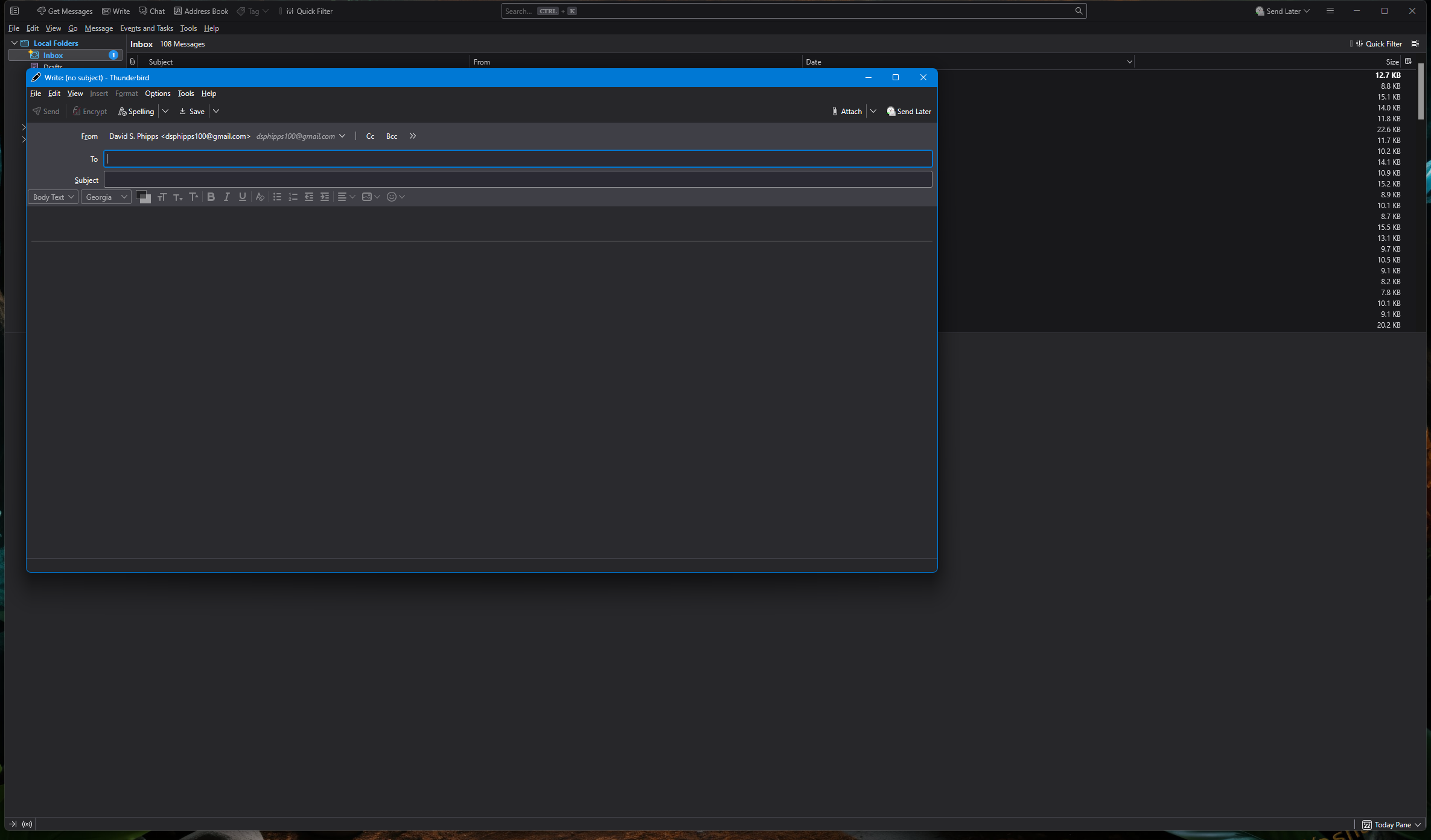
Now, however, after the early-December release, when I click on the same jumplist shortcut, Thunderbird opens BOTH the composition window AND the main Thunderbird program window along with it.
Is there a setting (maybe in about:config?) where I can revert Thunderbird to only opening the composition window?
All Replies (7)

How are both windows showing at the same time?
The composition window is in front, with the main window immediate behind it. The main window is not immediately interfering with me using the composition window, but when I finish writing and click <Send>, and the composition window thereby disappears, the main window is left still there from behind, so that I have to manually (and needlessly) close it.
Which version of TB and OS?
The current version of both. All my software is fully up to date.
Thunderbird 147.0.2 (64-bit)
Windows 11 Pro 25H2 26200.7840
I can reproduce that if I pin TB to the task bar and use it to start a new message with TB not running. It may be by design, as discussed in https://bugzilla.mozilla.org/show_bug.cgi?id=1922919, although that bug is still open. You could file a bug at https://bugzilla.mozilla.org/enter_bug.cgi/ for that. If you do, please post the link to it here.
Bug report filed
https://bugzilla.mozilla.org/show_bug.cgi?id=2018506
(I’m new to bugzilla, so if there’s anything in my report there that needs correcting/adjusting/clarifying, please let me know.)
Modified by dsphipps100
dsphipps100 said
Bug report filed https://bugzilla.mozilla.org/show_bug.cgi?id=2018506 (I’m new to bugzilla, so if there’s anything in my report there that needs correcting/adjusting/clarifying, please let me know.)
Looks good, thanks.