


Why do i keep getting asked for a donation but never get the product downloaded?

Thunderbird has turned into a scam. Each time I try to download it for windows it takes me back to the donation page. I am on my third donation but it never trys to install.
Chosen Solution
Hi John. Sorry you are having trouble. I have your explanation.
If you are downloading from https://www.thunderbird.net/en-US/thunderbird/all/, after you click the "download" button you should soon find the file in your Downloads folder. You need to click on that file for the install to begin.
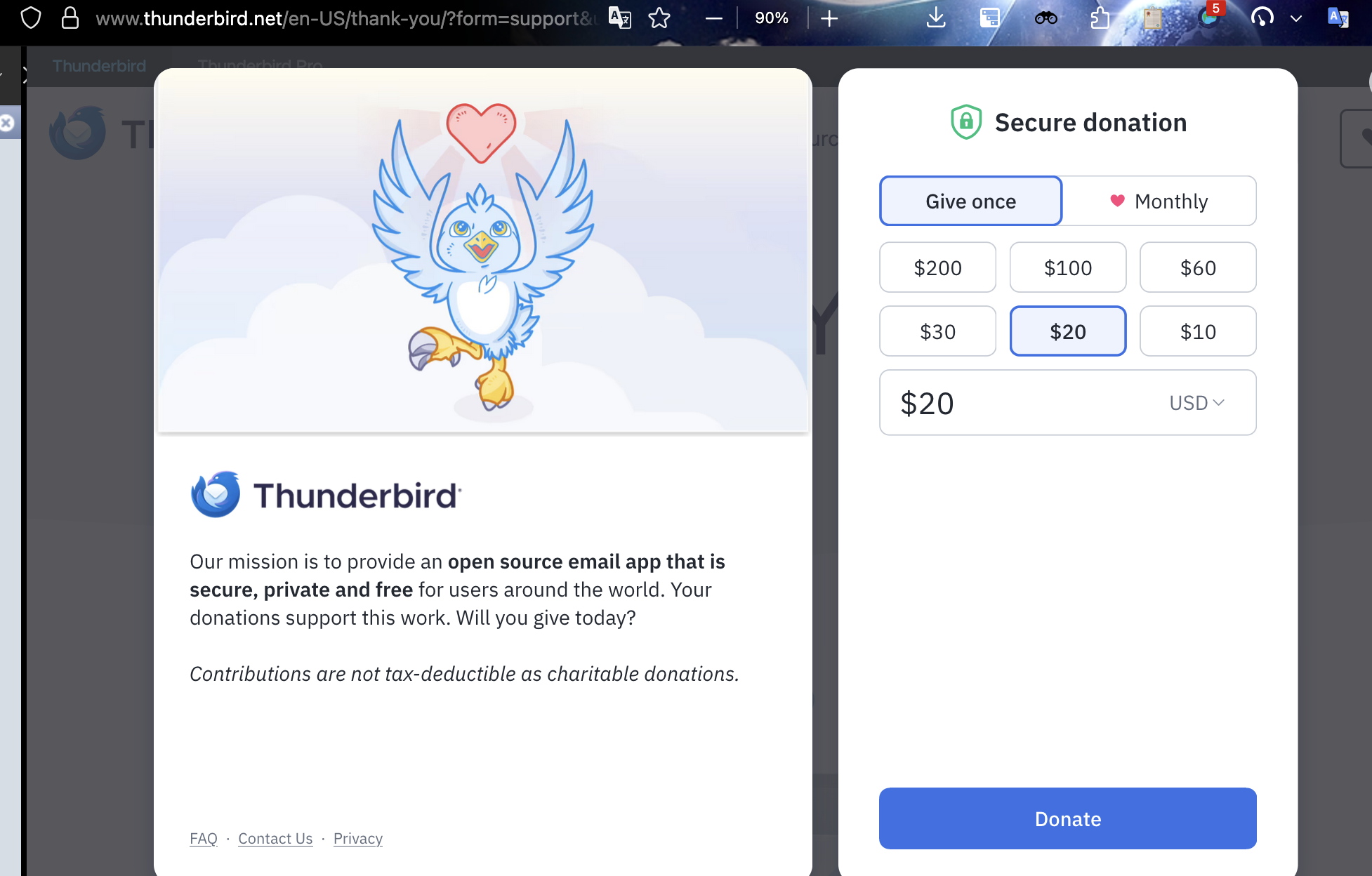
A few seconds after clicking that button a donation page will appear, similar to what I have provided here. In some cases that page has been known to appear very quickly. There is no requirement to donate.
All Replies (5)
No, you are wrong! On https://www.thunderbird.net/ the Thunderbird installer file ist first downloaded, and only when the download is finished the page automatically changes to a donation page. Probably you don't notice that the installer file has already been saved somewhere in your download folder. Same problem as in https://support.mozilla.org/en-US/questions/1563196
I can't be wrong since I was reporting the THE EXACT EXPERIENCE I HAD. As to explanations of that experience there is nothing related to T-Bird in my download files. Now, you have inspired me to look for some other explanation. I did just upgrade to Windows Pro a few days ago. And I have been moving files to a new computer. So the problem may not be in T-Bird. Cheers.
Chosen Solution
Hi John. Sorry you are having trouble. I have your explanation.
If you are downloading from https://www.thunderbird.net/en-US/thunderbird/all/, after you click the "download" button you should soon find the file in your Downloads folder. You need to click on that file for the install to begin.
A few seconds after clicking that button a donation page will appear, similar to what I have provided here. In some cases that page has been known to appear very quickly. There is no requirement to donate.
p.s. you can contact the donation team using https://www.thunderbird.net/en-US/donate/help/ to request a refund of your duplicate donations.
Please post to let us know that you understand, and that you got the assistance from the donor team.