



All Replies (3)
First, please post complete text of error messages and a screenshot of the SMTP server settings pane.
can't find the error message???

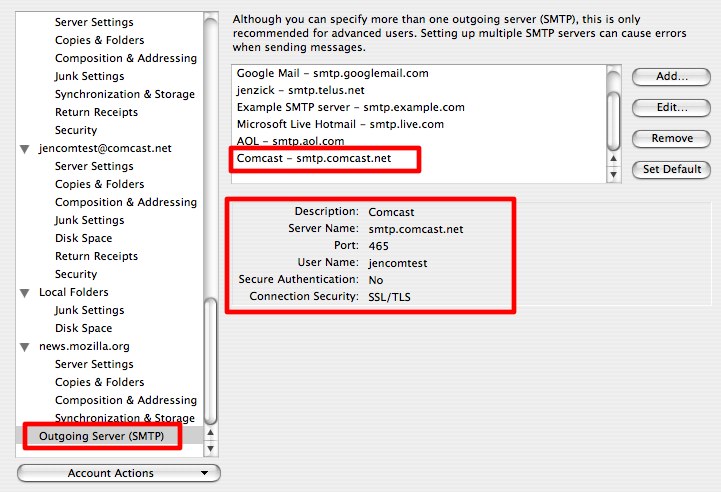
I don't know if this is the source of your problem., but my Comcast SMTP settings are
Description: Comcast Server Name: smtp.comcast.net Port: 465 User Name: <redacted>@comcast.net Authentication method: Normal password Connection Security: SSL/TLS
The difference being I have "Normal password" for authentication, whereas you have "none". I also have my full email address rather then just my user ID.