


Font Corruption

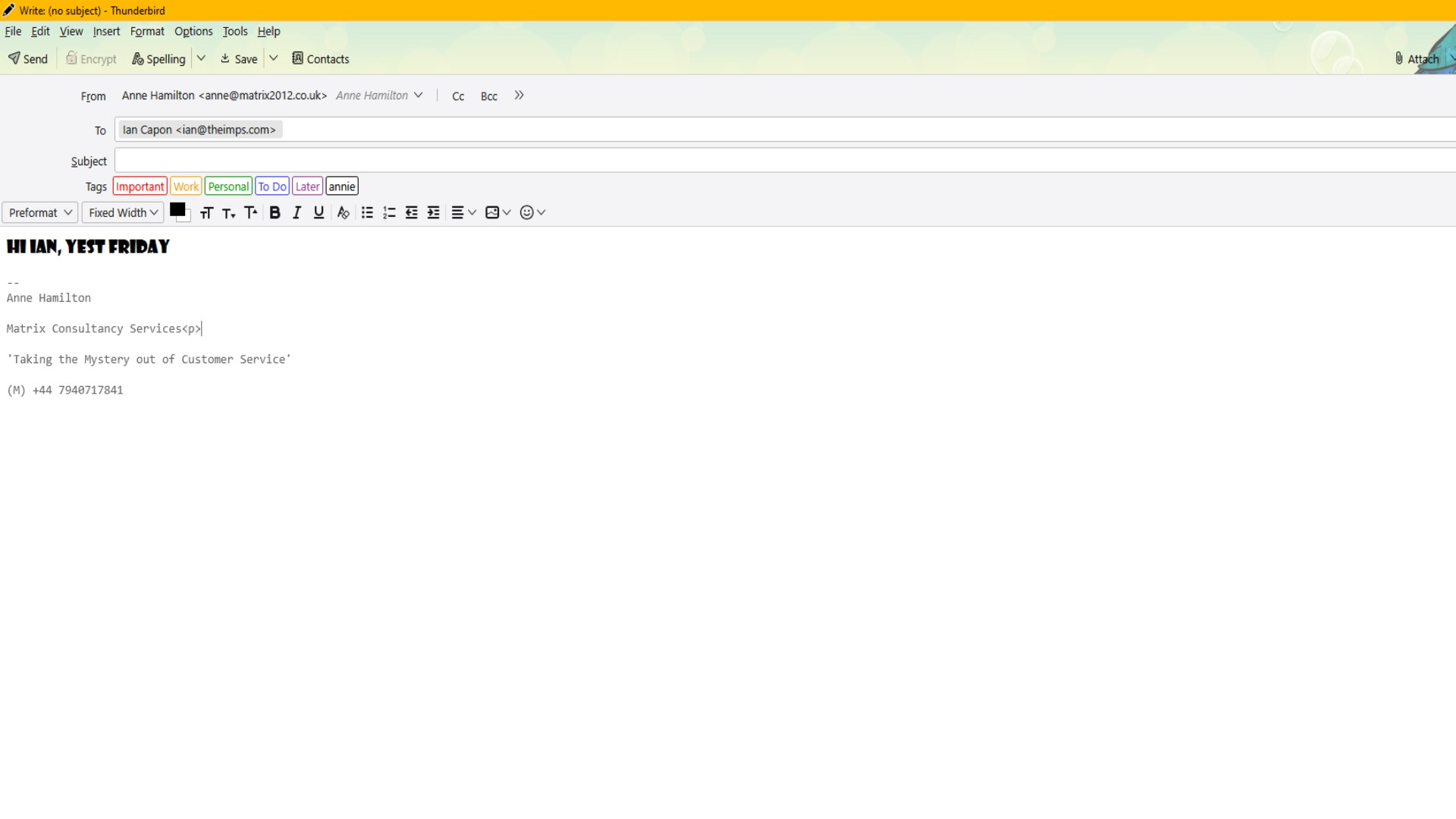
Hi Team My Thunderbird account has a font corruption. Whenever I open a new message, The font appears as a weird shadowy type - See image attached. The signature is saved image. I can't set a Tahoma or Verdana or any from the overall font list as the base font. However, when I send the email, the recipient sees a normal tahoma font. Help!
Cheers Ian A user for 20 years at least!
All Replies (1)
The style is set to preformat so i am guessing you created your signature in some word processor, copied it that pasted whatever the word processor created into Thunderbird and not your composer is locked into something odd that came with the signature.
You also appear to have at least one addon installed, do you see the same ittie if you restart Thunderbird from the help menu in troubleshooting mode. Don't change anything, don't reset anything, just start it up and see if the issue goes away.
If troubleshooting mode did not fix it; What does the source of your signature look like?