


I can receive but cannot send emails

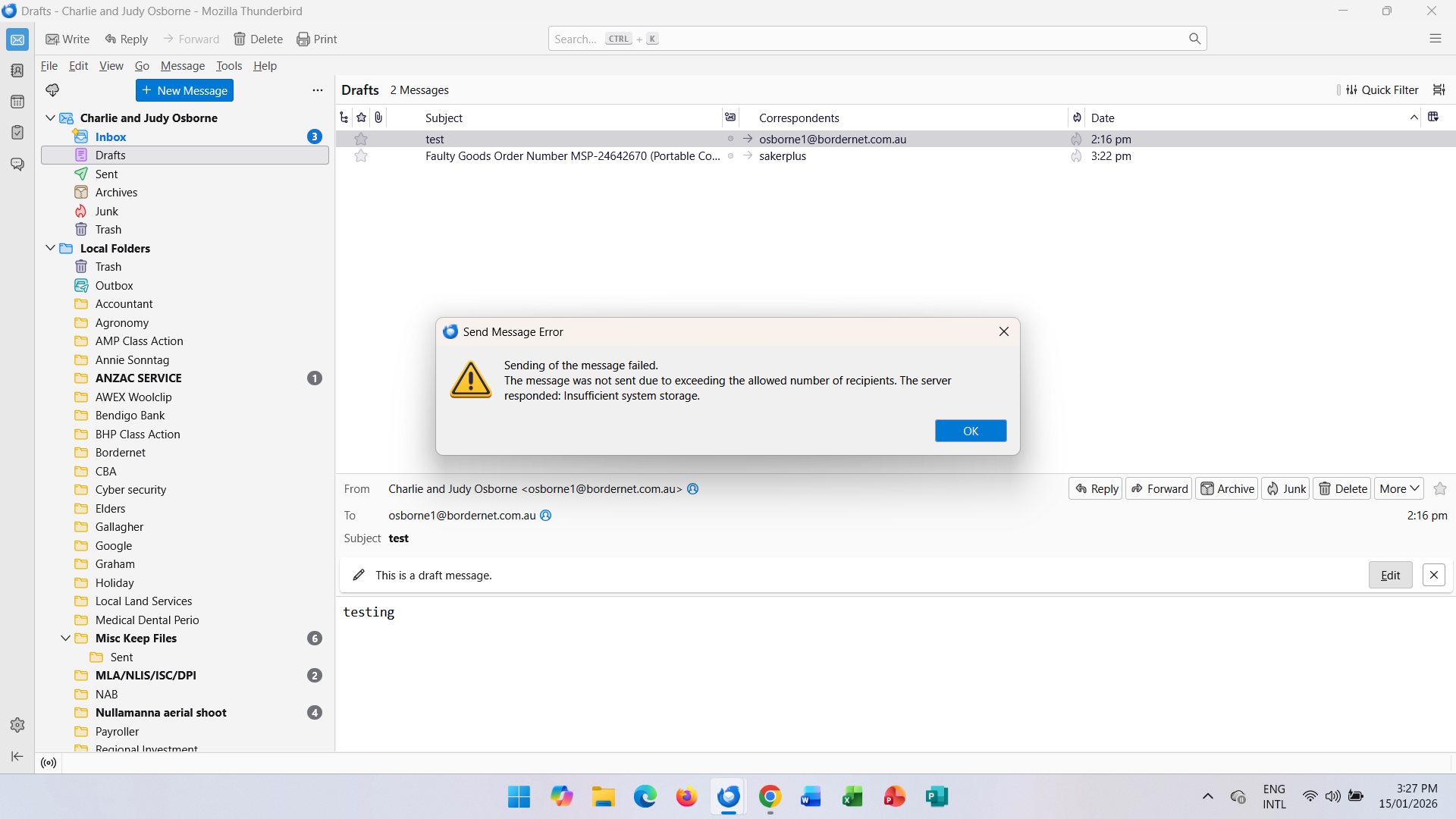
Hello, I've been happily using Thunderbird for a few years now. Since yesterday, I have been unable to send emails in Thunderbird, but I can receive them. I can send emails directly through my Skymesh Webmail, but in Thunderbird when I try to send an email, I get the following notification, even if I am sending it to only one recipient. Sending of the message failed. The message was not sent due to exceeding the allowed number of recipients. The server responded: Insufficient system storage. Please help. Regards, Judy Osborne 15th January 2026 [edited from public] @bordernet.com.au
Modified by James
Chosen solution
Thank you Lin, I did contact my server (Bordernet / Skymesh) and despite being on the phone to them for over an hour yesterday, today I got someone who knew what the problem was and he walked me through changing my server name in Outgoing Server Settings in Thunderbird from mail.bordernet.com.au to mail.skymesh.com.au. Bordernet was bought out by Skymesh some time ago, but this problem has only just arisen for me. All good now, and hopefully this might help others with the same problem. Thanks again. Judy O.
Read this answer in context 👍 1All Replies (3)

This is a server error. It can only be fixed by your email provider - you can't do anything about it on your end except to contact them and report the problem.
The error message itself is misleading. The server's disc has probably either filled up, crashed, or otherwise gone offline. It almost certainly has nothing to do with too many recipients.
Chosen Solution
Thank you Lin, I did contact my server (Bordernet / Skymesh) and despite being on the phone to them for over an hour yesterday, today I got someone who knew what the problem was and he walked me through changing my server name in Outgoing Server Settings in Thunderbird from mail.bordernet.com.au to mail.skymesh.com.au. Bordernet was bought out by Skymesh some time ago, but this problem has only just arisen for me. All good now, and hopefully this might help others with the same problem. Thanks again. Judy O.
Glad to hear it! There's a lot of that going around these days, ISPs changing ownership or subcontracting services out to other companies. It would be nice if they informed their customers. One of my mail providers, Comcast, has announced nearly a year ago that Yahoo was taking over their email service. Barely a peep from them since, but I know of some people who have already been caught in the crossfire. I'm waiting for it to happen to me.