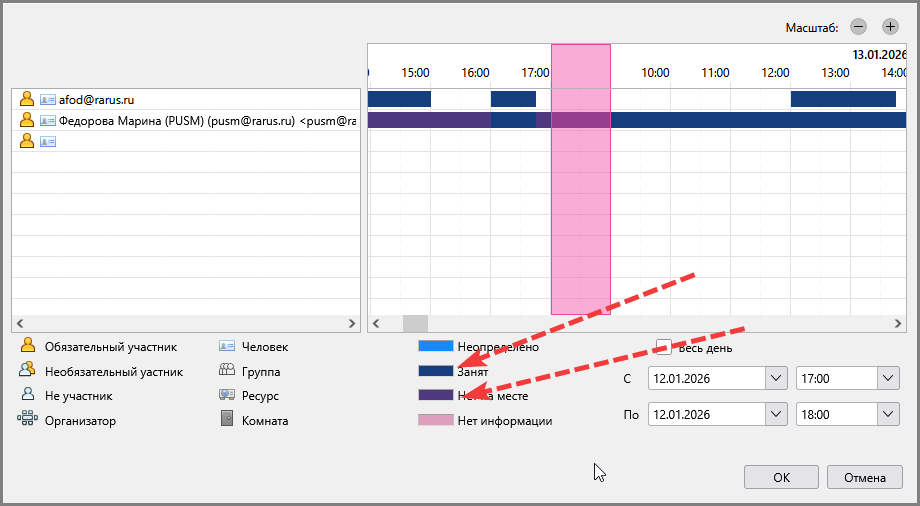
Setting up busy colors in the "Invite Participants" form

Dear Support Team,
Could you please make the "Busy" and "Out of Office" colors in the form (screenshot attached) more distinct from each other?
Currently, they are very hard to tell apart visually when assessing an employee's availability in the calendar.
Thank you for your consideration.
Dear Support Team,
Could you please make the "Busy" and "Out of Office" colors in the form (screenshot attached) more distinct from each other?
Currently, they are very hard to tell apart visually when assessing an employee's availability in the calendar.
Thank you for your consideration.