


Message Filter seems empty

Environment:
- Thunderbird: 146.0.1 (aarch64)
- macOS: 26.2
- Language: Japanese version
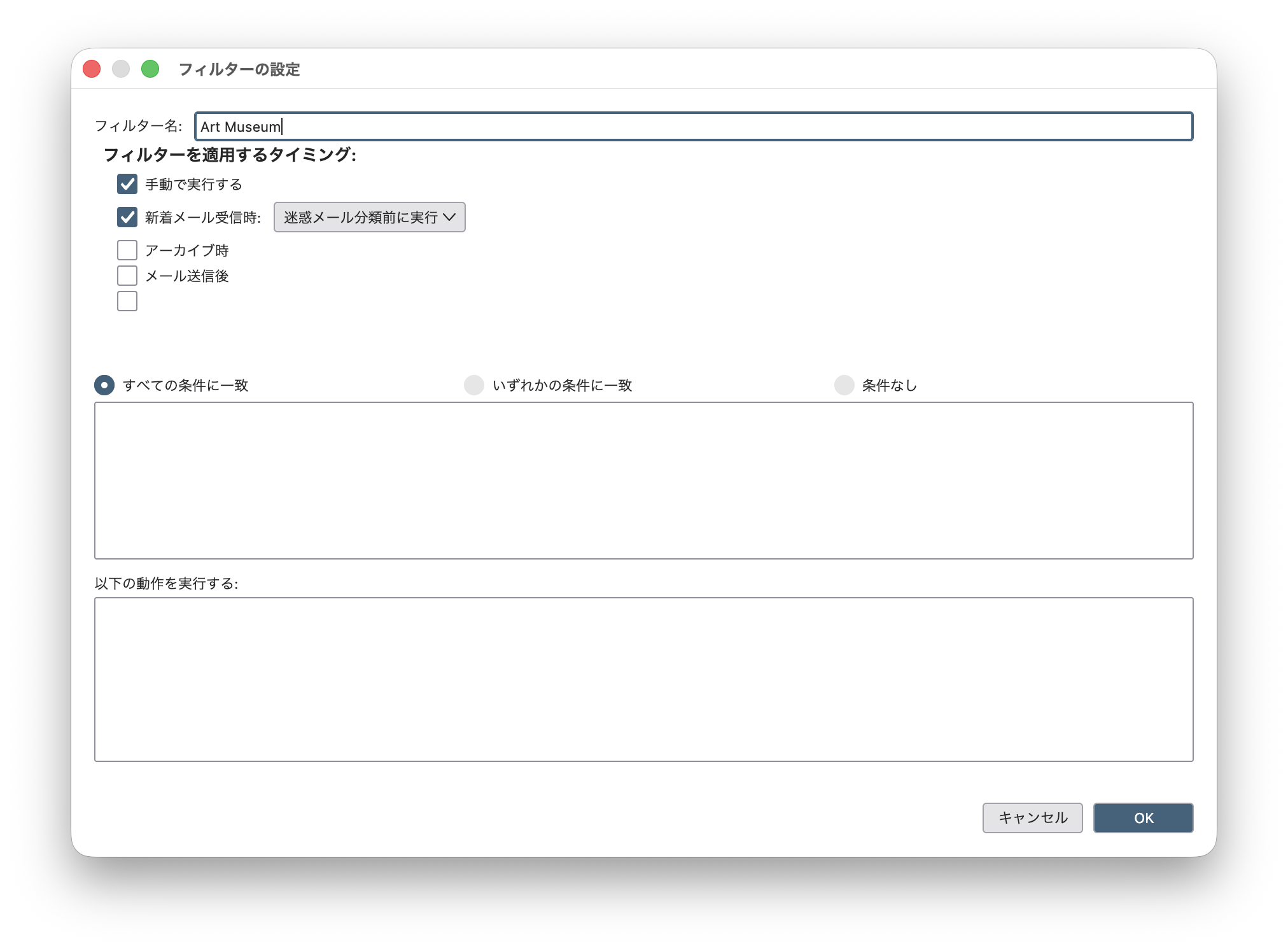
I have been using Message Filters to organize my emails into various folders. One week ago, I added a new email account to Thunderbird. Today I tried to set up filters for the new account in the same way, but they are not working. Specifically, the "Condition" and "Action" columns in the Message Filter window are completely empty. Furthermore, I noticed that columns in the filters settings for my original email account also seem empty as shown in the attached screenshot. Even the filter setting looks empty, the original setting seems working correctly. I have uninstall and re-install Thunderbird, but it does not fix the issue. Could you please guide me on how to resolve this issue?
I greatly appreciate the community's support.
Chosen solution
The following link might be related: Message Filter Actions Not Shown in Japanese UI https://support.mozilla.org/en-US/questions/1555510#answer-1787832
Read this answer in context 👍 0All Replies (3)

Couple of things to try:
1. Try R. click Inbox > Properties > Repair folder button for each Inbox
2. Try rebuilding the global database index (https://support.mozilla.org/en-US/kb/rebuilding-global-database)
Modified by Ed

Chosen Solution
The following link might be related: Message Filter Actions Not Shown in Japanese UI https://support.mozilla.org/en-US/questions/1555510#answer-1787832
Thank you so much for your prompt help!
Ed, I tried both 1 and 2 options, but they did not work for my case.
Yu5tiqX9og, yes, it is the identical with my situation. I changed the language preference from Japanese to English, then the problem is solved!!! It is really great! I also wait the next update in January, but so far it is very comfortable now.
Thanks for everyone in this community.