


Deleting old emails

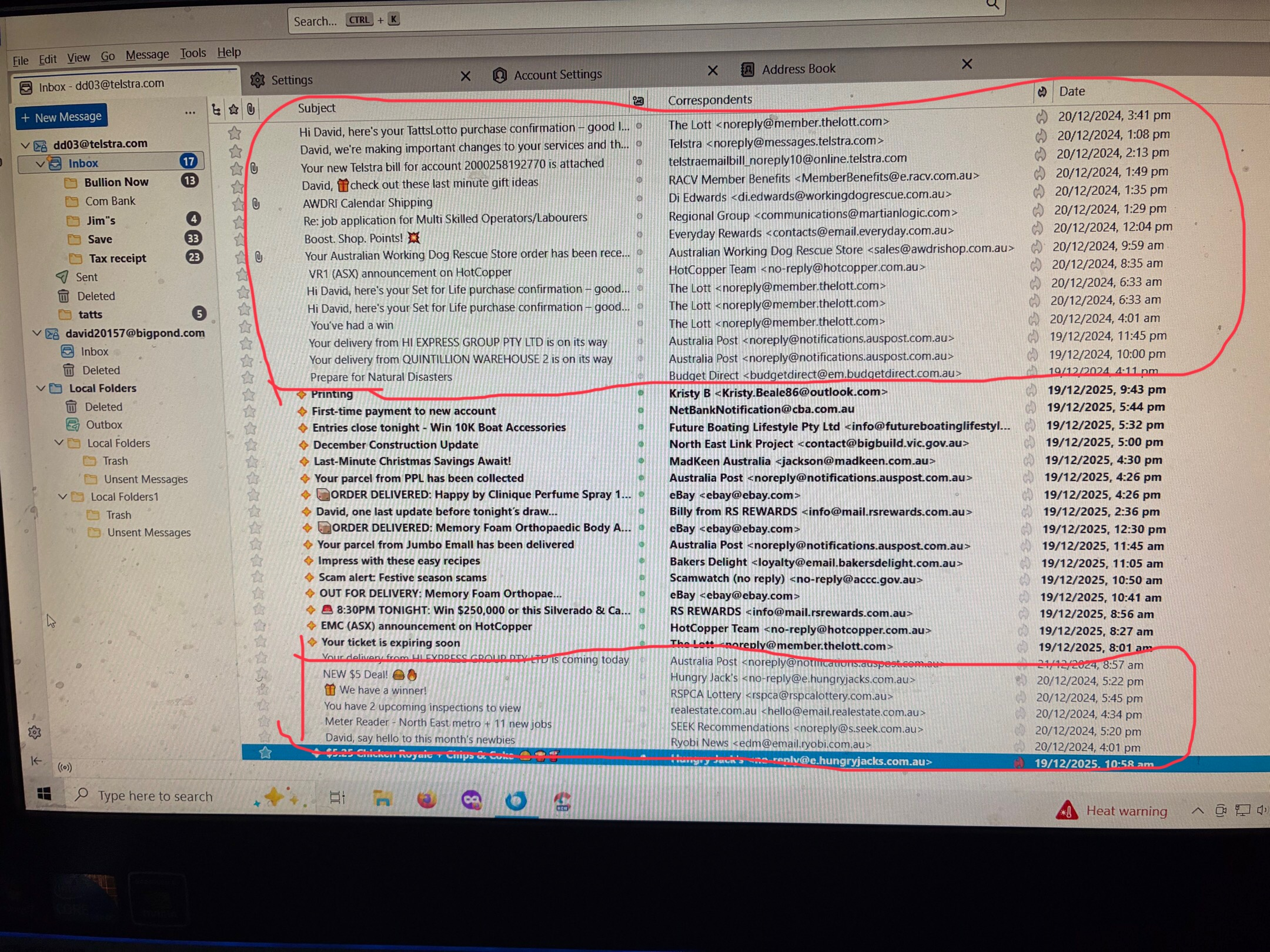
For some reason, I cannot delete these old emails or tried to delete them and they will not leave my screen. Just don’t know how to get rid of them any more. I’ve tried highlighting them I’ve tried this. I’ve tried that it just doesn’t get rid of them
Chosen solution
Well, highlighting messages does not delete them. What is the "this" and the "that" that you tried?
Read this answer in context 👍 0All Replies (4)

Chosen Solution
Well, highlighting messages does not delete them. What is the "this" and the "that" that you tried?
I’ve also tried reinstating them from the deleted box and then tried to delete them that didn’t work so I deleted them from the deleted box and still didn’t work. They just don’t want to seem to leave my screen
I am asking: How are you trying to delete them? We cannot know what is not working if you don't tell us.
There are many ways to delete messages after selecting the ones that you want to delete, e.g.:
- Click on the trash can icon.
- Press the <delete> key on the keyboard.
- Drag messages to the trash can.
Probably more important: These are only old messages, right? Try this:
- Back-up your Thunderbird profile.
- File (menu) > Compact folders
- Right click on the inbox in the folder pane. Select "Properties", then "Repair folder". Give it a little time.