


Attach signature not actually working!

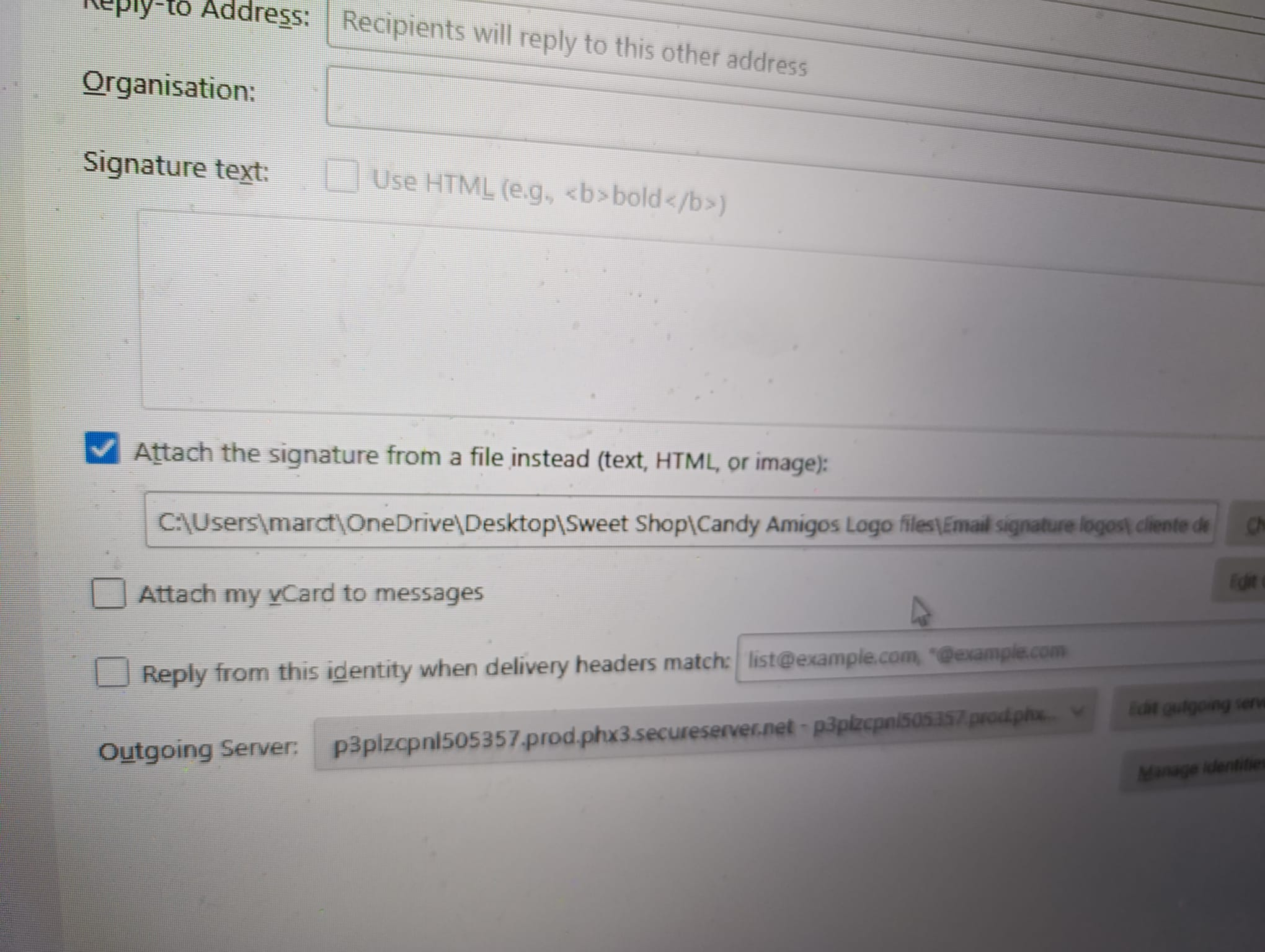
All, recently set up email accounts and all was well. Used TB years ago & liked it for its ease. Now my signature is not working (set up with 'attach signature from a file instead' option FYI). Tried everything I can think of, disable add ons in troubleshoot mode etc. deleing & re-adding it. No new add ons have been added before this happened, they were added prior to setting up signature. And worked fine initially. Thoughts and please keep it simple for someone very old lol - pic attached for help perhaps?
TIA and appreciated
Chosen Solution
Hi David,
Just tried the no spaces rule and it works! Astounded something so simple as I have never done coding or anything like that. Been trying all the 4 different accounts with test emails to varying accounts etc.
You are an ABSOLUTE SUPERSTAR, that you so much
All Replies (18)
it may help to see a screenshot of the sig itself, plus a screenshot of the composition screen if anything is being displayed.
Hi David,
Appreciate your response.
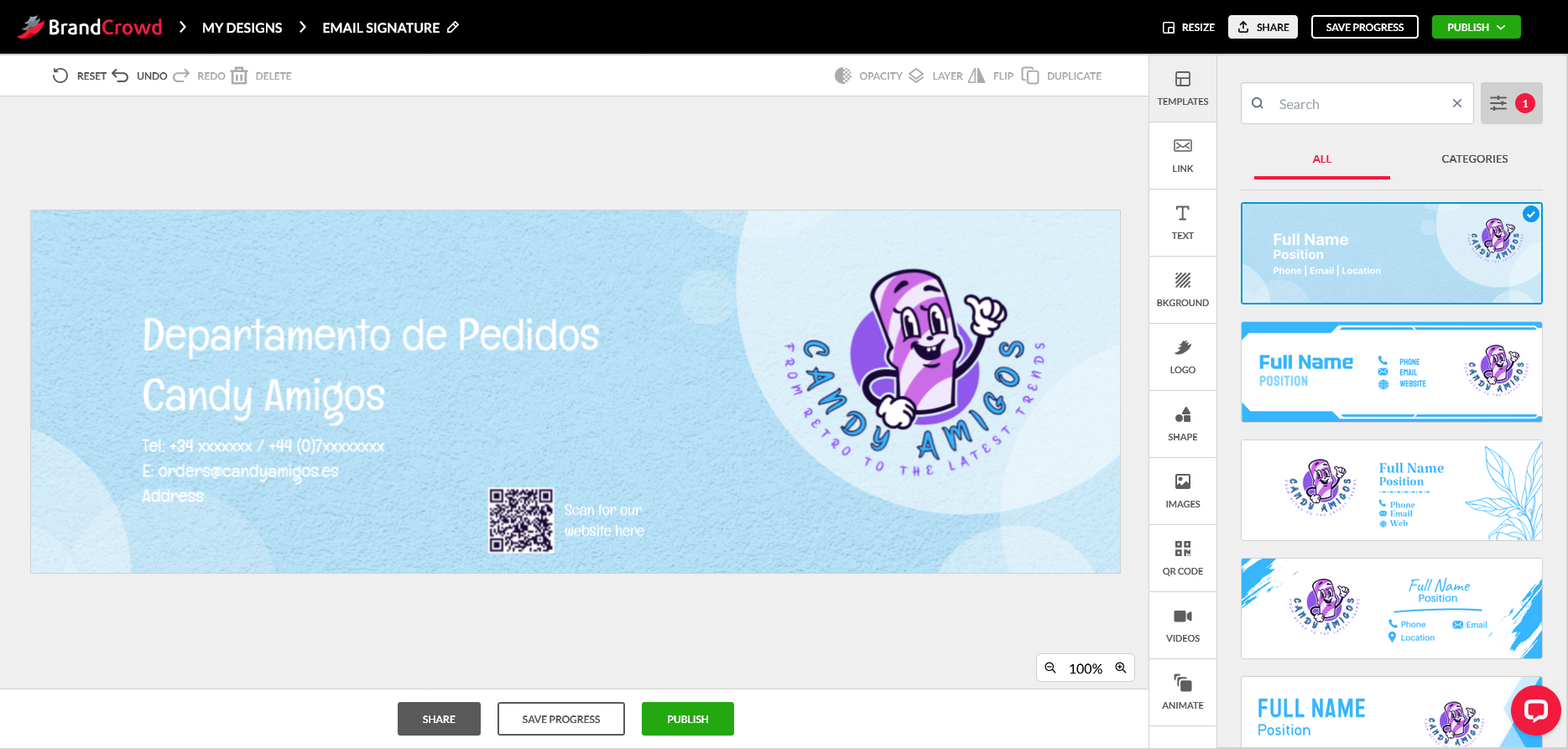
Here you go but I have removed some personal details of the signature ok - sample signature type - we have access to it in the following formats - png, pdf, svg for your info.
Composition screen - sorry for being stupid, what do you mean please? What I have attached below as an image?
Like I said, used to work, nothing changed and then it stopped working!!!!
TIA Marc
Is the signature just a graphic (such as a png or jpg), or is there HTML as well? If there is HTML, that needs to be posted here or share a screenshot of it. By 'composition window', I am suggesting clicking 'new message and then posting how the signature appears when composing a message.
Hi David,
Nothing at all appears, it's exactly like I never set it up!
HTML - unsure tbh as not a computer genius as you can maybe tell lol. Basically that website (brand crowd) allows you to pay to set up stuff, and I just added the text I wanted and clicked to import our logo.
Sorry cannot be more helpful? Imagine you are talking to a 10 year old about computers & that's me - understand most things as I'm an electrical & heating engineer but computers....hmmm
Sorry just realised I didn't confirm David, yes as I said just a png or a pdf, I get to choose which version
I cannot offer suggestions unless I see the entire signature. You link to a file as the signature. PDF files don't work, as that is not an image.
I have sent it to you above! I know pdf don't work, mine was done as a png
can you email me the png file at davidthunderbird dot gmx dot com? That seems the easiest way to resolve this.
also, please post screenshot of the complete link to the file. You posted one earlier, but it was blurry on the right side. Try to get the screen wide enough to show the full URL. thanks.
Hi David, that email address has no @ symbol. If you message me through here, I think it allows that & then I can happily send you what you are asking for. Sorry to be a pain
C:\Users\marct\OneDrive\Desktop\Sweet Shop\Candy Amigos Logo files\Email signature logos\ cliente design.png
there you go David
oops. davidthunderbird at gmx dot com
try this also: rename file to have no spaces in name. I would also suggest copying the file to a folder with no spaces in name. having spaces in the url can be problematic.
No worries, happens to the best of us. I have now emailed you several different file formats ok.
Because it worked originally I am thinking that it is not that the file location is in the wrong section of TB, but something else? Would that be a logical conclusion?
So on this TB account we have 4 varying email accounts, all with slightly different signatures and it's the same for all of them, all worked and then suddenly stopped. Which points logically to a settings error rather than it just didn't like the signature?
Thanks again
it works fine, even with the spaces. i need more information on your problem
Chosen Solution
Hi David,
Just tried the no spaces rule and it works! Astounded something so simple as I have never done coding or anything like that. Been trying all the 4 different accounts with test emails to varying accounts etc.
You are an ABSOLUTE SUPERSTAR, that you so much
You're very welcome. Was this on a Windows, Linux or a Mac? Would be good to know if asked again.Thanks.
desktop running windows 11, through a Mozilla browser as well