


TB 145 - Cannot add Godaddy Exchange Account with personal domain
I have spent 3 hours trying to figure this out. Nothing works for me.
Authentication always fails yet when I log into Outlook it always works.
I turned off using the new hub and was able to setup my email account but it told me OWL was not active (or something about OWL).
Godaddy is my provider.
What am I not doing correctly?
Modified by Wayne Mery
All Replies (23)
A guess would be your admin hasn't allowed OWL's client ID to have access to services.

Hey Paul,
can you please describe in more detail a) what account you have b) what exactly you did/tried and c) what the result was?
a) What is your actual domain name (part behind the @ in your email address)? Setup all depends on the domain. I'd need to check your real domain to see what's going on and reproduce the problem b) I assume you use the account creation dialog, not the new Account Hub? What do you enter in which field? (replace the part before @ with "foo@") Which account type do you choose? c) You first said "Authentication failed", then "OWL was not active" (what do you mean by that?), then "something about OWL". I am not sure what exactly happens. Can you please tell us what *exactly* happens?
Could you please make screenshots of *every* step?
That would help us understand, reproduce and diagnose and hopefully fix the problem for you.
Kind greetings,
Owl
Guys, thank you for your reply. I do not want to use OWL.
My interpretation is that Thunderbird 145 has Exchange native and does not need a client like OWL to work.
I can add my email account using the old way with OWL. I cannot add it the new way.
This is my own personal domain and email on my own personal desk top.
Modified by Paul Prince

Hi Paul,
Does Godaddy require an app password?
Yes, Godaddy has a sign on to get into web Outlook.
I have attached a pic of it. Outlook knows Godaddy is the provider and it redirects to this login page. On my desktop I use MS Outlook desktop from Office
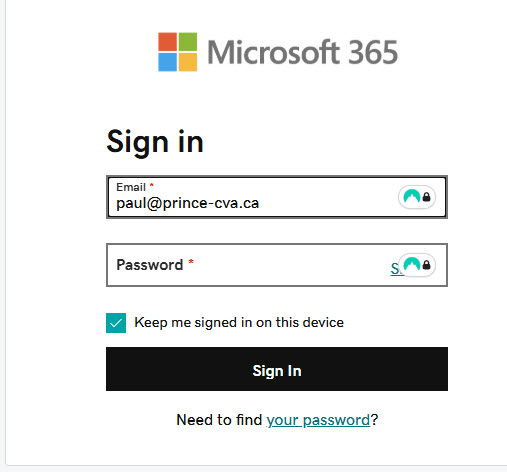
Godaddy may require what is called an "app password", "app-specific password", or "security password". It would be a new password, different from your account password, that could be used in only one app. I have my own domain too. My e-mail service provider requires an app-specific password. A quick Web search indicated that Godaddy may require them, but I did not look hard enough for authoritative information.
Sorry I misread this as being related to OWL
You might be right but there is also something else I am not doing right. I used the Godaddy app password for my email.
See pics.
I appreciate your help.

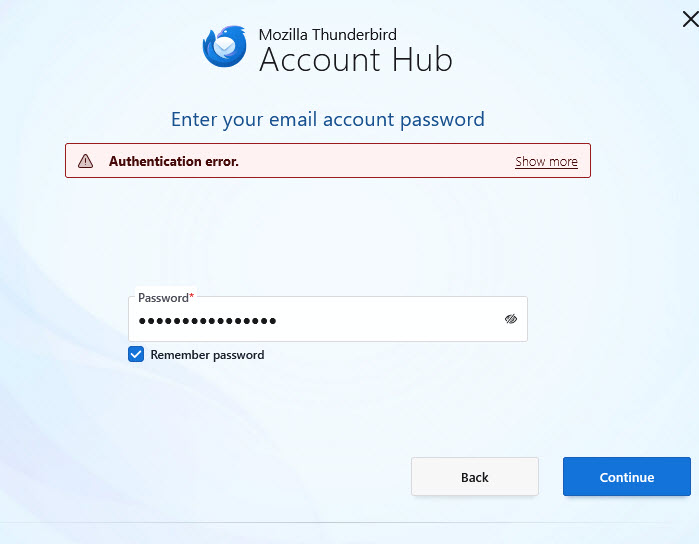
You wrote that you turned off Account Hub.
What happens when you turn it off and try to set up your account?
So you have a password to be used only by Thunderbird?
Yes, it was in a search I used someone said to do that. I turned off the new hub and added my account into TB. It created the account but I got an OWL error message that said something about my subscription. I forgot how much I initially paid for my OWL but it was unreasonable since I could get Office365 for not much more. OWL worked fine though.
Outlook is not as good as Thunderbird is or was. That is why I am trying to get my email account set up in TB.
I got a Godaddy App password yesterday.
All the help searches make it sound easy. "Just do this". But none has worked for what should be easy. If I had been an email guru I would likely know what to do. I am not.
Paul Prince said
Yes, it was in a search I used someone said to do that. I turned off the new hub and added my account into TB. It created the account but I got an OWL error message that said something about my subscription. I forgot how much I initially paid for my OWL but it was unreasonable since I could get Office365 for not much more. OWL worked fine though.
You wrote that you added your account to Thunderbird. Is it really there or was the process aborted?
I asked about Account Hub because it seems that you turned Account Hub back on. We want it off.
In your place, I would:
- Disable or remove OWL.
- Disable the Account Hub.
- Delete my account if it really exists. (Do you need to back up anything first?)
- Try setting up the account again. Of course, use that app password.
- Stay cool, and report here.
By the way, do you know that Thunderbird supports only the mail function in EWS, not calendar or contacts yet?
With OWL installed it sets up the account properly.
With OWL removed it does not set up the account. The drop down only shows IMAP and POP3. TB cannot find the correct settings.
That path does not seem to work. Worth a try but dead end.
Keep throwing ideas out. I doubt I will be the last one trying to do this.
Btw, I got my BSc in Computer Science. In 1978. I am not dumb in tech but developers always assume the user already knows how to do things. My experience has always been users do not know the ins and outs.
Thanks again...Paul
Moderator note: This answer has been edited to remove an unintended link.
Modified by Denys
Paul, I know that you are not dumb. There are no developers on this forum. I'm just another user, trying to help.
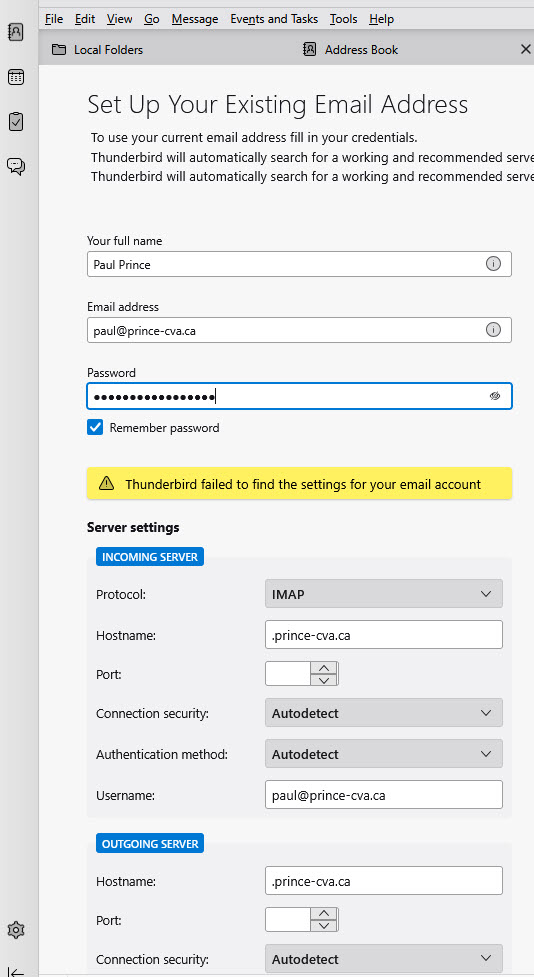
Try setting up the account manually. From the screen that you posted, enter all the needed information yourself. Do you know server names, ports, et cet?
I do not know any of that information and because the option for an Exchange account is not there it cannot be set up.
I think I will stick a fork in this until TB gets some of this fixed.
Modified by Paul Prince
Have you seen?—
https://support.mozilla.org/en-US/kb/thunderbird-and-exchange
There are different instructions depending on whether or not any account already exists in Thunderbird. You may have more success with the Account Hub after all. Sorry if I steered you wrong.
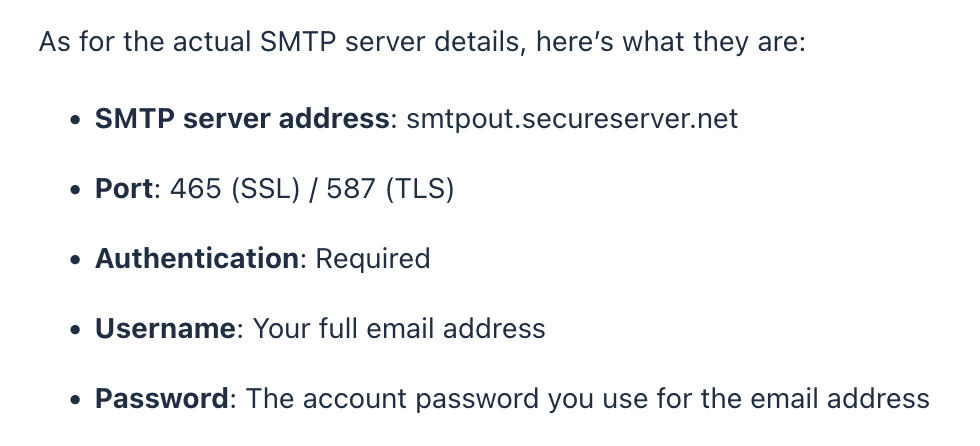
If you have to set up the account manually, you should be able to get all the needed information from Godaddy. Attached images show what I found for "professional" accounts. Is that what you have?
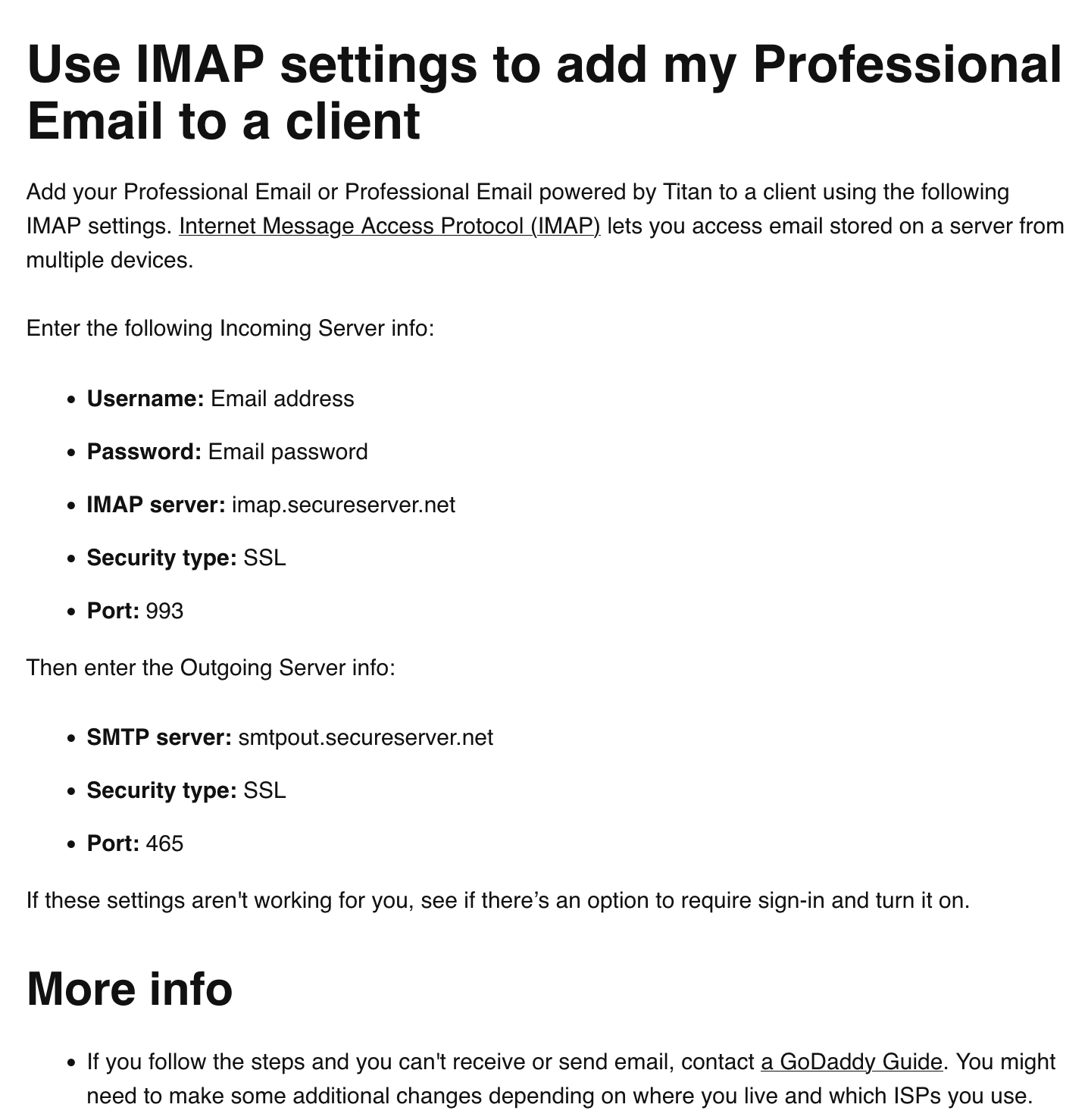

Hi Paul, Most of the Microsoft support that has been added to Thunderbird in recent months has focused on additional functionality within the Account Hub, so I think it's likely best to use that.
I also have a Godaddy Exchange Account with personal domain for tobypilling.com and have been able to log in and set up my account in Thunderbird using our Monthly Release 145 - using Oauth rather than the app password. Have you tried that approach?
We also have a preference in that version which allows more granular Oauth configurations to be specified, but I don't think that is necessary.
Please feel free to email me directly for any help with specific settings or continue the conversation here so other can learn from our "exchange".
Cheers
Thanks, Toby.
Toby, thank you for your offer of help.
I cannot get to your web site tobypilling.com
It errors out.
You can email me at [edited email from public community support forum]
Modified by James
Paul Prince said
Toby, thank you for your offer of help. I cannot get to your web site tobypilling.com It errors out. You can email me at [edited email from public community support forum]
You can send private messages on this forum. Click on Toby's name to get to get to the page with that option.
Modified by James
Paul Prince said
Toby, thank you for your offer of help. I cannot get to your web site It errors out. You can email me at [edited email from public community support forum]
You can send private messages on this forum. Click on Toby's name to get to the page with that option. But public discussions are better because more people can contribute ideas and more people can learn from them to solve their problems. So please consider that.
Modified by James