


where would my drafts and sent folders be on an IMAP Gmail?

Hi, where would my drafts and sent folders be on an IMAP Gmail? Thanks
Chosen solution
David, Confused at the moment. Need to learn Gmail and TB. Some parts make sense. Need to work on the ones that don't. Not your fault or concern. Thanks for the help!
- )
All Replies (17)
They would normally be in the drafts and sent folder. But you didn't define your problem.
David, Both folders are missing. How do I get them back? Thanks
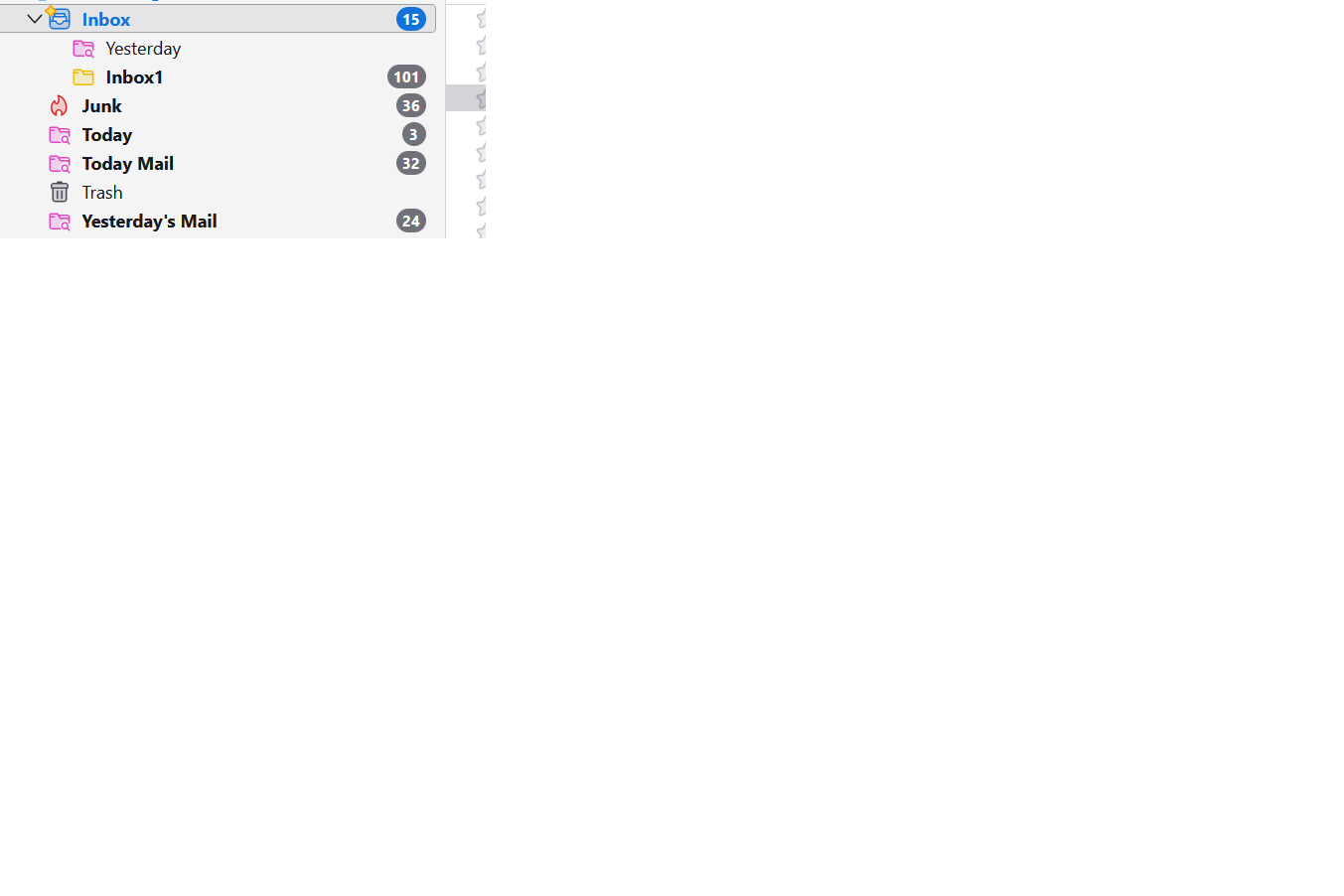
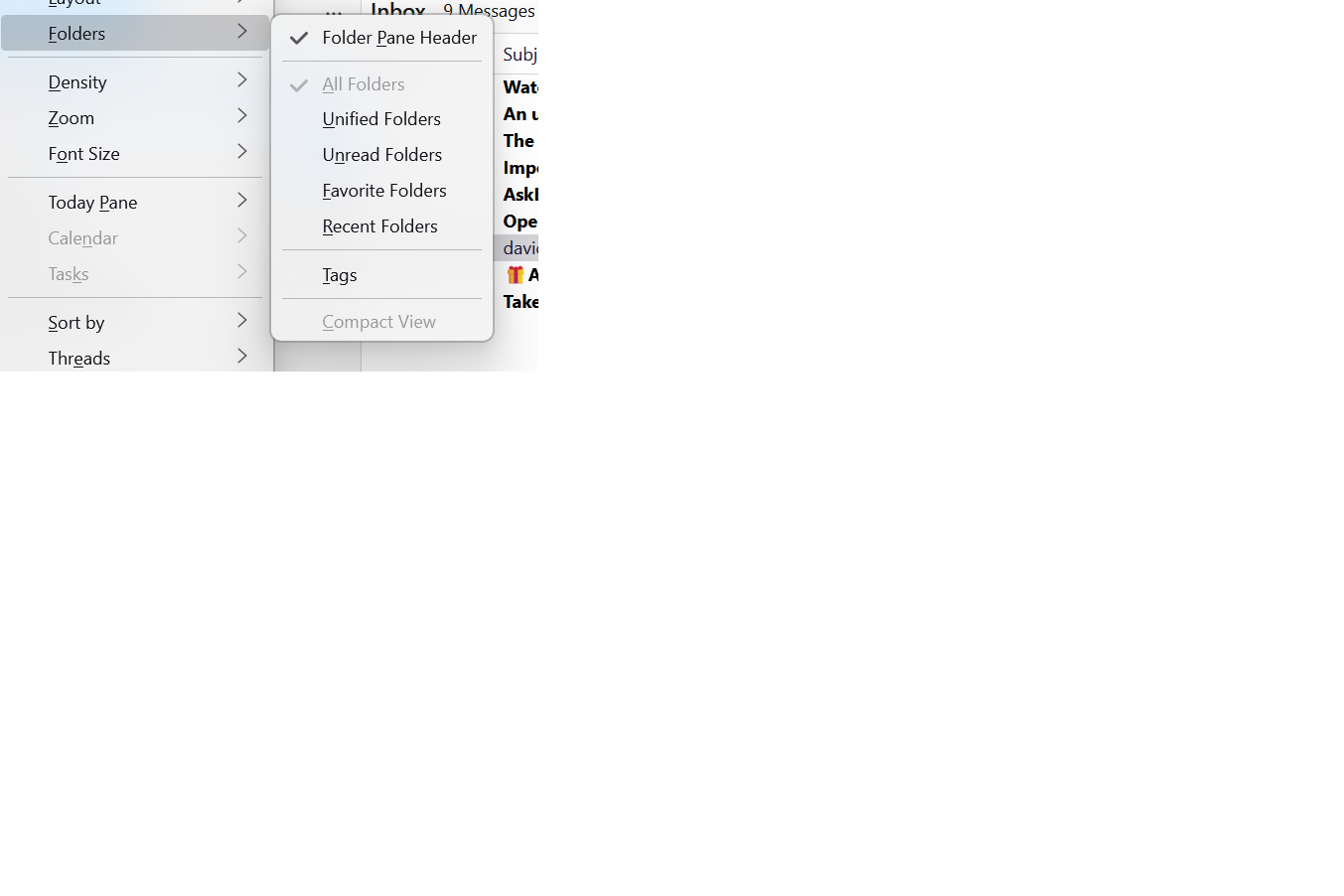
First, - click view>folders and tick 'all folders' - this is to ensure you can see the folders - now, highlight the gmail account in all folders, rightclick and select 'subscribe' - - on that screen, do you see check boxes for drafts and sent? if unchecked, check them - let me know results
David, 1 done - greyed out Not sure what 2 means. No gmail designations I can see.
?????????????????????????????
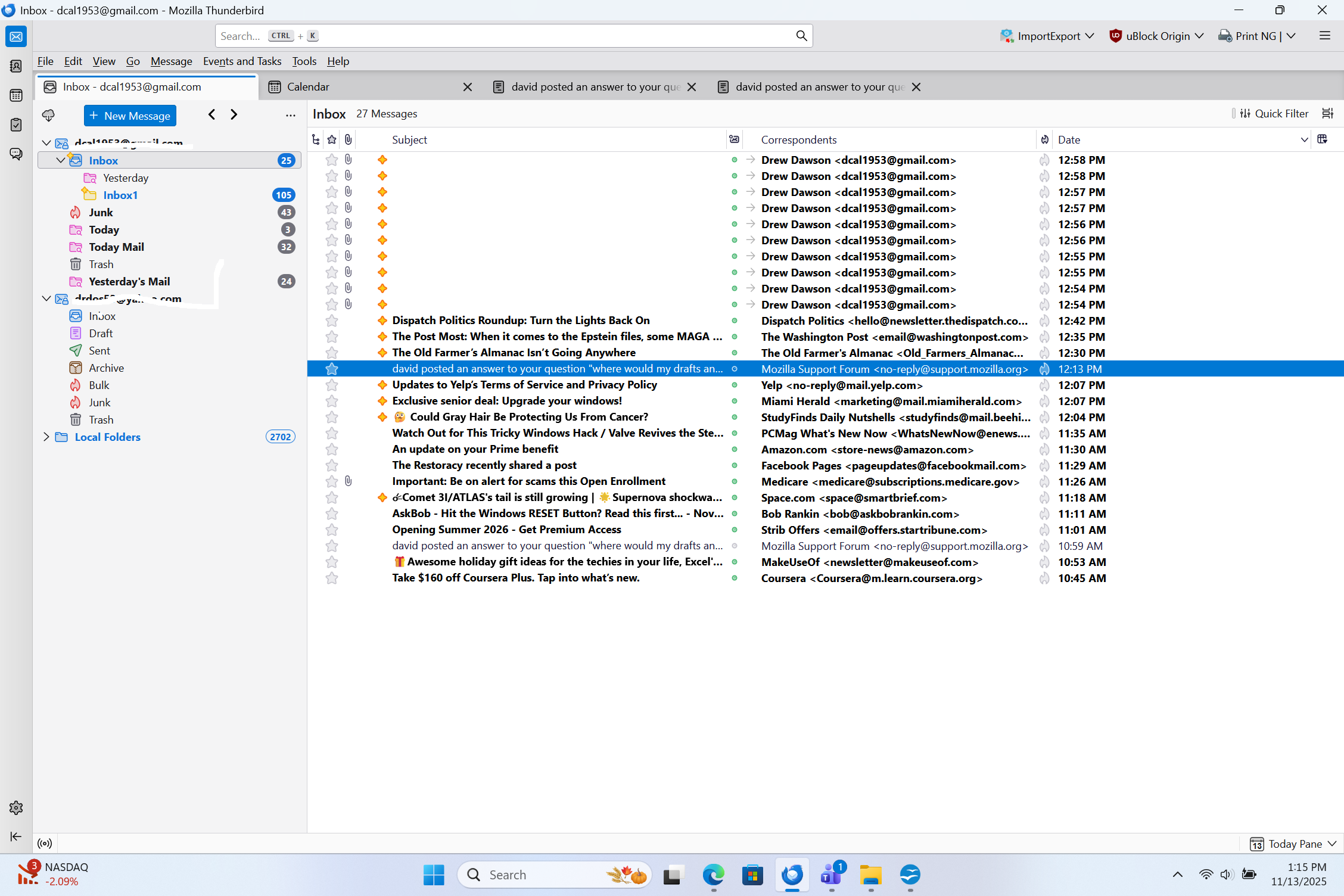
Please do a screenshot of the full folder pane so I can see the accounts listed. thank you
David, This work?
dxxxxvvvvvvvvvvvvvvvvvvvvv
There is no screenshot
David, see prev answer.
I see the sent and draft folders.
Oh, you hid the accounts so I was unable to read them clearly. Please do as I requested previously, highlighting the account, rightclicking and clicking 'subscribe' to check for draft and sent. seen attached.
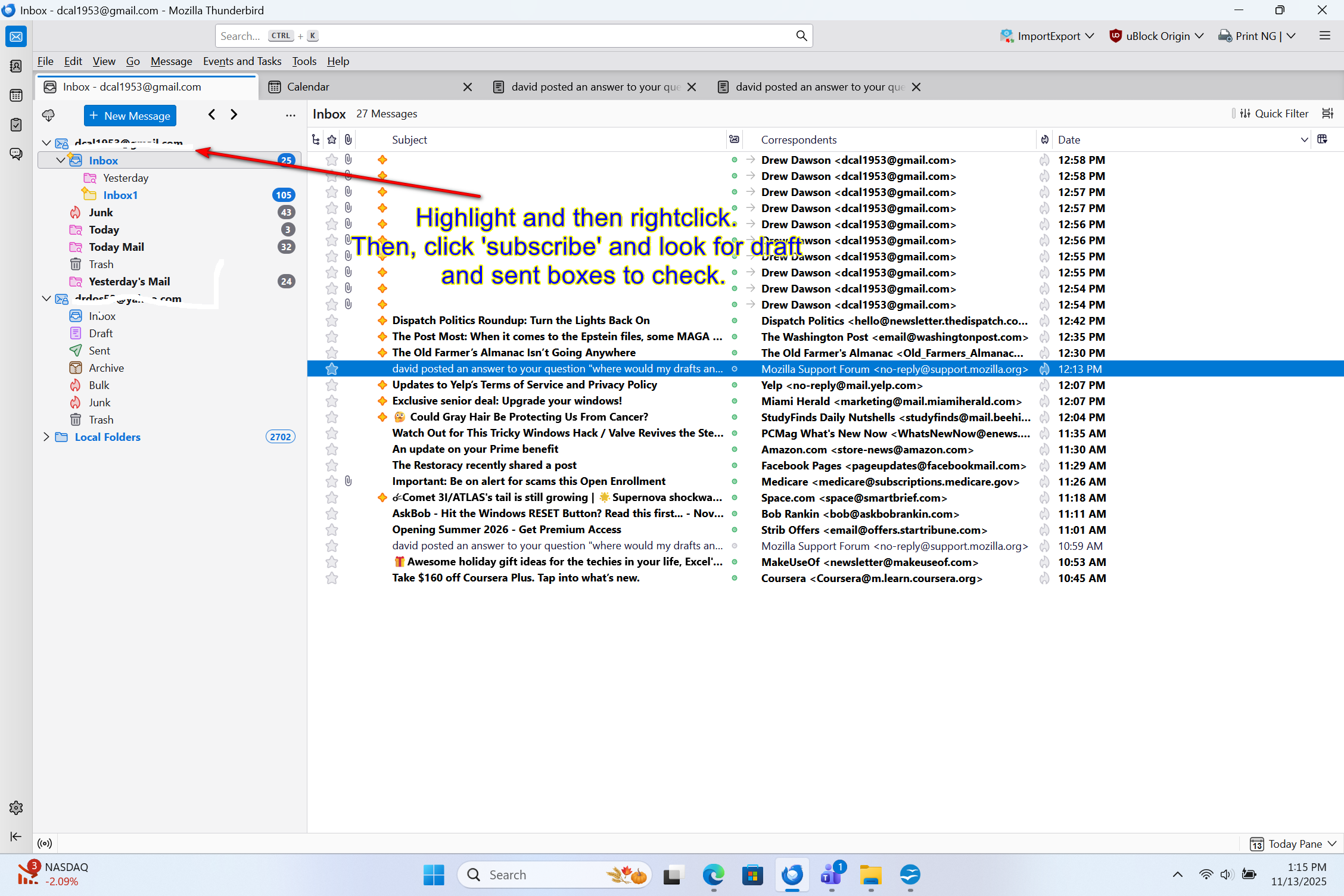
David, This? Nothing changes.
David, This? Nothing changes.
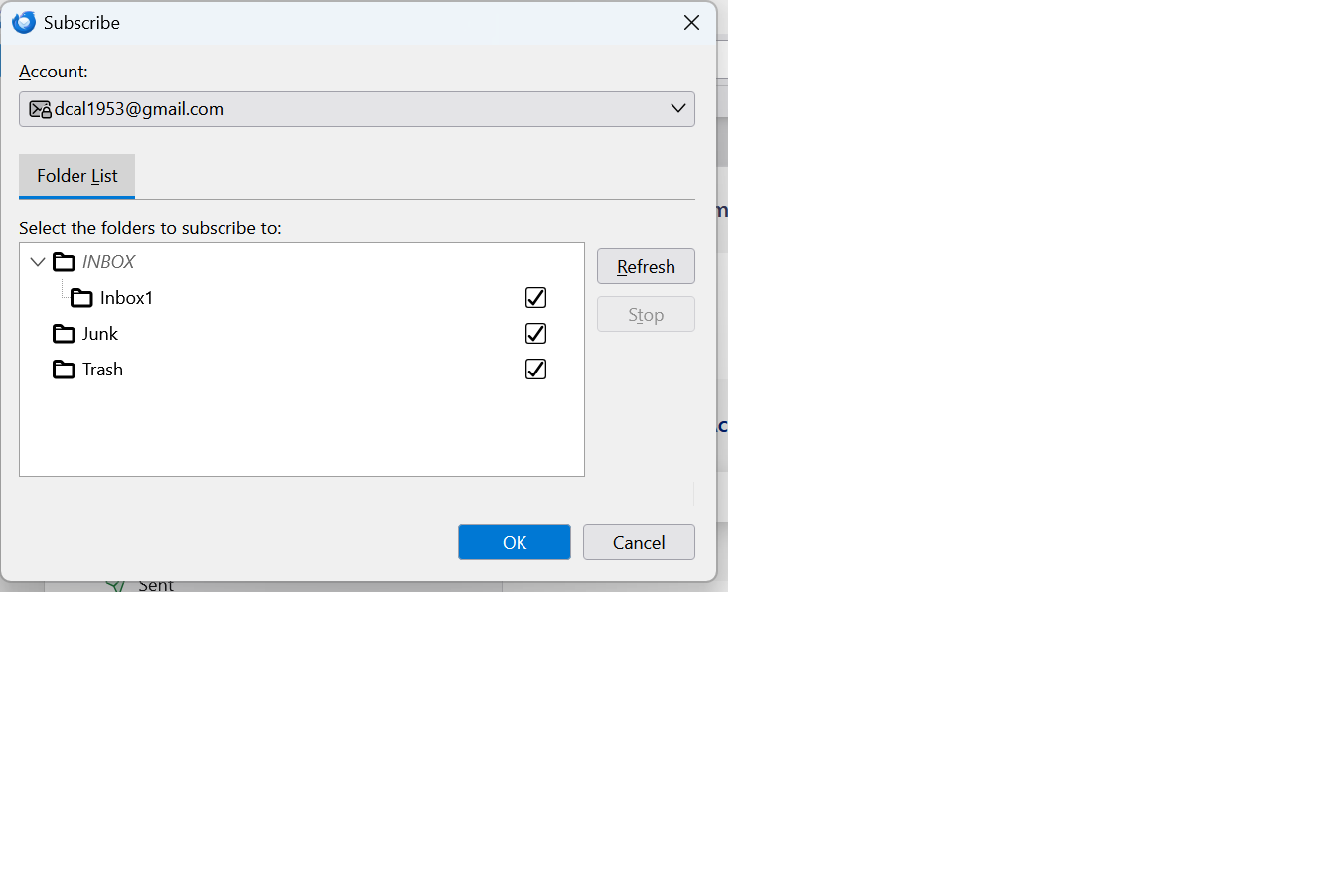
Is the gmail account new? If so, you may need to go online to the gmail website and check to see that the folders can be accessed elsewhere. also, check the advanced button at synchronization&storage pane for the account.
David, No. About 15 years. I'll check that. I'll holler back if baffled. Thanks.
Chosen Solution
David, Confused at the moment. Need to learn Gmail and TB. Some parts make sense. Need to work on the ones that don't. Not your fault or concern. Thanks for the help!
- )