


How to remove the Add to Taskbar button from the URL bar?

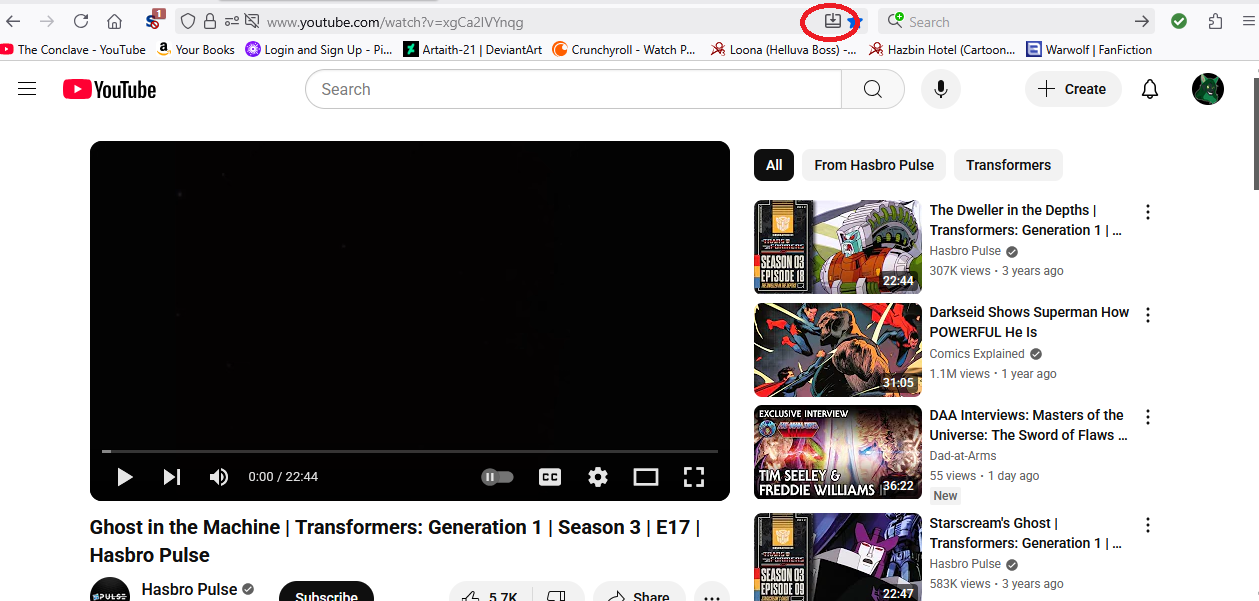
So I just noticed an odd thing today. In the URL bar there is a new icon listed as 'add to taskbar' and 'toggle reader view'. The former interests me more than the latter. I get the idea behind it, but it's not really for me. Is there a way to remove these from the URL bar? I looked in settings, but didn't see anything. So if it's not there, I'm guessing it needs to be fixed in about:config? If so, where do i look for these?
I'm including a screenshot of the icon in question.
All Replies (3)
Hello
browser.taskbarTabs.enabled
Take a look at https://connect.mozilla.org/t5/firefox-labs/give-web-apps-in-firefox-a-try-on-labs-and-tell-us-what-you/td-p/101900
Agent virtuel said
Hello browser.taskbarTabs.enabled Take a look at https://connect.mozilla.org/t5/firefox-labs/give-web-apps-in-firefox-a-try-on-labs-and-tell-us-what-you/td-p/101900
I actually looked this up in settings. It was the first thing I did, in fact. The box for this isn't checked, but I'm still seeing these buttons anyway. Both the add to taskbar and the Toggle Reader view are active on my browser despite my not opting in to them. I was able to turn off the add to taskbar bit thanks to your post. Any idea how I deal with the toggle reader view thing?
Modified by Marc7