"size on disk" and "user quota"

Please tell me what the difference is between "size on disk" and "user quota"? I don't understand why my mailbox is full when all folders take only 1/5 of the available space. My hosting give me 5GB, a user quota in mailbox is 4.7GB (in the app for computer: the main folder containing all other folders - properties folder - Quota - Storage: 4.7GB), size on disk is 853MB (in the app for computer: the main folder containing all other folders - properties folder - General Information - Size on disk: 853MB), and the weight of all folders is ~1040MB (the sum of the weights of all individual folders in the main folder). None of the numbers match. I understand that the sum of the weights of all folders is probably supposed to be 853MB, that the discrepancy is due to rounding the numbers. I understand that some space may be "lost" from the hosting because installation files take up some space, so I actually have 4.7GB to use, not 5GB. However, I don't understand why my mailbox is full, when from 4.7 GB only 853 MB is used?
Chosen solution
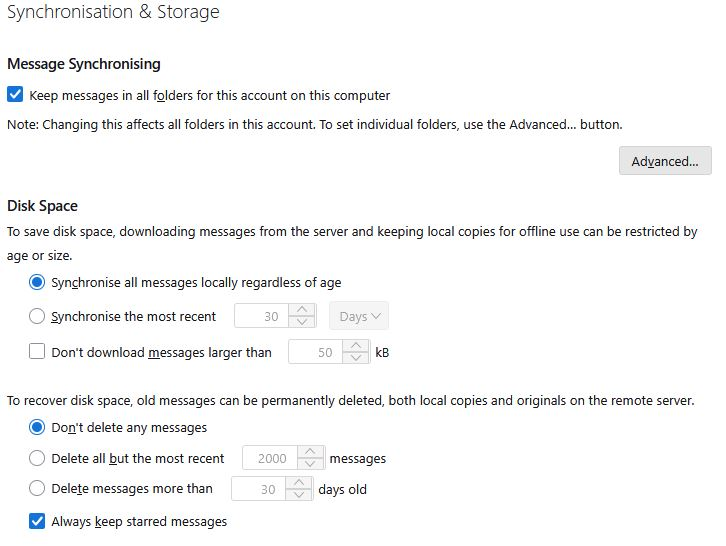
It's possible that you haven't downloaded all message bodies, just headers. Check Account Settings | Syncronization & Storage."
It sounds logical, but are you sure that these settings regulate that? I have the same settings as you have. Does this mean that the problem is not here?
Read this answer in context 👍 1All Replies (3)
Quota is not a Thunderbird term; it is a term from email provider. Thunderbird has no quota concept. I suggest pursuing the question with your email provider.

I believe what you see as "User Quota" is what is reported by the server. I don't think there's anything you can do about it.
It's possible that you haven't downloaded all message bodies, just headers. Check Account Settings | Syncronization & Storage. For example, this is how I have it set for my main account:
Message Synchronizing [x] Keep messages in all folders for this account on this computer
Disk Space [x] Synchronize all messages locally regardless of age
Chosen Solution
It's possible that you haven't downloaded all message bodies, just headers. Check Account Settings | Syncronization & Storage."
It sounds logical, but are you sure that these settings regulate that? I have the same settings as you have. Does this mean that the problem is not here?