


Double spacing

Hi,
Pressing "enter" seems to double space next line my text automatically on platforms, and pressing "alt+enter" does single spacing next line. Is there anyway to change it to single spacing? Some older help threads mention going to settings or tools to find the "composition" option but that doesn't seem to exist anymore?
Thanks
All Replies (6)
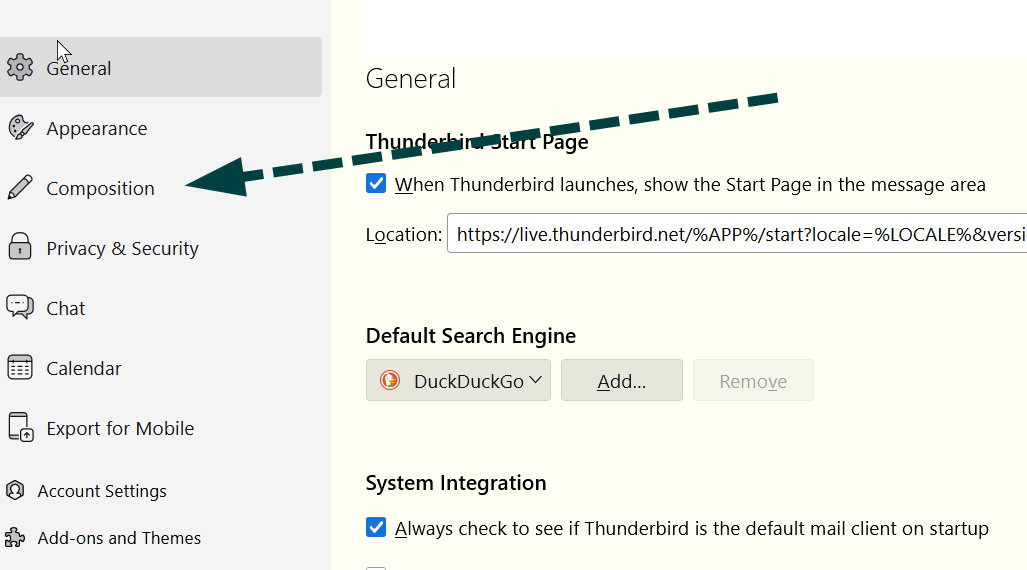
settings>composition is still there. Look for the paragraph setting and untick.
I only see general, home, search, privacy, sync, and firefox labs under my settings options. There isn't a composition option in any of those headings either

On Windows, Menu item: Tools | Settings | Composition | HTML Style | "Use Paragraph format instead of Body Text by default"
I said to click Settings from menu.. see attached
This is the menu I'm accessing from the top right. The settings I see is different. Attached below
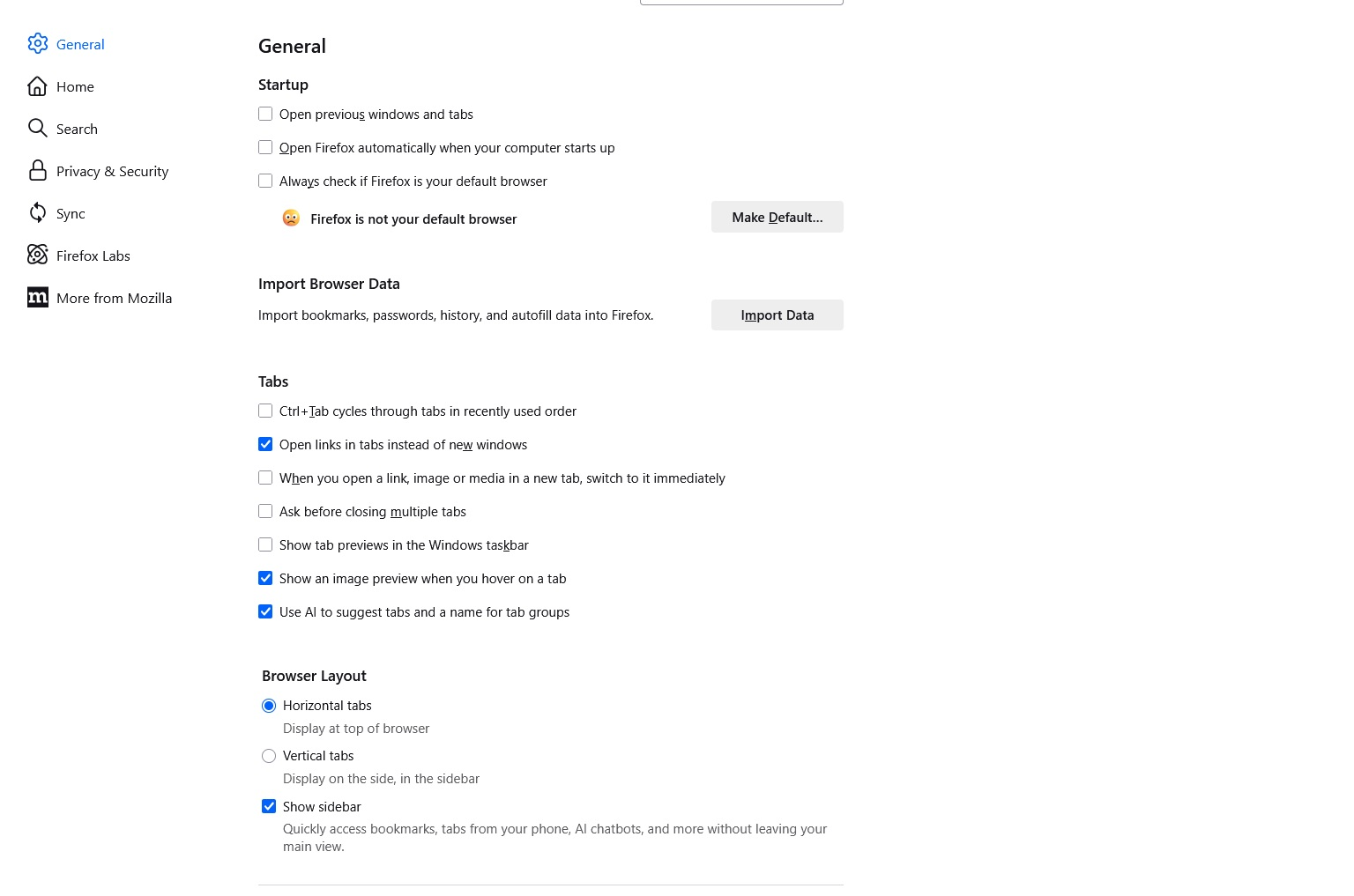

You seem to be trying to adjust Thunderbird from within Firefox.