


Where is my spam folder in my Thunderbir mail-account?

Hi, until recently I used to get a reply-mail from my affiliate partner in my Thunderbird mail, but it's not working anymore.
I am trying to find a spam folder where I can check and possibly exclude that?
Please, help. Thanks.
All Replies (9)
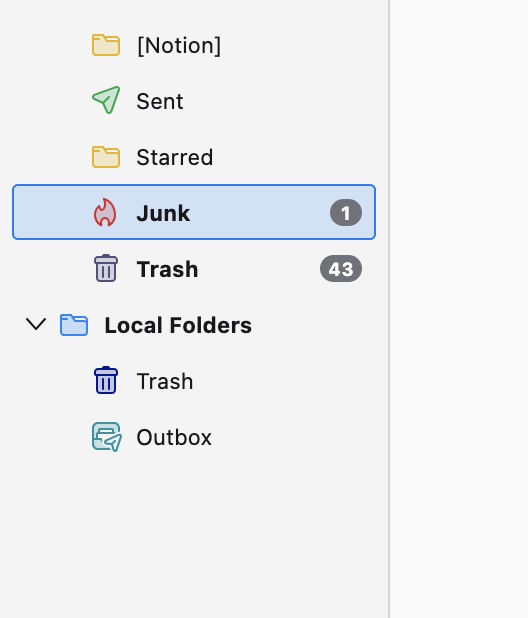
My Spam Folder is this one here, titled "Junk"
See photo
Thx, I can see that on your end, but not on mine.
So, how can I "activate" or make it visible?

If you log into your email via the web interface, do you see a Spam folder there?
Unfortunately I cannot access the webmail of my mail-domain-account.
The thing is: It was working perfectly fine until recently.
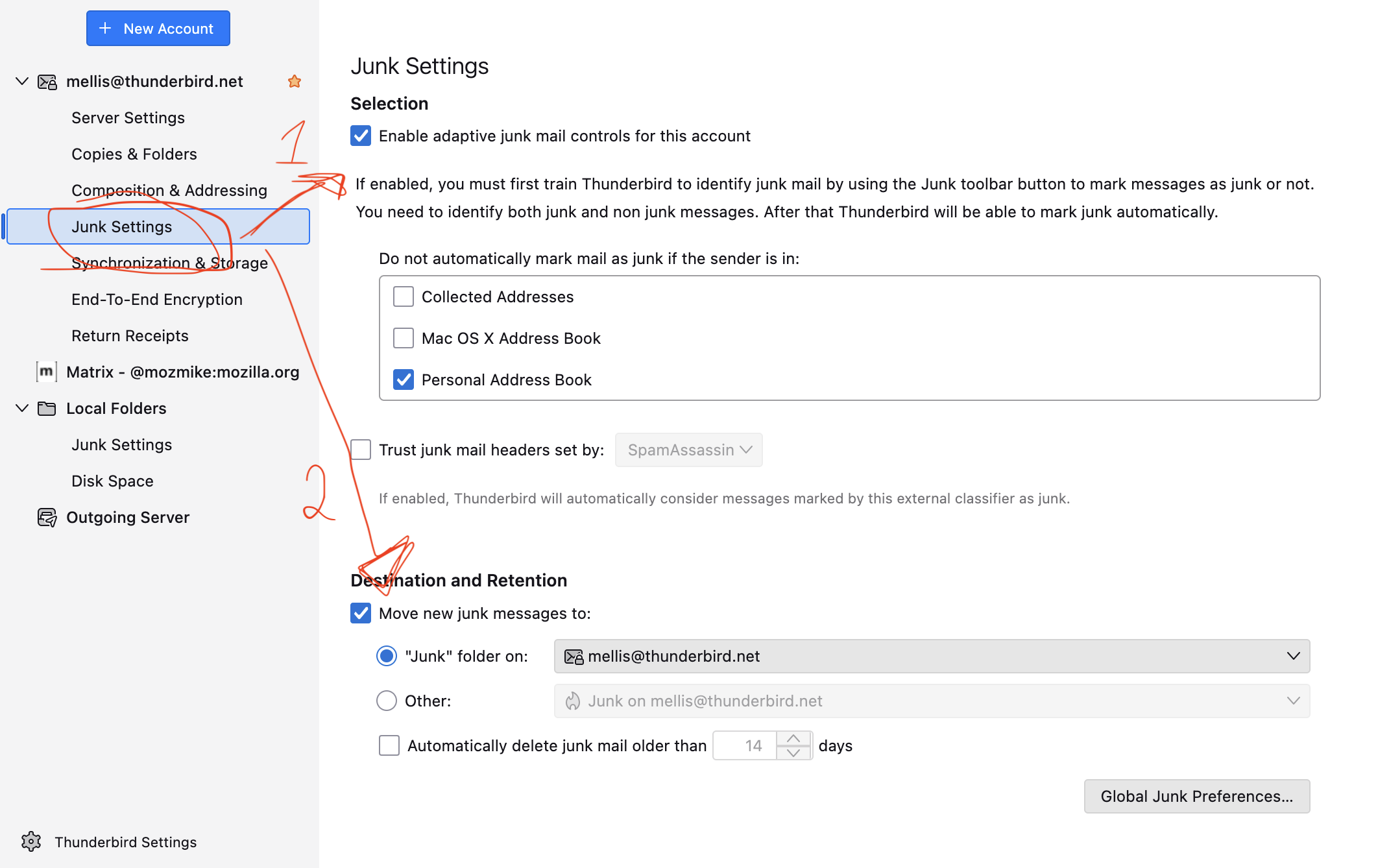
Go to THunderbird -> Account settings -> Click on Junk Settings
- Make sure “Enable adaptive junk mail controls for this account” is checked
- Under “Move new junk messages to:”, select “Other: Junk folder on [your account]”
If you still don't see it, check if it's subscribed:
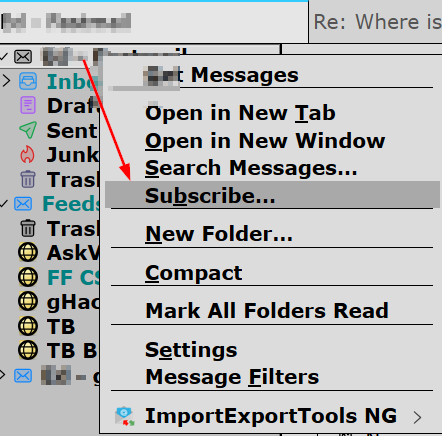
In the L. column, R. click the account (just above the Inbox) > Subscribe
Another issue is that with the latest release (v141), imap account Spam and Bulk folders were renamed to Junk on TB. That bug isn't fixed yet, and not sure if it even affects you as you can't look for a Spam folder via webmail. You should contact your email provider about that.
I managed to create the junk folder of my mail-account in thunderbird and followed your instructions with "other:...." , but still not working. I tried to follow your instructions "subscribe" ? but have no clue where I can find it.
You can't just create a junk or spam folder, because they have special program-generated flags.
When Subscribe opens, you will see a list of all your folders. Look for one named Junk or Spam. If you find it and it's unchecked, check it > click OK.
I am glad to hear you were bale to create and locate your junk folder. There is a chance that your folder is currently empty, but still working fine (just currently empty). Now that you have a junk folder, try to go to a message in your inbox and right click -> Mark -> mark as Junk