


"Authentication failed" error when adding Exchange account in Account Hub (accounthub)

I was thrilled to learn that in the latest releases of Thunderbird, the developers added native Exchange account support.
I was able to successfully add one of my Exchange accounts; however, for another, I get an error:
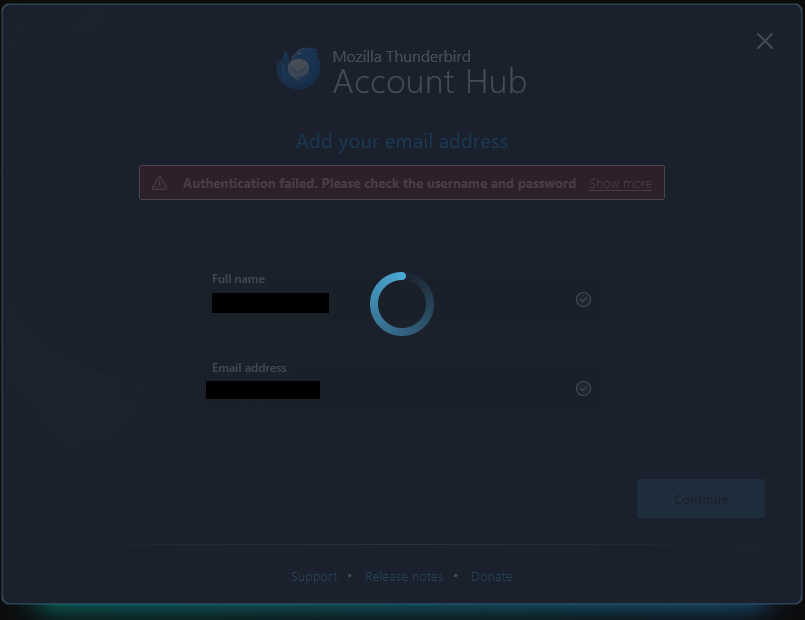
"Authentication failed. Please check the username and password" (see attached image)
The dialog box hangs with a frozen spinning wheel. Pressing escape closes the dialog box.
I made sure that the email address was correct. If it helps diagnose the problem, the email domain is @uvic.ca (University of Victoria). I am on version 141.0 of Thunderbird (64-bit).
With such a recent feature, there are sure to be bugs, so I thought that I would report this one. Thank you in advance for any help.
Modified by Wayne Mery
All Replies (4)

At the top right of the Thunderbird window, click the menu button ≡ > Settings - General - Account Hub Uncheck 'Create accounts in the new Account Hub'. Then try again to set up the second account.
Thank you @christ1. That worked for the @uvic.ca account.
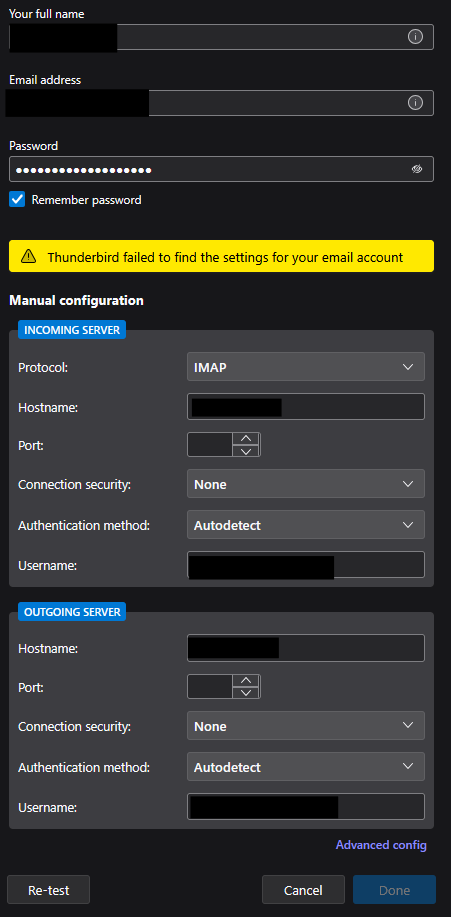
Unfortunately, Thunderbird failed to find the settings for another of my Exchange accounts (@concordia.ca) (see attached image).
Is there any way to manually configure the Exchange Web Services settings for an account? I only see settings for IMAP/POP unfortunately.
Thank you again for your help,
Florent
Modified by floen
I have no idea. In any case, Exchange in Thunderbird is still in the early stages. https://wiki.mozilla.org/Thunderbird:Exchange
If you still have trouble setting up concordia, please file a bug report.