


141 Update - Killed Filtaquilla-------- New Update is available :)

Since updating to 141.0 64 bit today (Jul 22, 2025) my addon Filtaquilla is disabled.
I tried another attachment saver and the same thing happened. Okay, I'll revert back to previous version.
Can't do that without starting a new profile.
Sure glad I donated to Thunderbird last night.
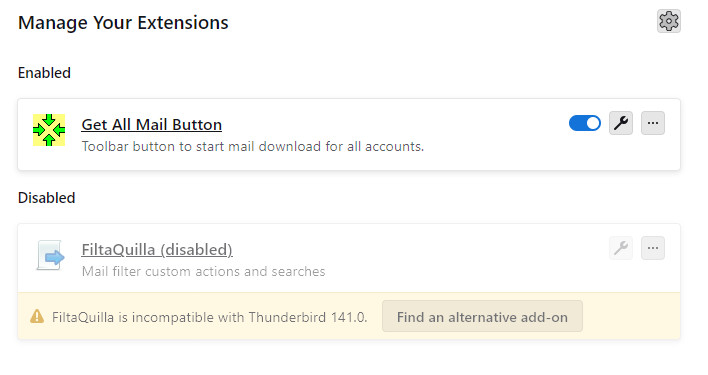
Modified by wallychrome

Chosen Solution
I cannot solve your problem.
However, the following add-on might be helpful to you in the future: Add-on Compatibility Check https://addons.thunderbird.net/en-US/thunderbird/addon/addon-compatibility-check/
The above add-on can check whether installed add-ons are compatible with new version of Thunderbird. Therefore, you can decide whether to upgrade Thunderbird or not.
All Replies (7)
new attached screenshot
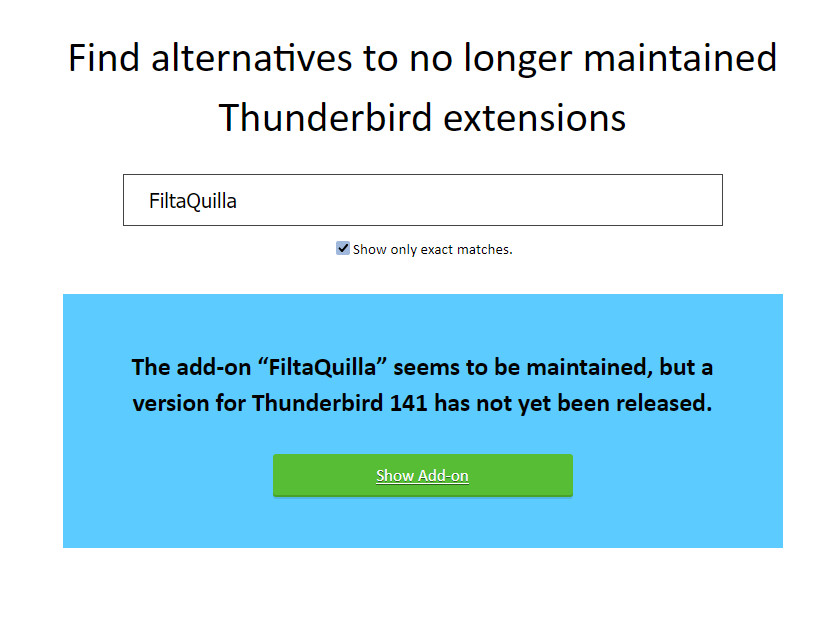
This add-on extracts attachments in 141:
https://addons.thunderbird.net/en-us/thunderbird/addon/mail-extractor/
Thanks, but it doesn't seem to be the same or close.
I was able to set a filter and automatically save sent and received attachments to a folder on my hard drive.
If this can do the same, I can't see how. Thanks
It doesn't work as an automatic filter, but attachments from multiple messages can be extracted manually in one step.
Thanks - Got my first computer in 1994.
I found generally, if a program update is screwy, just install prior version. Not here, back to the drawing board as I'm forced to basically start over. Having attachments automatically copied is a big deal for me. Eudora was the ideal mail client , but finally gave up the ghost.
Thanks for your help.
Chosen Solution
I cannot solve your problem.
However, the following add-on might be helpful to you in the future: Add-on Compatibility Check https://addons.thunderbird.net/en-US/thunderbird/addon/addon-compatibility-check/
The above add-on can check whether installed add-ons are compatible with new version of Thunderbird. Therefore, you can decide whether to upgrade Thunderbird or not.
Hi,
Thanks, you are a genius and that addon solves my future problems. Since I was just starting with Thunderbird, I bit the bullet and installed 140.0.1 from scratch and all is good, including your suggestion.
Thanks again. Wally