

This thread was archived.
Please ask a new question if you need help.

Archived
"next page" Tag

Next to the field where a current HTTP:// is entered, there USED TO BE a button allowing me to add another empty search page. Than has vanished. How do I restore it please?
Next to the field where a current HTTP:// is entered, there USED TO BE a button allowing me to add another empty search page. Than has vanished. How do I restore it please?
All Replies (3)
Hi
If you look along where your open tabs are at the top of the screen, after the last tab on the right you should see a "+" symbol. Select this to open a new tab.
I hope that this helps.
Please see the attached screen shot "where is the plus"
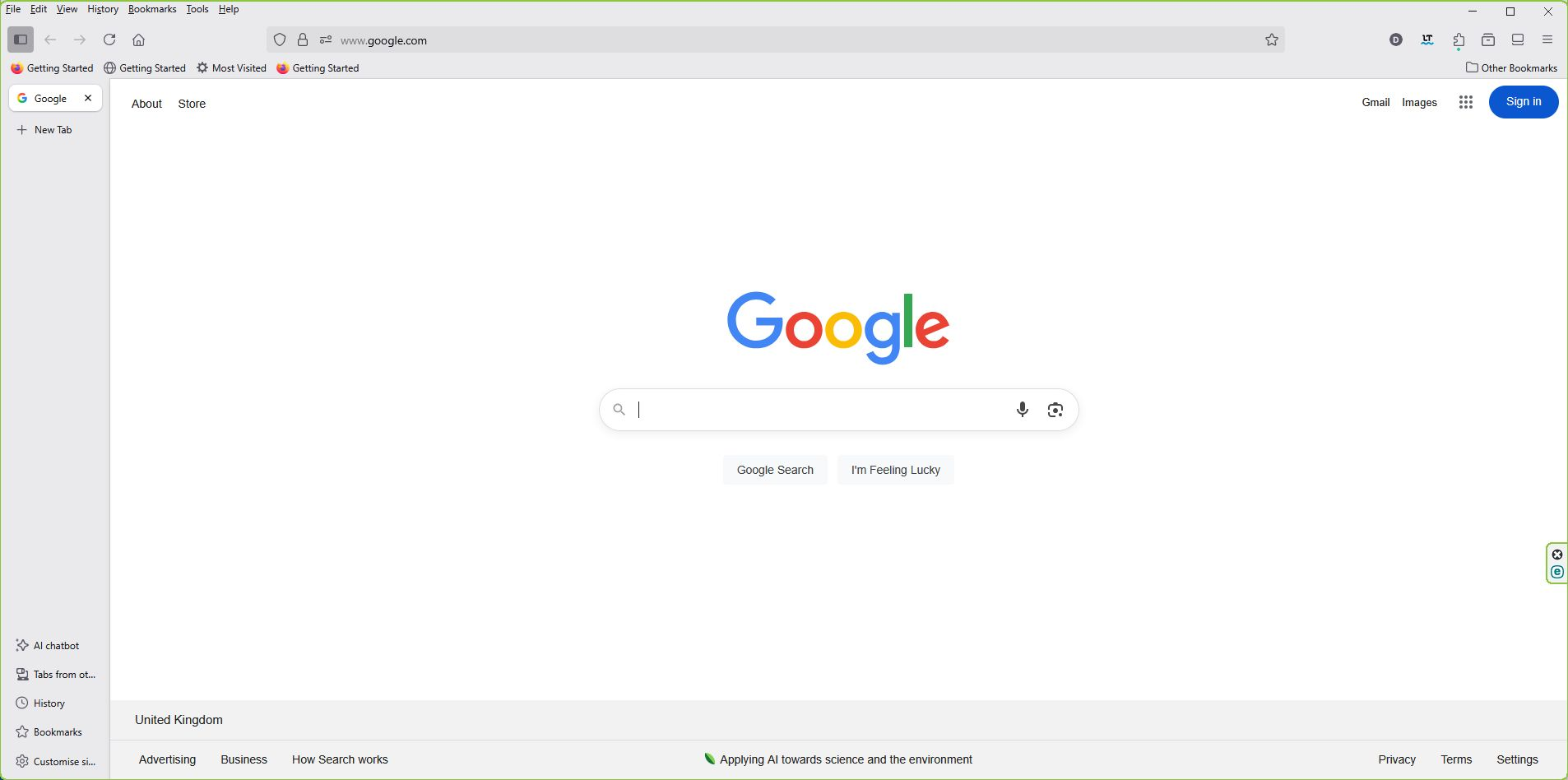
Ah, you appear to have vertical tabs turned on. Select "+ New Tab" on the left hand side of the screen to open a new tab.