


Images not showing in sent email
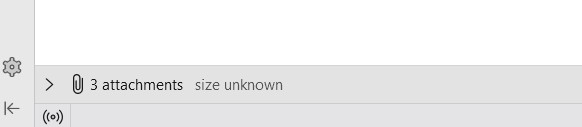
When I send an image the image appears in my email, naturally. When I get a response to that email, the image is not included. It shows up as follows.
This has changed and I don't know why. Is there a setting or a way to have them included in the return email. Thanks.
Chosen solution
re :When I send an image the image appears in my email, naturally. that implies you inserting the image into the email - 'inline' as part of content as opposed to 'attaching' an image file to the email.
But the reply back has stripped the formatting and so forcing the images to be attached.
Why is this occuring:
- You might be creatin in HTML, but sending only using Plain Text.
- Recipint might be only viewing in Plain Text and/or only sending in Plain Text.
- You might be only viewing received emails as plain Text.
1. Sounds like you are composing and have a HTML view of email, but are you sending as HTML or sending as Plain Text or both ?
In Thunderbird
- Settings > Composition
- Scroll to 'Sending Format'
- Please select 'Both HTML and Plain Text'
That will ensure you are ending in both formats, so recipient has the choice.
What did you find you were using ? 'Auto' ? 'Only Plain Text' ? Did you change it to 'Both HTML and Plain Text'?
2. If recipient only receives as Plain text or has changed how they view and send, then all formatting gets strips and any image will be removed from content thus person sees images as attachments.
You can find out what they sent.
Select the email so you can read in Message Pane, then click on 'More' and select 'View Source'.
It opens in a new window.
Scan down past all the headers to where the actual email content is written.
You need to look for these lines: 'Content-Type: text/plain;' and 'Content-Type: text/html';
Do you see both OR only 'Content-Type: text/plain;' ?
3. check what you are using to read received emails. View > Message Body as > select 'Original HTML' If it says 'Plain Text' then it is you who is choosing to strip all the formatting.
Read this answer in context 👍 0All Replies (3)
That depends on the receiver of the message.
This is a respondent with whom I have communicated with for many years. Images always were included in the return email. Why that has changed I don't know and I don't like it.
Chosen Solution
re :When I send an image the image appears in my email, naturally. that implies you inserting the image into the email - 'inline' as part of content as opposed to 'attaching' an image file to the email.
But the reply back has stripped the formatting and so forcing the images to be attached.
Why is this occuring:
- You might be creatin in HTML, but sending only using Plain Text.
- Recipint might be only viewing in Plain Text and/or only sending in Plain Text.
- You might be only viewing received emails as plain Text.
1. Sounds like you are composing and have a HTML view of email, but are you sending as HTML or sending as Plain Text or both ?
In Thunderbird
- Settings > Composition
- Scroll to 'Sending Format'
- Please select 'Both HTML and Plain Text'
That will ensure you are ending in both formats, so recipient has the choice.
What did you find you were using ? 'Auto' ? 'Only Plain Text' ? Did you change it to 'Both HTML and Plain Text'?
2. If recipient only receives as Plain text or has changed how they view and send, then all formatting gets strips and any image will be removed from content thus person sees images as attachments.
You can find out what they sent.
Select the email so you can read in Message Pane, then click on 'More' and select 'View Source'.
It opens in a new window.
Scan down past all the headers to where the actual email content is written.
You need to look for these lines: 'Content-Type: text/plain;' and 'Content-Type: text/html';
Do you see both OR only 'Content-Type: text/plain;' ?
3. check what you are using to read received emails. View > Message Body as > select 'Original HTML' If it says 'Plain Text' then it is you who is choosing to strip all the formatting.