


Image attachments in messages.
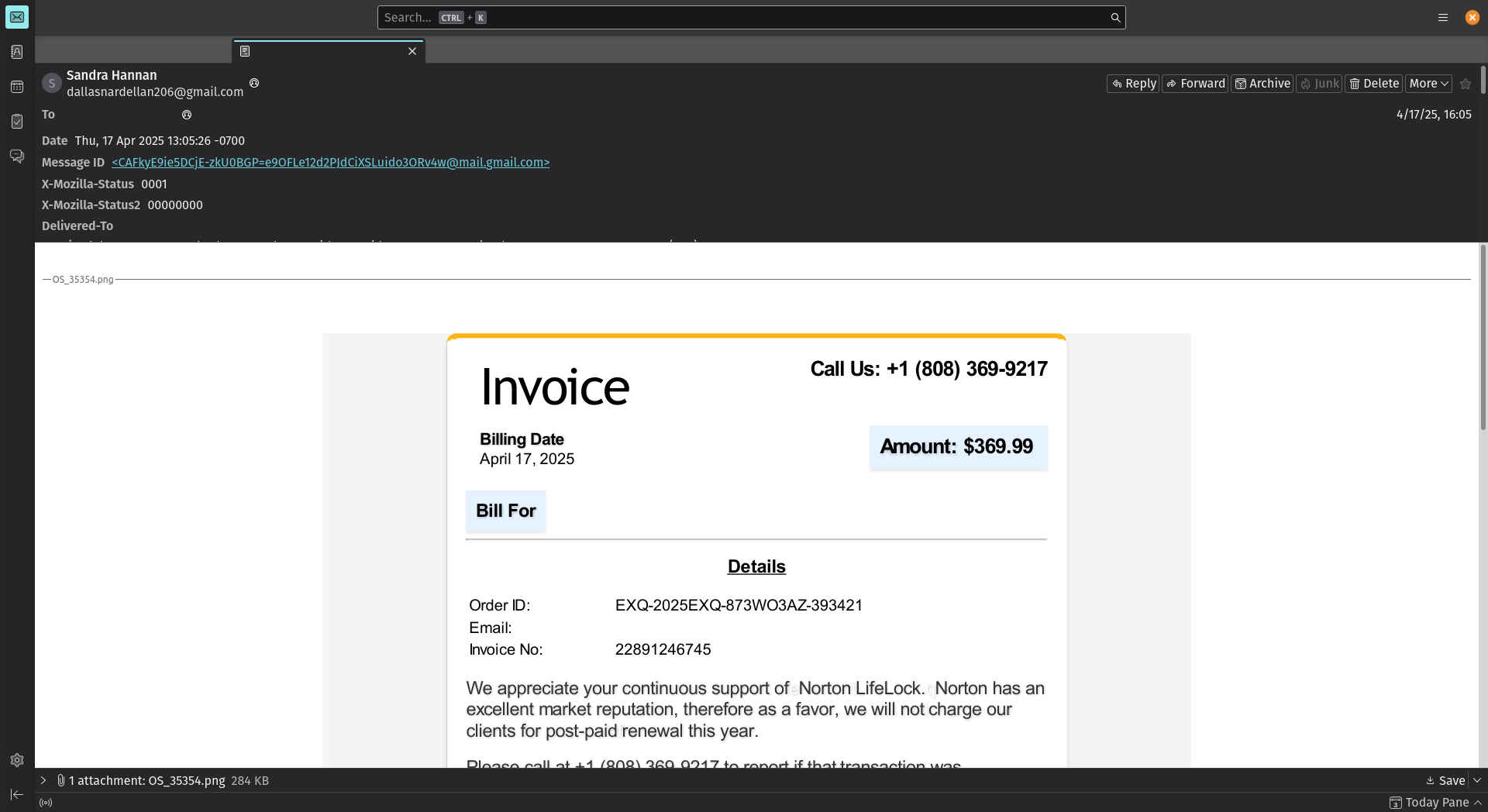
Is there a way to disable Thunderbird’s ability to open email attachments (image attachments currently)? We’re no stranger to message spam, or how message remote content can be abused, but images can still display fraudulent content. I’m hoping the images don’t contain any other surprises. Thank you for your time.
Chosen Solution
Do you have View> Display Attachments Inline ticked?
All Replies (3)
- click settings>privacy&security
- UNtick the box that allows remote images in messages You will have the option to allow exceptions as desired.
Hello David. Thank you for the reply. I’m inquiring about Thunderbird’s email message file attachments, not the remote content; I should have been more clear, my apologies.
Issue: Thunderbird opens email attachment images (.png file in the screen shot provided). The images are fraudulent.
Solution: Disable Thunderbird’s ability to open and display images. The image files are fraudulent.
Chosen Solution
Do you have View> Display Attachments Inline ticked?