


Saving emails as .eml files, and creating folders

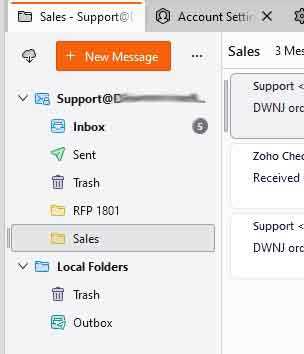
I've created the email account, and it can send and receive emails ok. In FiltaQuilla, I have checked "Save message as file." On the screen that shows my incoming emails, I have right-clicked on the account, I click on New Folder, and I created "Sales." So, Sales shows under the main entry, but there is not a physical folder named Sales. Under Tools / Message Filters, I have it set to move to Sales under the main entry.
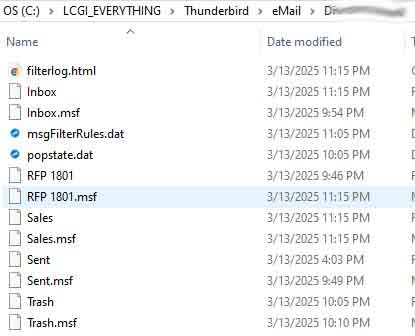
When the mail is received, it is moved to Sales. But... There is a file named "Sales" (which I assume contains all of the Sales emails), but there is not a physical folder. And I cannot find .eml files.
What am I leaving out?
(You'll notice in the attached screen shot that I have changed the default location.)
       Thank you.
         Art Lieberman

All Replies (2)
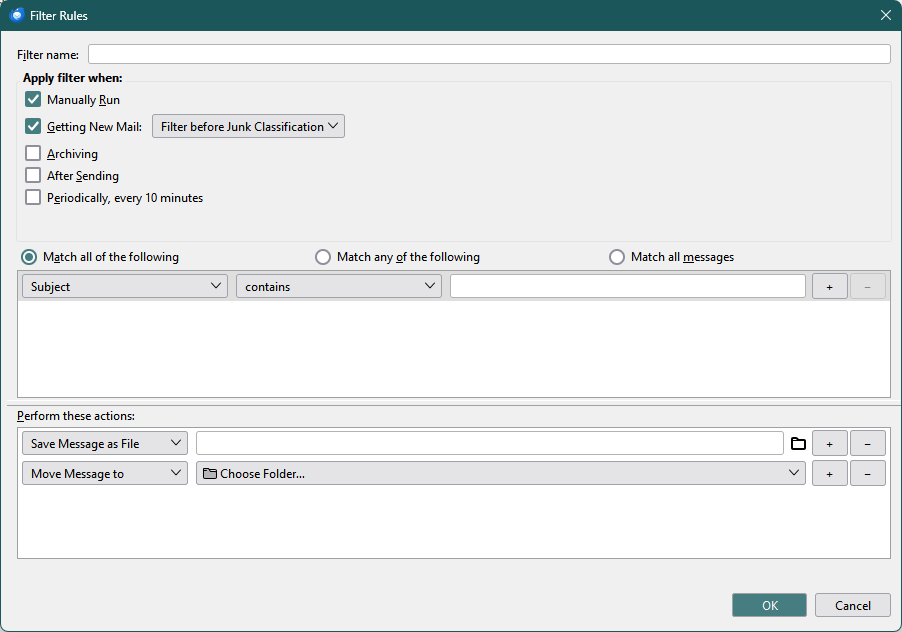
Your filter should look something like the attached picture, where the first action saves the message as an eml file to an external folder (which you must define by clicking the folder icon), and the second action moves the message to Sales.
Chosen Solution
thank you... THANK YOU... THANK YOU!!!