


Email composition

not so much a question as a suggestion, though I would like to know if it is already possible.. I think a button or position in one of the menus for "Word Wrap" would make my life easier.. I do not like to lose track of what I am typing in an email and do not always have the option to open full screen.. I need to have a wrap to window option.. Thanks, Bob Schudel
All Replies (3)
When composing a plain text message, wrapping can be set to the window width by changing mailnews.wraplength to 0 (zero) in Settings/General, Config. editor.
I went to the General, scrolled to bottom for config editor.. then went in and changed from 72 to 0 and closed and reopened thunderbird.. didn't seem to change anything.. still does not wrap to window..
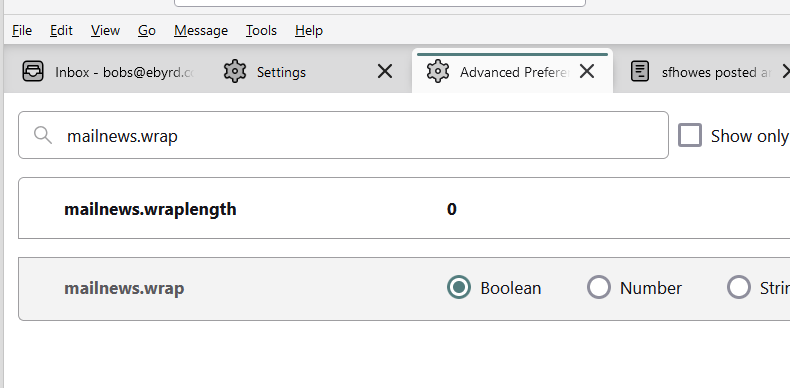
Please recheck config editor that it was saved. Also, check addons. If you have any, try help>troubleshoot mode to see if addons are involved.