


URL is causing FF to run slow

I clicked on a link in an email and FF began opening it. It then stopped and gave a message that the site was causing FF to run slow. That was an understatement, as FF never continued and didn't fully open the site. I copied the URL to Chrome and it had no problem quickly opening the site. What do I need to fix in FF to make it happy again? This is the link if you want to try it. https://www.mypoints.com/jumppage?trkid=p16498665&h=1645af8f93c2559daa84038a922f4a04&merchant=10659&page=110&finalUrl=https%3A%2F%2Fbestbuy.7tiv.net%2Fc%2F49764%2F687081%2F10014%3Fu%3Dhttps%253A%252F%252Fwww.bestbuy.com%252Ftop-deals&brand=BestBuy&deo=16498665,5,0,0,0,0,0&utm_source=BONUSMAIL&utm_medium=email&utm_campaign=1196390
Chosen solution
Great. Mark it as resolved and have a nice day.
Read this answer in context 👍 0All Replies (5)
Good morning, I think this is a Firefox bug or if it persists reinstall Firefox. Just remember to save your passwords first.
Kind regards, Timéo
ferraritimeo6 said
Good morning, I think this is a Firefox bug or if it persists reinstall Firefox. Just remember to save your passwords first. Kind regards, Timéo
Did you try the link? If so, did it do what I described? If so, then it is a bug. No need to reinstall. Not much chance your installation is the same as mine.
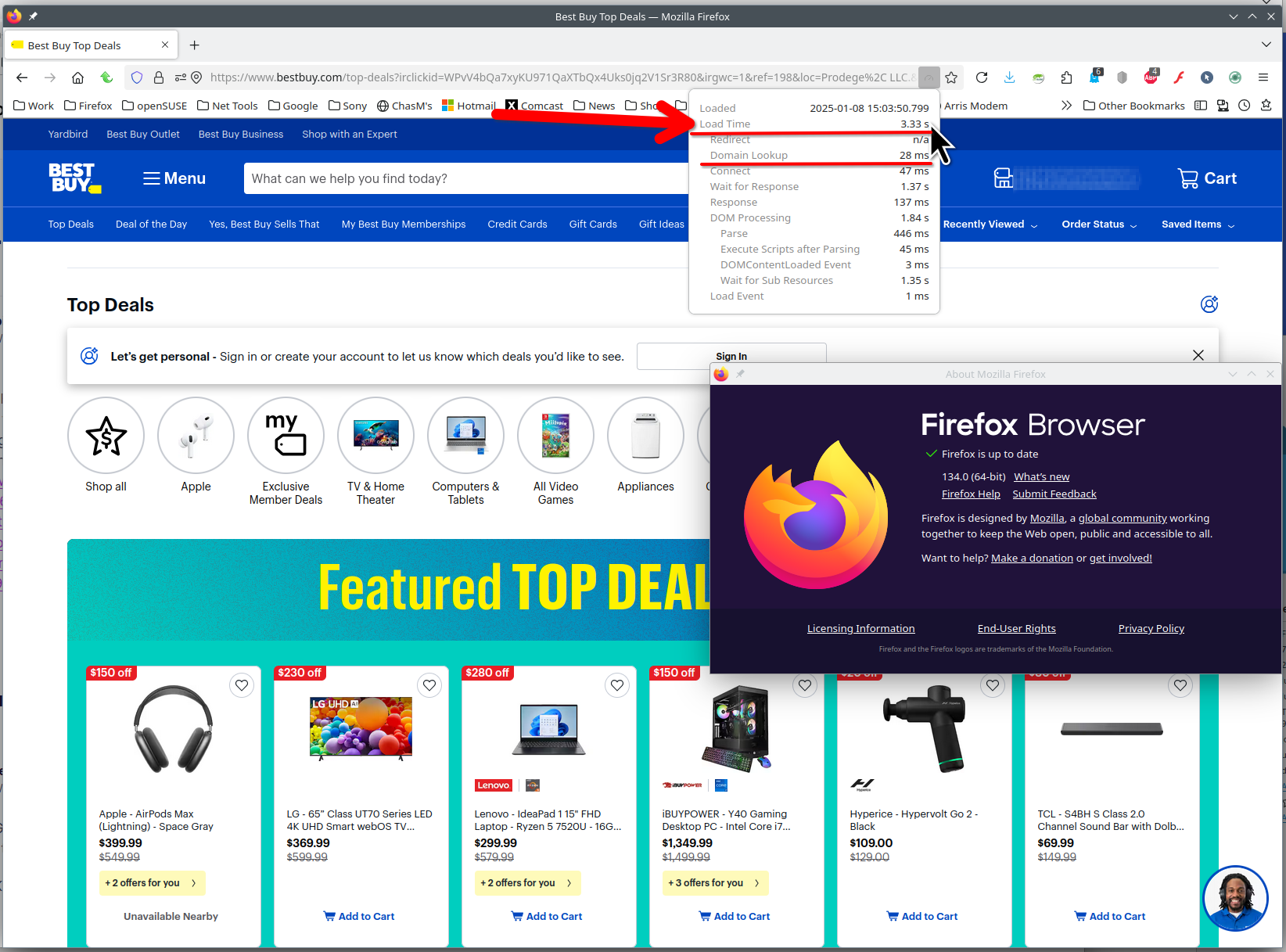
I had no issue with the site, it came up in about 3 seconds for me. see screenshot Show that the site is slow for you. Here is the add-on I'm using to show load time. https://addons.mozilla.org/en-US/firefox/addon/load-time/ Do you have the same issue with Firefox in Troubleshoot Mode? https://support.mozilla.org/en-US/kb/diagnose-firefox-issues-using-troubleshoot-mode#w_how-to-start-firefox-in-4troubleshoot-modesf5safe-modesf
What OS? What version of Firefox?

Well, it is magically working today. Must have been the site. Thanks
Chosen Solution
Great. Mark it as resolved and have a nice day.