

This thread was archived.
Please ask a new question if you need help.

Archived
Thunderbird can not open mbox mail

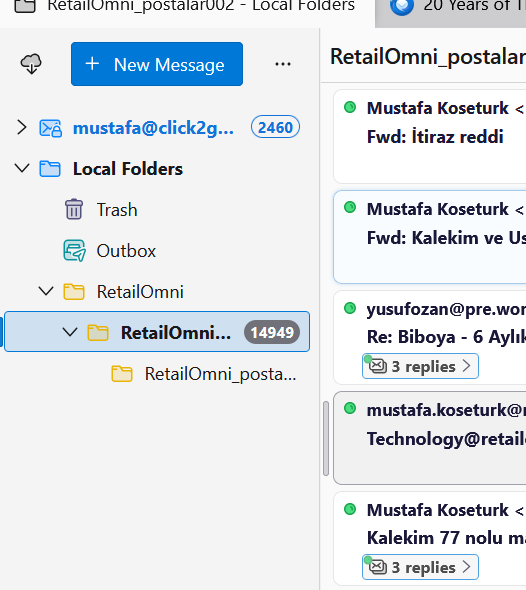
Hi, I have imported mbox file and Thunderbirds shows the initial view of messages. However, when I double click the mail to open the mail, I says :
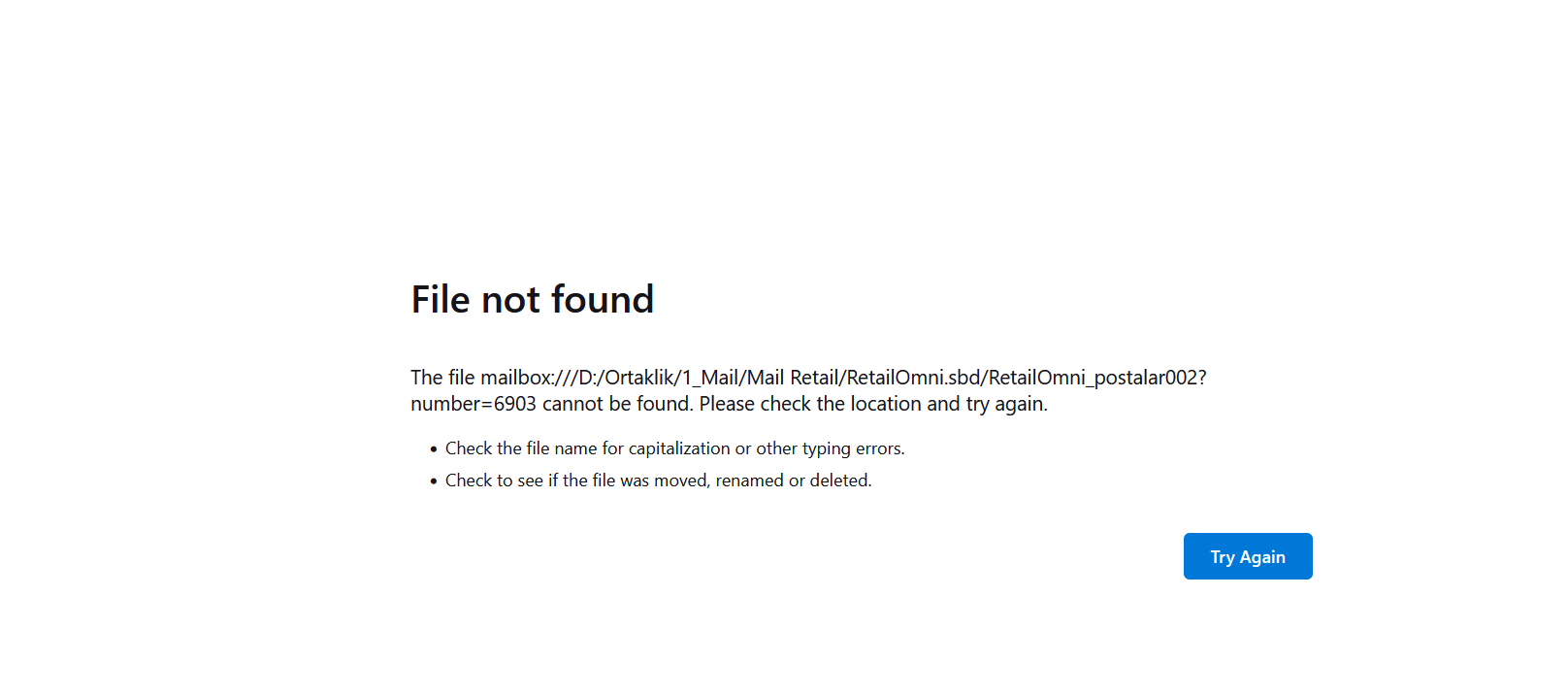
File not found
Check the file name for capitalization or other typing errors.
   Check to see if the file was moved, renamed or deleted.
The file folder path isD:\Ortaklık\1_Mail\Mail_Retail The file name is RetailOmni_postalar002.mbox
I couldnt get why it says this error.
Could you please help? Thank you
Hi,
I have imported mbox file and Thunderbirds shows the initial view of messages.
However, when I double click the mail to open the mail, I says :
File not found
Check the file name for capitalization or other typing errors.
Check to see if the file was moved, renamed or deleted.
The file folder path isD:\Ortaklık\1_Mail\Mail_Retail
The file name is RetailOmni_postalar002.mbox
I couldnt get why it says this error.
Could you please help?
Thank you
All Replies (1)
Help/Troubleshooting Info, Profile Folder, Open Folder, close TB, copy RetailOmni_postalar002.mbox into Mail/Local Folders, remove the .mbox extension, restart TB, find the RetailOmni_postalar002 folder under Local Folders in the Folder Pane.