


Adding an option to visit the extension store page?

I tried eveything but found no way to access the store page of a specific extension, am i missing something?
Searching isnt good if it has a simple name as thounsands show up
Chosen Solution
ah perfect mystery solved then :)
All Replies (10)

Yes, you are missing something. ;-)) Show the add-on you're looking for. I have no issue getting to the page for Ghostery. see screenshot
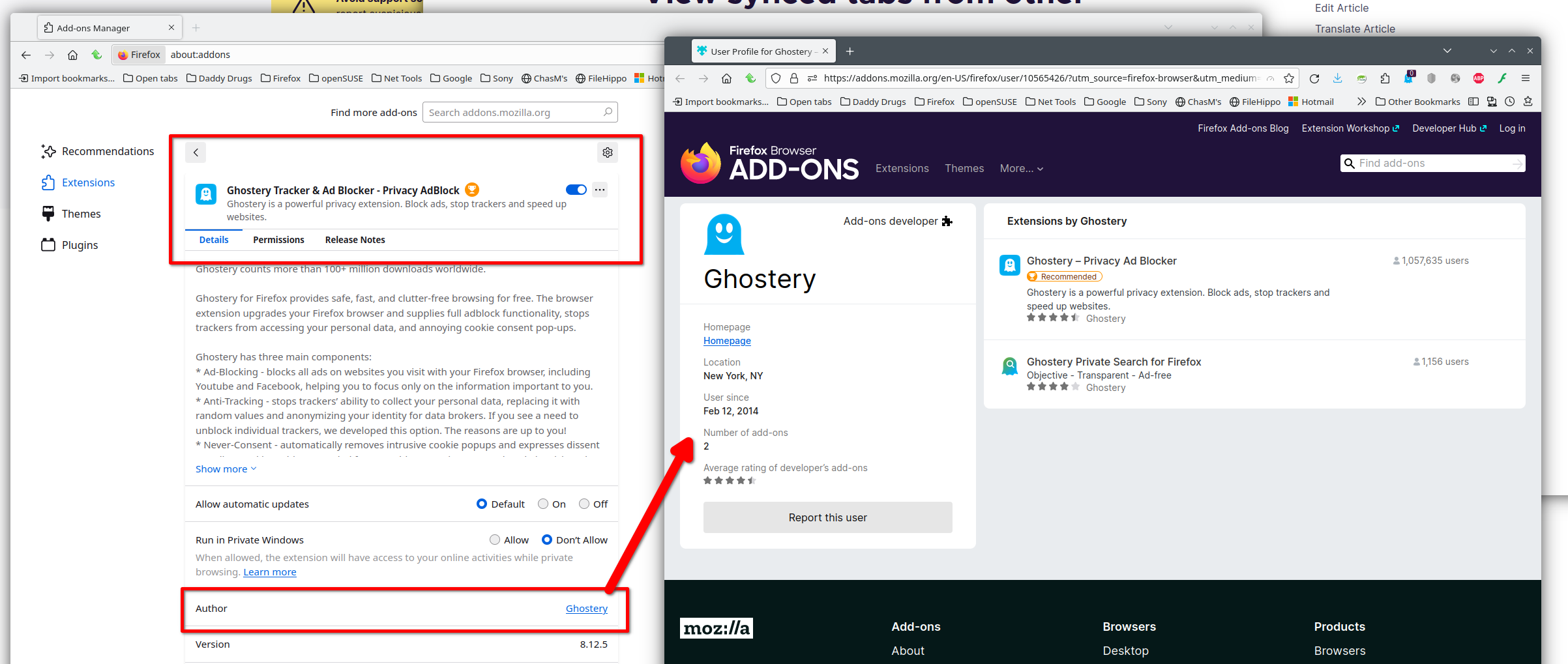
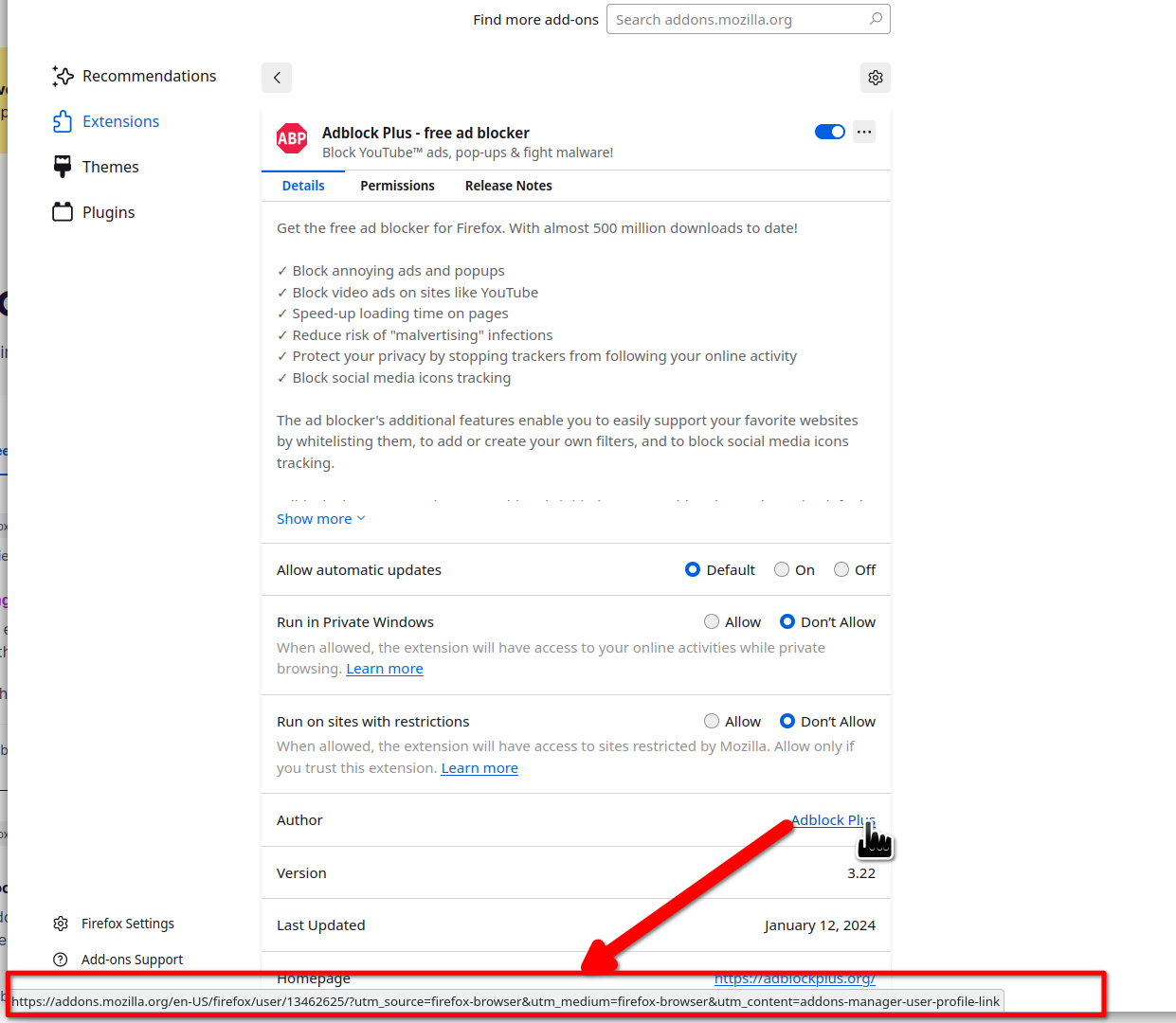
Modified by jonzn4SUSE
If the extension has an homepage listed on "Add-ons" (Ctrl+Shift+A), then you can visit its homepage where you usually can find a link or button to go to its page on the Add-ons website.
You can use the "reviews" link at the bottom to get to the AMO listing.
mine is different on windows i dont have the author underneath i can click on
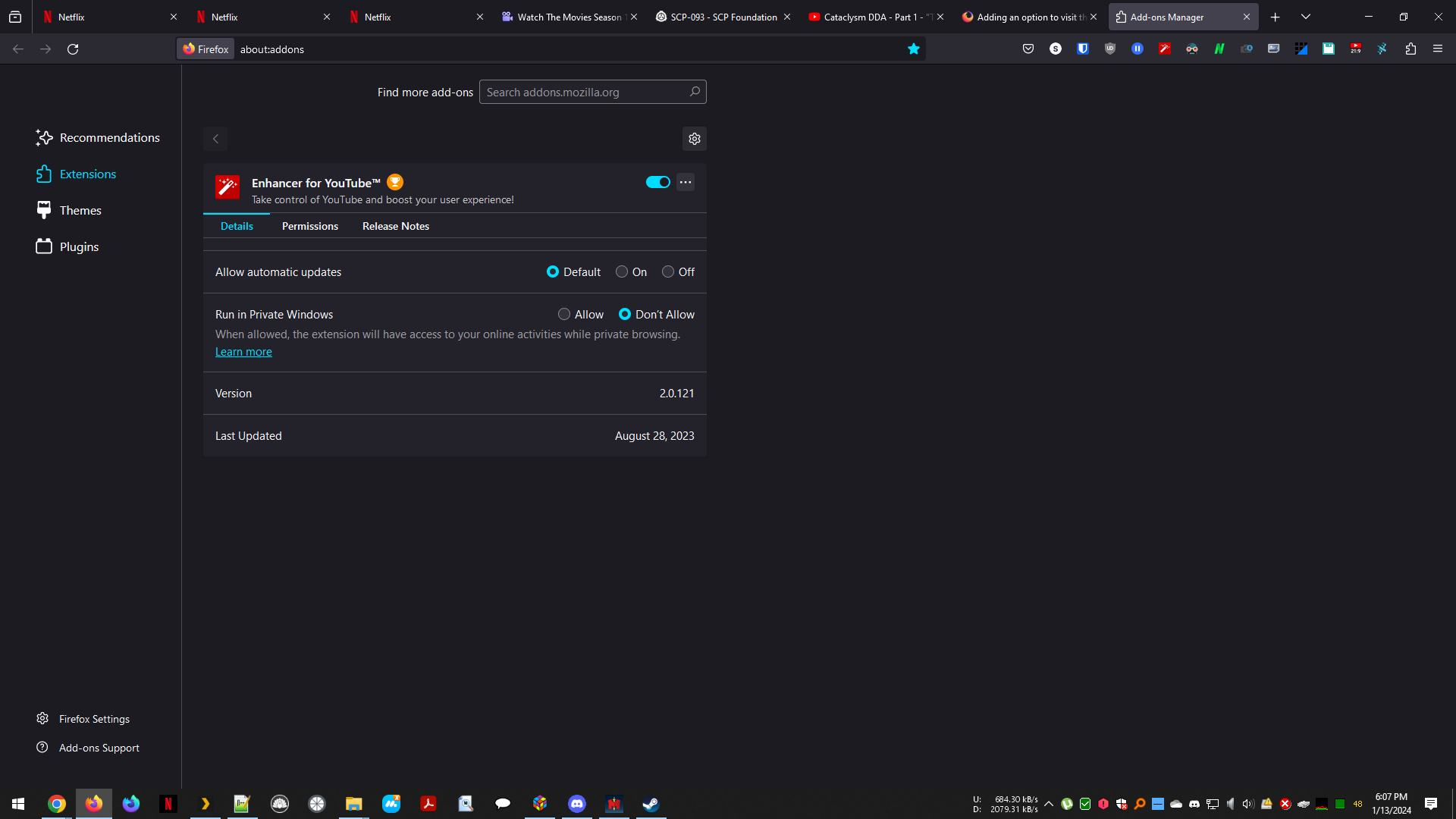
Interesting... Let me install it and see what I get.
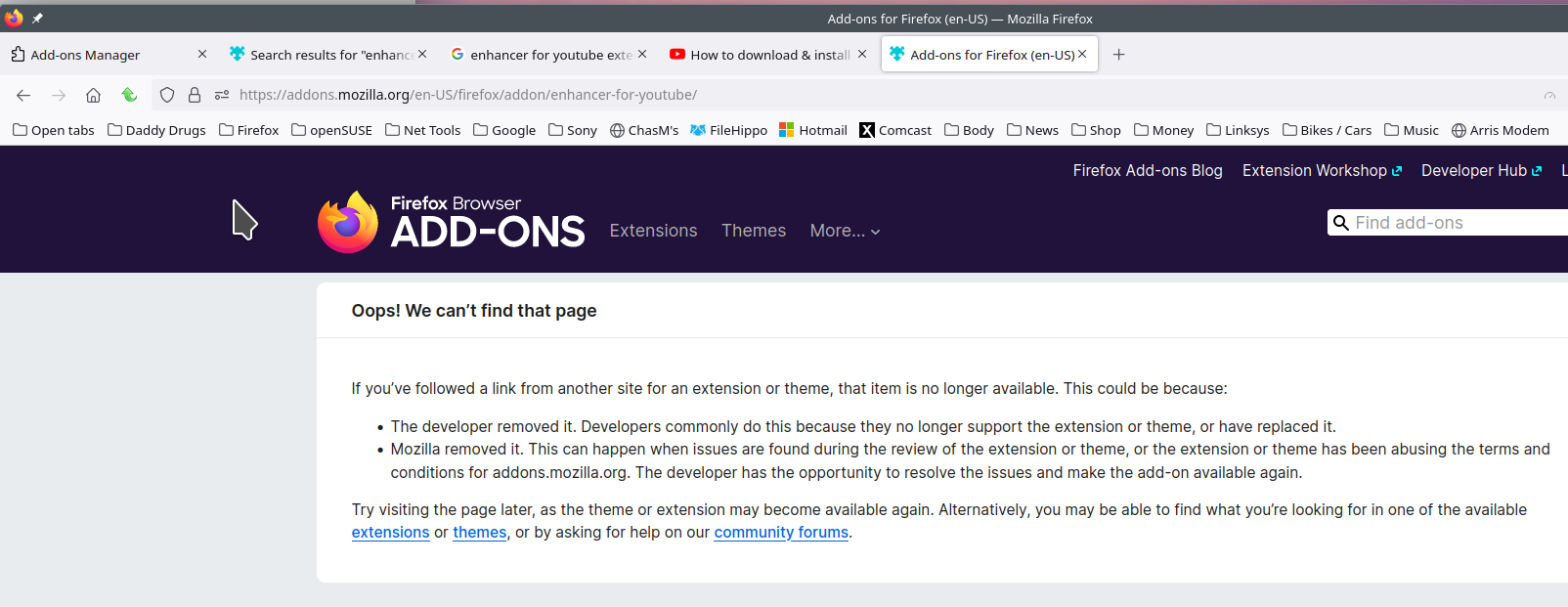
It's not official. That should answer your question about the mystery add-on. Will there be anything else??? ;-)
Modified by jonzn4SUSE
Chosen Solution
ah perfect mystery solved then :)
thanks for your time
No problem. Mark this issue as resolved and have a nice day.
Modified by jonzn4SUSE