

This thread was archived.
Please ask a new question if you need help.

Solved
Archived
Calendar - How to start week on monday with Thunderbird v91?

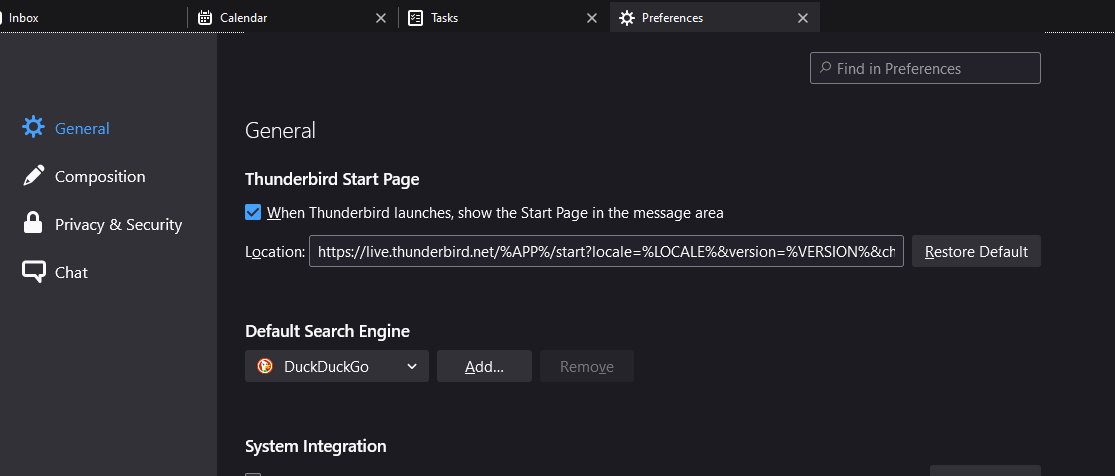
So it seems that "Options" has since changed and is now called preferences. However under this submenu, based on some old screenshots, there used to appear a "Calendar" section on the left hand side. This is where some older posts showed where you would go to make that change.
However that is no longer there. So where do I go to modify this? Don't think it makes a difference but I'm using Windows 10.
So it seems that "Options" has since changed and is now called preferences. However under this submenu, based on some old screenshots, there used to appear a "Calendar" section on the left hand side. This is where some older posts showed where you would go to make that change.
However that is no longer there. So where do I go to modify this? Don't think it makes a difference but I'm using Windows 10.
All Replies (2)
Chosen Solution
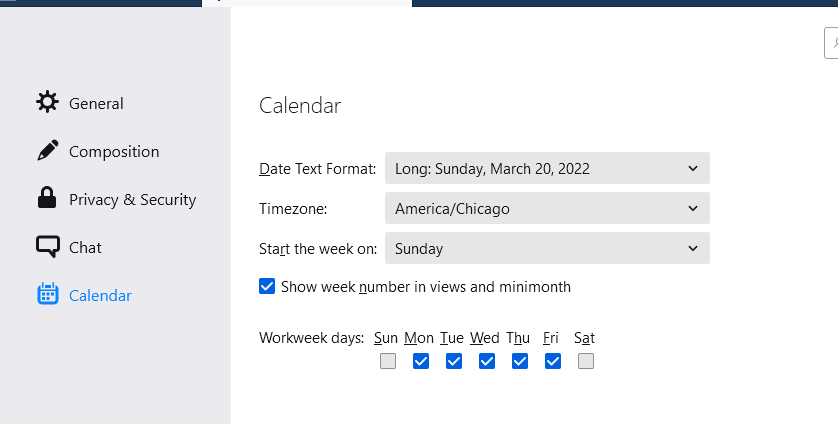
Calendar settings are still under Preferences (see picture), but do you have a calendar defined? Ctrl+Shift+C to open the calendar tab.
sfhowes said
Calendar settings are still under Preferences (see picture), but do you have a calendar defined? Ctrl+Shift+C to open the calendar tab.
My screenshot kinda backs me up but for some reason I didn't have that calendar tab on the left hand side. Not sure what happened but it's there now for me.