


Thunderbird is suddenly not sending email

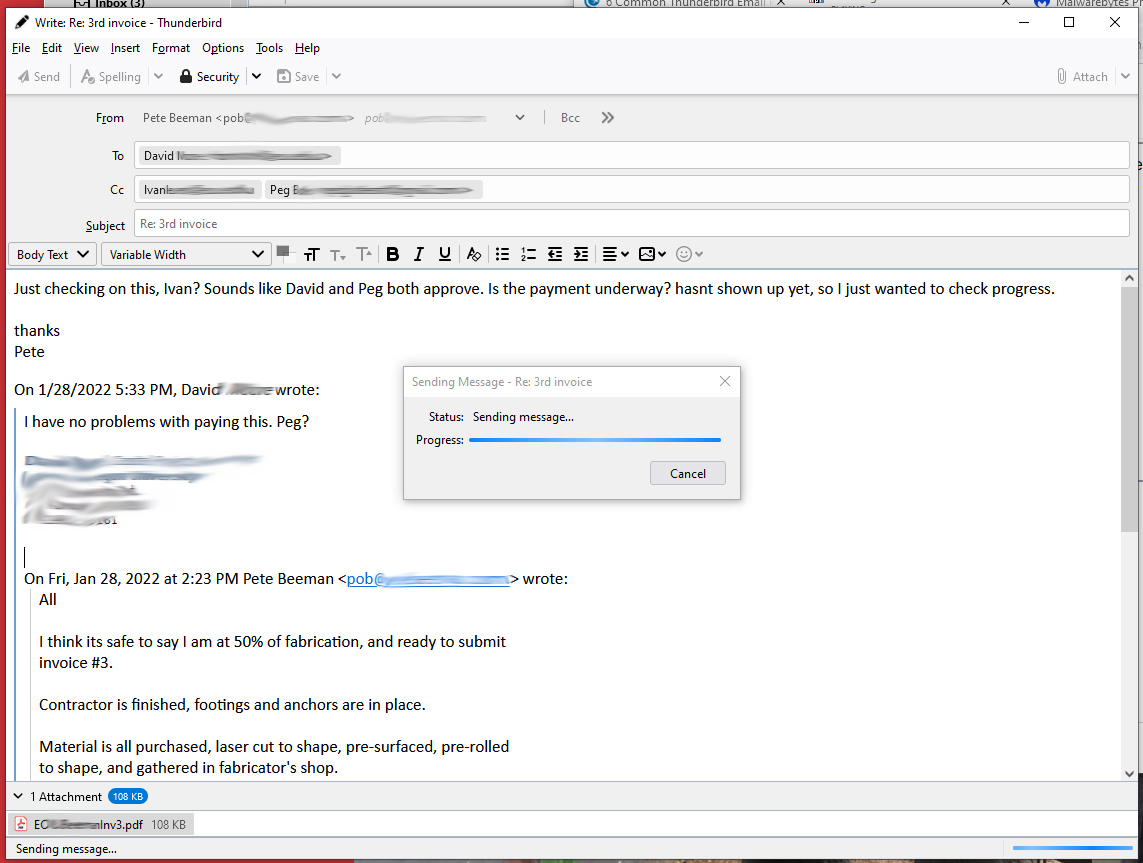
Thunderbird is suddenly not sending email with more than one recipient. Still sending emails to a single recipient. As always, pop up window comes up showing Progress, bar gets to end, then just sits there, as in image. Not aware of any changes or updates. Turned off Malwarebytes, same result.
All Replies (7)
Who is the mail provider? This has been an issue with one service, Shaw, and sending with non-secure smtp settings.
not Shaw. iPage. Thanks
Are you using the secure or non-secure settings?
https://www.ipage.com/help/article/email-client-setup-thunderbird-78
The TB profile folder should be added as an exclusion in MWB settings.
Secure settings, all match those listed in your link. I dont have the MWB Management Console, but I did list TB on MWB's "allow List". thanks
Can you send to multiple recipients when there's no attachment?
no, trouble with two emails to 3 recipients, one with attachment, one without. Tried to send to any 2 recipients, didnt work, but if I reduce to a single recipient, the mail goes thru attachment or not. Thanks for following up on this! I am at a total loss. 2 things I have noted. 1)I was on the west coast on the 12th, flew to NYC. This is on a laptop. Problem first notice on the 14th. 2)I think TBird updated on the 11th. Doubt I tried to send to 3 recipients after the 11th till this happened.
Updated MWB, restarted 2 more times. Seems to be resolved......