


Missing importnant interactive parts on website when using Firefox
I have been using Firefox as my main browser for a while and I like it.
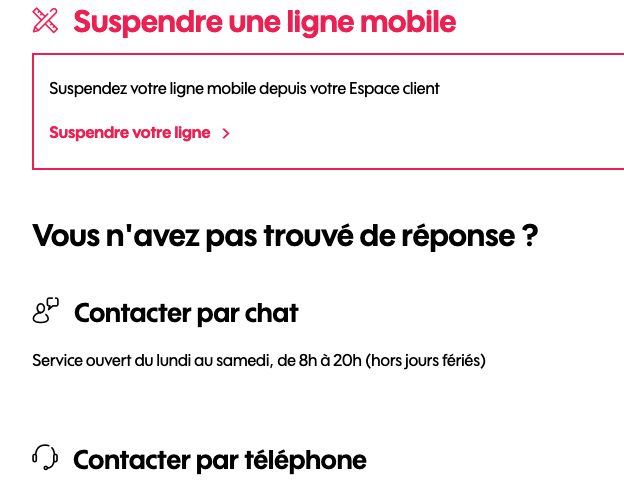
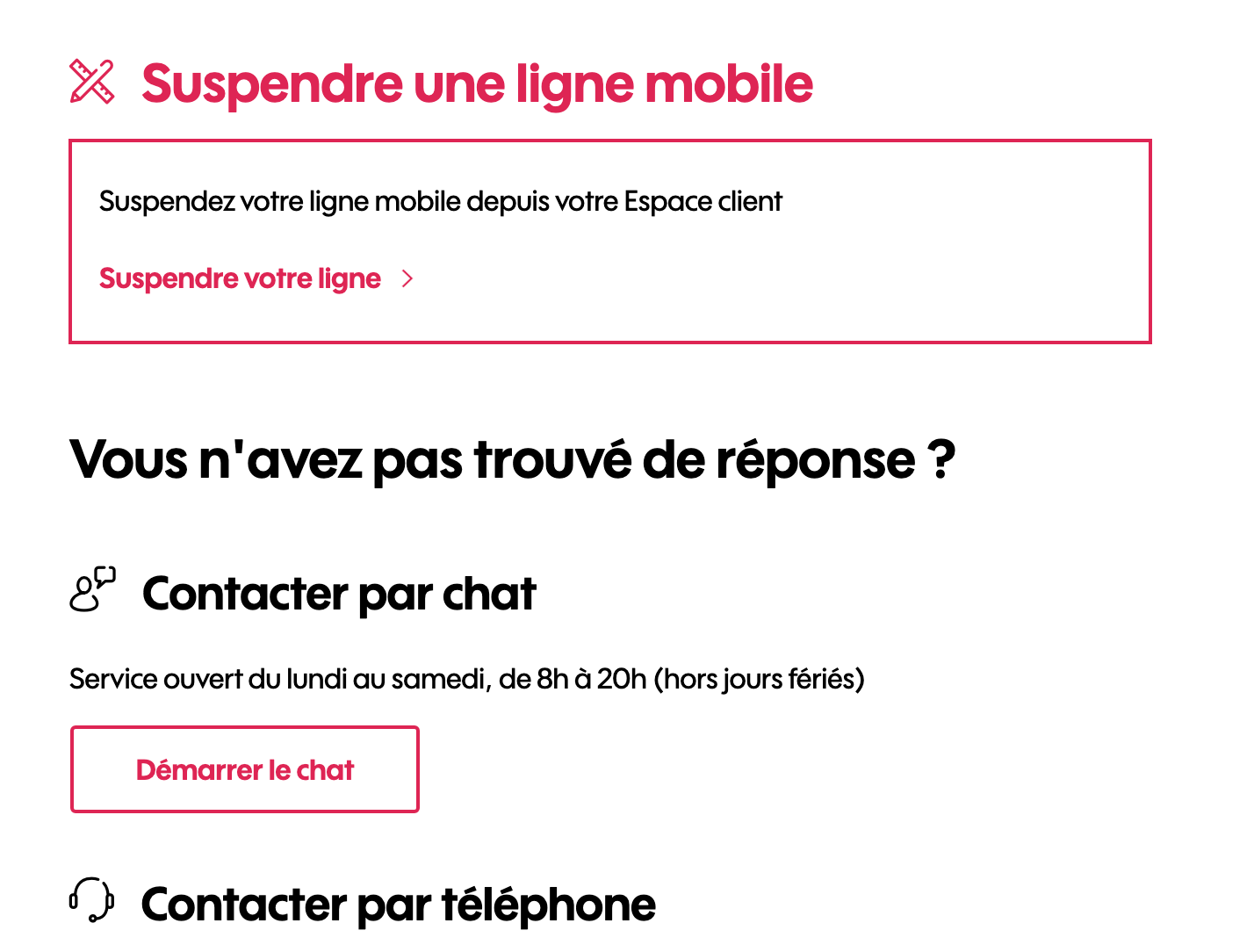
I have noticed that some interactive parts on some websites are missing when using Firefox. On the other hand, when using Google Chrome everything works fine.
I am attaching 2 screenshots showing that the button "Start the Chat" is missing when using the Firefox browser compared to when using Google Chrome.
Why is that?
Chosen Solution
If you use extensions ("3-bar" menu button or Tools -> Add-ons -> Extensions) that can block content (Adblock Plus, NoScript, DuckDuckGo PE, Disconnect, Ghostery, Privacy Badger, uBlock Origin) always make sure such extensions do not block content.
- make sure your extensions and filters are updated to the latest version
- https://support.mozilla.org/en-US/kb/troubleshoot-extensions-themes-to-fix-problems
All Replies (5)

Make sure you are not blocking content.
https://support.mozilla.org/en-US/kb/enhanced-tracking-protection-firefox-desktop also see https://blog.mozilla.org/security/2021/03/23/introducing-smartblock/
https://support.mozilla.org/en-US/kb/smartblock-enhanced-tracking-protection
Diagnose Firefox issues using Troubleshoot(Safe) Mode {web link}
A small dialog should appear. Click Start In Troubleshoot(Safe) Mode (not Refresh). Is the problem still there?
Many site issues can be caused by corrupt cookies or cache.
Warning ! ! This will log you out of sites you're logged in to. You may also lose any settings for that website.
- How to clear the Firefox cache {web link}
Thank you for the help. I am sure I am not blocking any content.
The only case where I can see this button is when I use the Troubleshoot solution. But this is not a permanent solution...
Chosen Solution
If you use extensions ("3-bar" menu button or Tools -> Add-ons -> Extensions) that can block content (Adblock Plus, NoScript, DuckDuckGo PE, Disconnect, Ghostery, Privacy Badger, uBlock Origin) always make sure such extensions do not block content.
- make sure your extensions and filters are updated to the latest version
- https://support.mozilla.org/en-US/kb/troubleshoot-extensions-themes-to-fix-problems
https://support.mozilla.org/en-US/kb/diagnose-firefox-issues-using-troubleshoot-mode
Safe Mode is a troubleshooting mode that temporarily turns off hardware acceleration, resets some settings, and disables add-ons (extensions and themes), any userChrome.css/userContent.css files, and some other advanced features to help you assess whether these are causing the problem. If the problem goes away, that tells us one thing. If it does not, that tells us something else.
cor-el said
If you use extensions ("3-bar" menu button or Tools -> Add-ons -> Extensions) that can block content (Adblock Plus, NoScript, DuckDuckGo PE, Disconnect, Ghostery, Privacy Badger, uBlock Origin) always make sure such extensions do not block content.
- make sure your extensions and filters are updated to the latest version
- https://support.mozilla.org/en-US/kb/troubleshoot-extensions-themes-to-fix-problems
DuckDuckGo was the problem!! Thanks !