


Firefox opens itself as a mobile on my PC

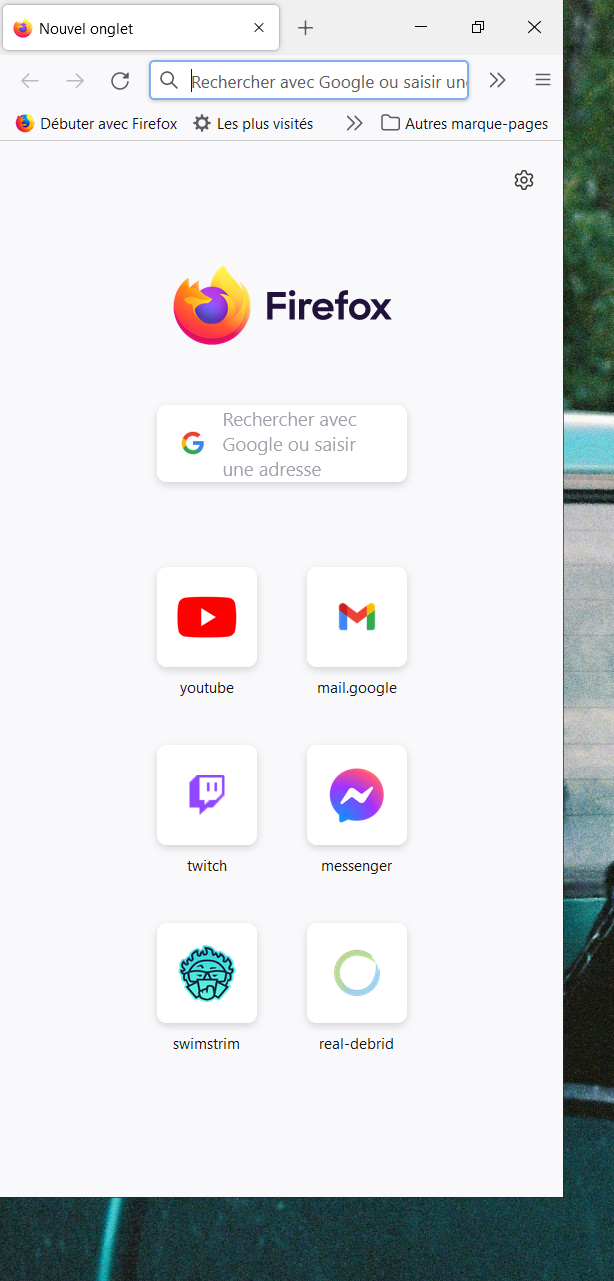
Hello, Since today, after a new update, when I open Firefox, it displays as a mobile. As you can see on the picture it believes it is full screen. When I try to switch to full screen either by using the button or double clicking the top bar, it then just changes position across my screen, I have to do it again and only then it accepts to fit my windows, it's super annoying. I don't have any entry with useragent changed in my about:config. Thanks in advance.
Hello,
Since today, after a new update, when I open Firefox, it displays as a mobile. As you can see on the picture it believes it is full screen. When I try to switch to full screen either by using the button or double clicking the top bar, it then just changes position across my screen, I have to do it again and only then it accepts to fit my windows, it's super annoying.
I don't have any entry with useragent changed in my about:config.
Thanks in advance.
All Replies (1)
Try to rename/remove xulstore.json in the Firefox profile folder with Firefox closed.
You can use the button on the "Help -> More Troubleshooting Information" (about:support) page to go to the current Firefox profile folder or use the about:profiles page.
- Help -> More Troubleshooting Information -> Profile Folder/Directory:
Windows: Open Folder; Linux: Open Directory; Mac: Show in Finder - https://support.mozilla.org/en-US/kb/profiles-where-firefox-stores-user-data