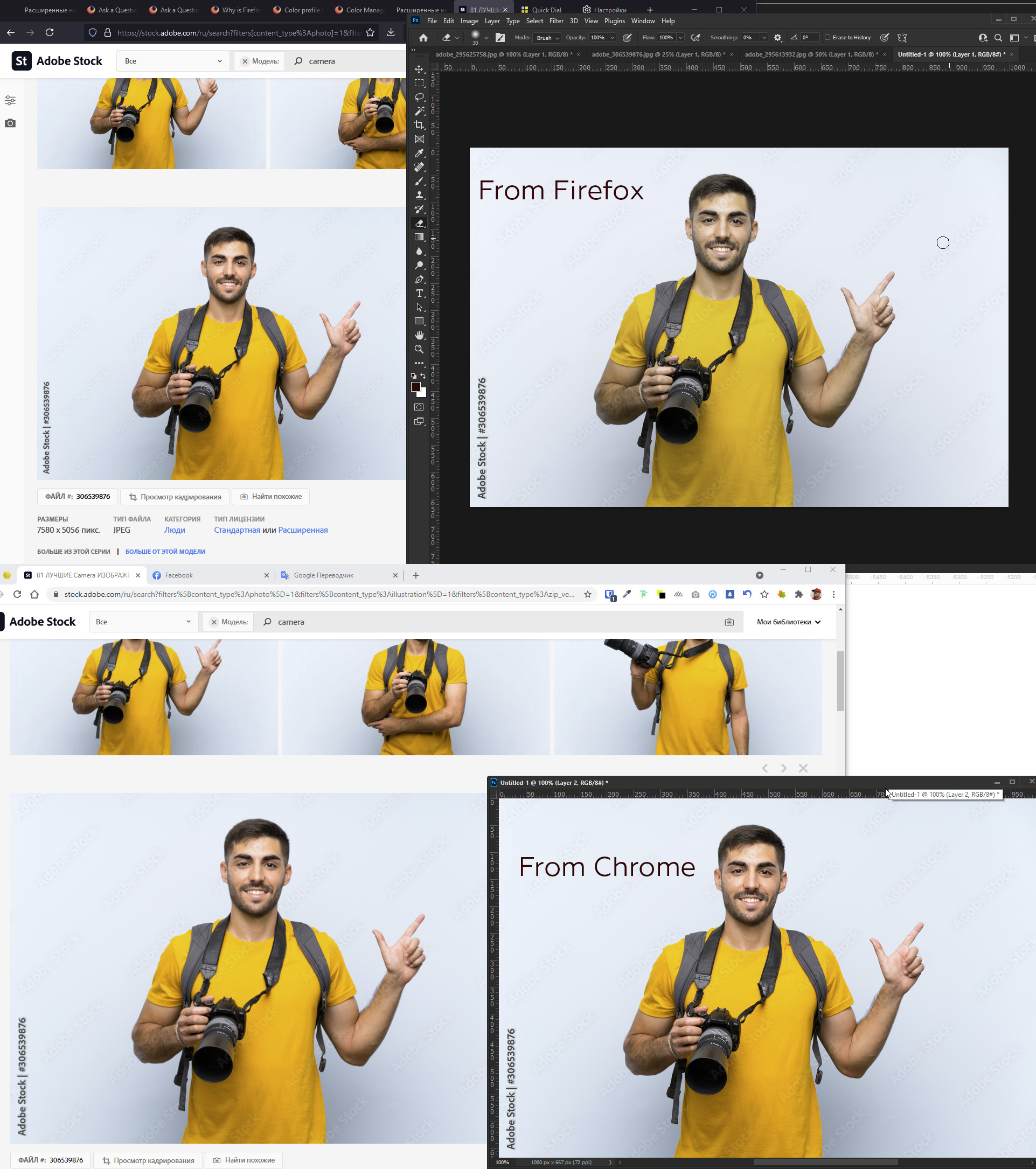
Colors are distorted when copying pictures from Firefox

I have a wide gamut monitor. I set these values: gfx.color_management.mode: 1 gfx.color_management.enablev4: true
Firefox started showing color correctly.
But! If I copy a picture into Photoshop it distorts the color. What to do? If I copy a picture without Color Management, there is no distortion.
When copying picture from Chrome, Edge color is not distorted. I had to return to Chrome ((
FF 89.0.2 Pict: https://stock.adobe.com/ru/images/young-photographer-man-pointing-finger-to-the-side/306539876?prev_url=detail Windows 10. RTX 2080. Dell color Profile in system UP2716D.icm
I have a wide gamut monitor.
I set these values:
gfx.color_management.mode: 1
gfx.color_management.enablev4: true
Firefox started showing color correctly.
But!
If I copy a picture into Photoshop it distorts the color. What to do?
If I copy a picture without Color Management, there is no distortion.
When copying picture from Chrome, Edge color is not distorted.
I had to return to Chrome ((
FF 89.0.2
Pict: https://stock.adobe.com/ru/images/young-photographer-man-pointing-finger-to-the-side/306539876?prev_url=detail
Windows 10. RTX 2080. Dell color Profile in system UP2716D.icm