


AT&T Yahoo account when I change the password on server and I change the password on TB I get server errors
I never get the Yahoo logon box that I used to get when I first set up the account to authorize my device with Yahoo. AT&T uses Yahoo Mail to read my email. How do I get the logon authorization box to come up again?
Chosen Solution
With inbound.att.net, the authentication should be 'normal password' but use a secure mail key instead of the account password. Delete the passwords from options/Security/Passwords/Saved Passwords, restart TB, and enter the key when prompted.
All Replies (4)
Are you using inbound.att.net for the incoming or imap.mail.yahoo.com (or pop.mail.yahoo.com)?
Here is the error message. Error on the server but password is correct. This happens for any AT&T account.
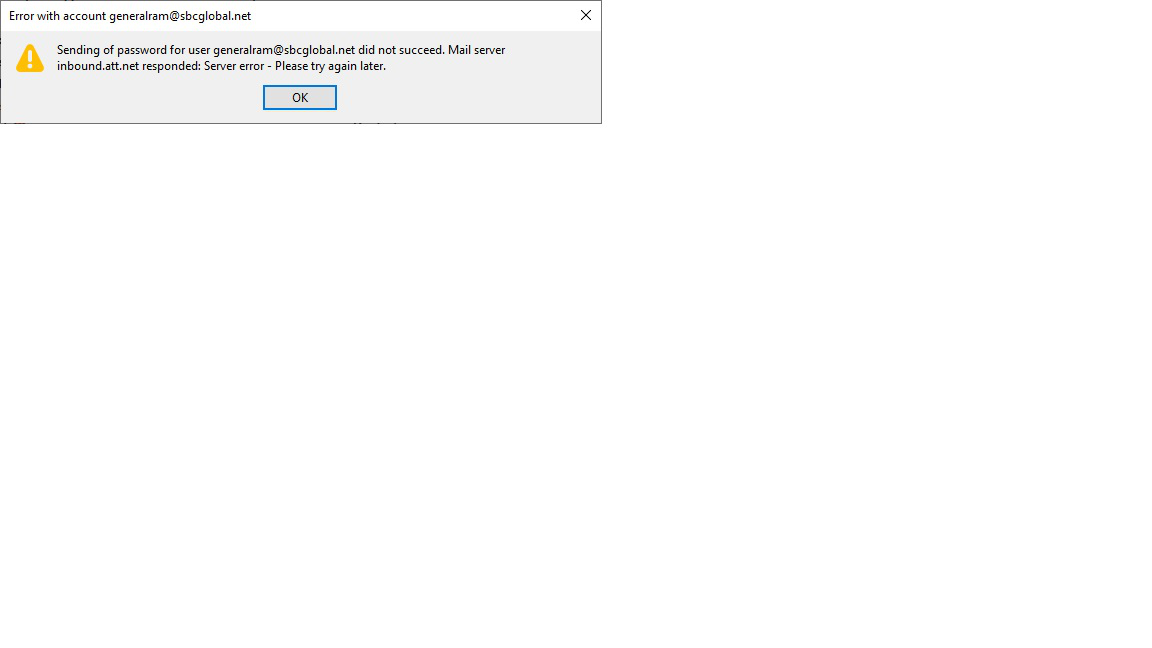
Chosen Solution
With inbound.att.net, the authentication should be 'normal password' but use a secure mail key instead of the account password. Delete the passwords from options/Security/Passwords/Saved Passwords, restart TB, and enter the key when prompted.
sfhowes said
Are you using inbound.att.net for the incoming or imap.mail.yahoo.com (or pop.mail.yahoo.com)? https://support.mozilla.org/en-US/questions/1288812
I am using inbound.att.net on port 995
Thank you, AT&T didn't tell me this stuff. Downloading 6000+ missed emails. :)