


Deleting Old Emails > Retention Settings > Nothing Happens
Hi everyone!
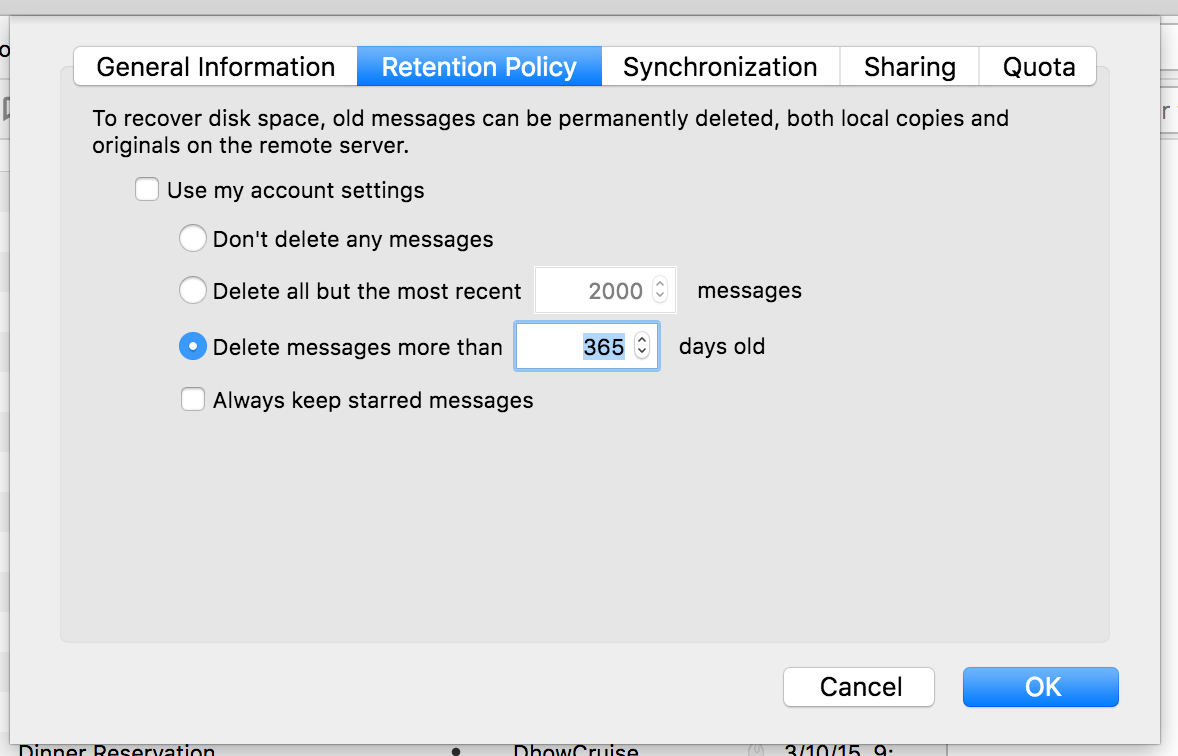
So I need to clean up some old emails, en masse. I select the folder, then retention policy and then select Delete Messages more than 365 days. (Attached).
Nothing happens.
I have tried clicking get messages. I have tried opening and closing thunderbird.
What can I do?
Thanks in advance!
Chosen solution
Try setting it in Account Settings > Synchronisation & Storage > Disk Space.
Alternatively, you could simply sort the messages by date, descending, select the first message that is a year old, scroll to the bottom of the list, hold shift while clicking the last (oldest) message and hit delete.
Read this answer in context 👍 0All Replies (4)

Is this an IMAP account?
Yes it is
Chosen Solution
Try setting it in Account Settings > Synchronisation & Storage > Disk Space.
Alternatively, you could simply sort the messages by date, descending, select the first message that is a year old, scroll to the bottom of the list, hold shift while clicking the last (oldest) message and hit delete.
Yea, the issue I have like 500 folders :(
I made a filter that moved all messages older than x days into a newly created folder and then deleted that folder.