


Restore last session carts

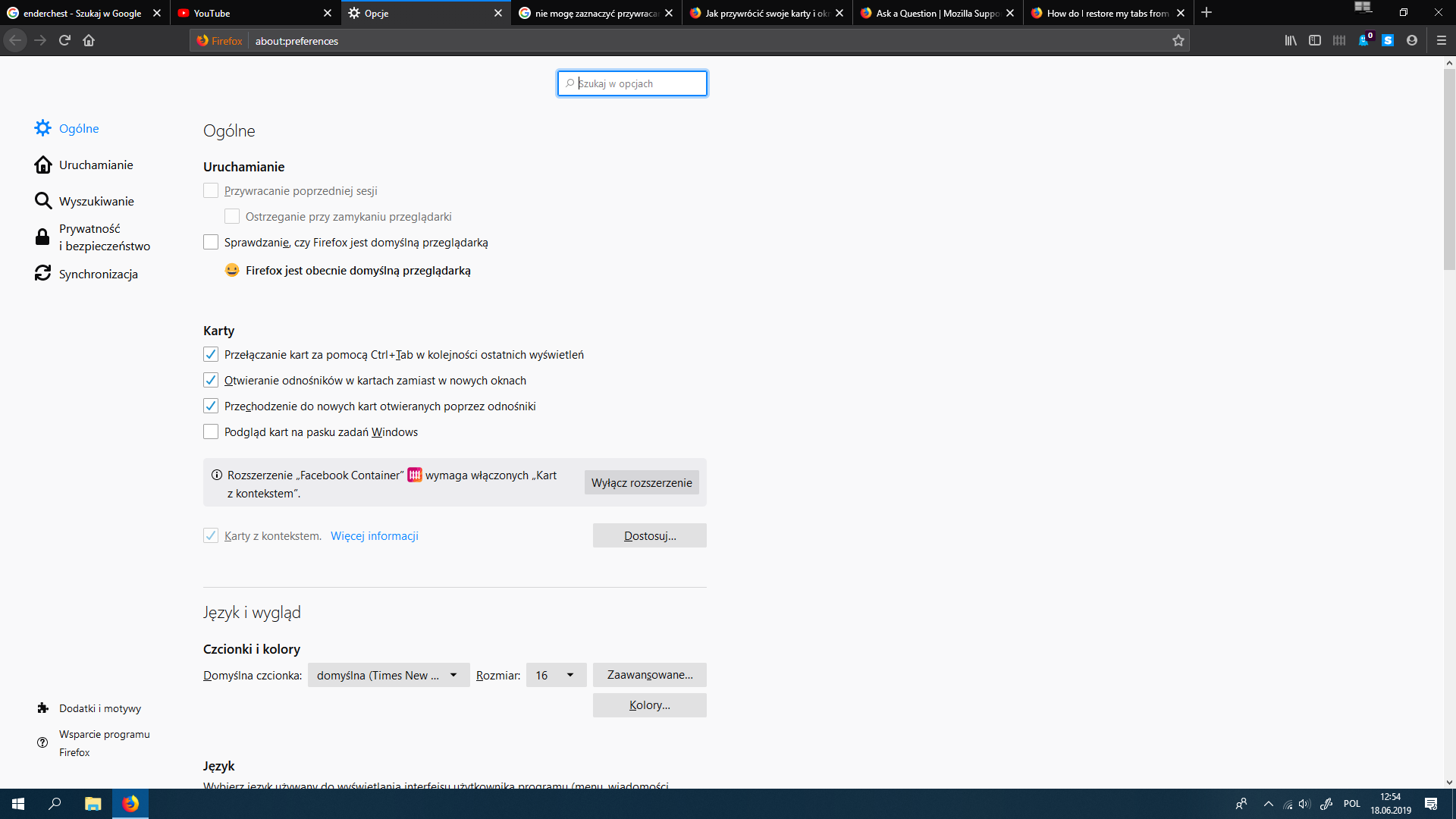
I tried to restore my last session, but i can't even select this box. How can i do that? Is there special option that if i select it, then i could select restore last session?
Chosen solution
Hello Kreshen,
Is that "Restore previous session" box greyed out ?
Is so : would you please make sure that you're not in permanent Private Browsing mode :
3-bar menu (or 'Tools') => Options => Privacy & Security => under 'History' => Firefox will : choose : 'Use custom settings for history' Uncheck : 'Always use private browsing mode'
Read this answer in context 👍 1All Replies (3)
Chosen Solution
Hello Kreshen,
Is that "Restore previous session" box greyed out ?
Is so : would you please make sure that you're not in permanent Private Browsing mode :
3-bar menu (or 'Tools') => Options => Privacy & Security => under 'History' => Firefox will : choose : 'Use custom settings for history' Uncheck : 'Always use private browsing mode'
McCoy said
Hello Kreshen, Is that "Restore previous session" box greyed out ? Is so : would you please make sure that you're not in permanent Private Browsing mode : 3-bar menu (or 'Tools') => Options => Privacy & Security => under 'History' => Firefox will : choose : 'Use custom settings for history' Uncheck : 'Always use private browsing mode'
It works!!! Thank you so much my friend!
My pleasure - I'm glad it worked !