


Mozilla Thunderbird begin to hang (not responding).
Hello,
I've been using Mozilla Thunderbird (MT) for >=10 years. However, after reinstalling windows 10 on the new harddrive, I encountered that MT hangs while attempting access to internet (checking emails, checking add-ons, creating account...). When I switch off modem, MT doesn't hangs. I tried to reinstall MT, but now it hangs just after installing, while integration permorming, see printsreen (sorry, in Ukrainian). Firewall allows TM access to internet.
Thanks in advance for any idea,
PS Just after installing, MT had been working for about 1 day, but then began to hang.
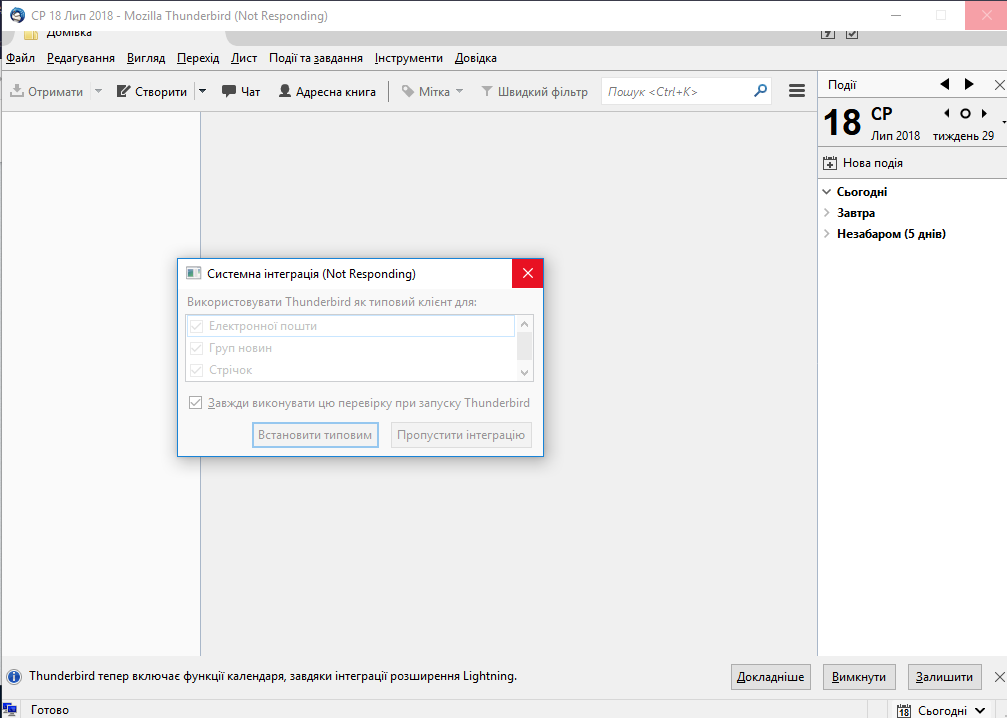
Chosen solution
The reason was in the interface language of Windows. I switched it to Ukrainian, and MT stopped working. Just now I've switched it to English (UK), and MT works again. So, now Mozilla Thunderbird works properly. However, it is abnormal that it is such sensitive to the interface language. Thanks everybody for trying help.
Read this answer in context 👍 0All Replies (11)

What is your anti-virus software?
christ1, thanks for reply.
Only Windows Defender, no other antivirus.
Just now have tried to switch off Defender (reaL-time antivirus and firewall) - the problem persists.
Try to start Windows in safe mode with networking enabled. - Win10 https://support.microsoft.com/en-us/help/12376/windows-10-start-your-pc-in-safe-mode
Still in Windows safe mode, start Thunderbird in safe mode. - https://support.mozilla.org/kb/safe-mode
Does the problem go away?
christ1, tried both. Safe-mode for Windows, launch TM safe-mode. Doesn't work.
It looks that something prevents MT to internet accessing. Maybe, there is something like log-file in order to see what happens when MT is freezing...
Modified by Ігор
Chosen Solution
The reason was in the interface language of Windows. I switched it to Ukrainian, and MT stopped working. Just now I've switched it to English (UK), and MT works again. So, now Mozilla Thunderbird works properly. However, it is abnormal that it is such sensitive to the interface language. Thanks everybody for trying help.

I am having the same issue but I am using MT in English
KathieC,
You're posting to a 'Solved' topic. Please start a new topic for your problem. https://support.mozilla.org/questions/new
KathieC said
I am having the same issue but I am using MT in English
Maybe, the reason is that the language of MT is not the same as Windows interface language. However, my MT speaks in Ukrainian, even after switching Windows language is switched to English. I thought that in MT there are some part referring to some Windows features being sensitive to language interface. Maybe, your issue is of other reason? I think you should create a new topic providing more info.
Thanks both - I did post a new question for the issue and will follow up there.