

This thread was archived.
Please ask a new question if you need help.

Solved
Archived
Show more than 5 matches while searching by bookmarks in address bar

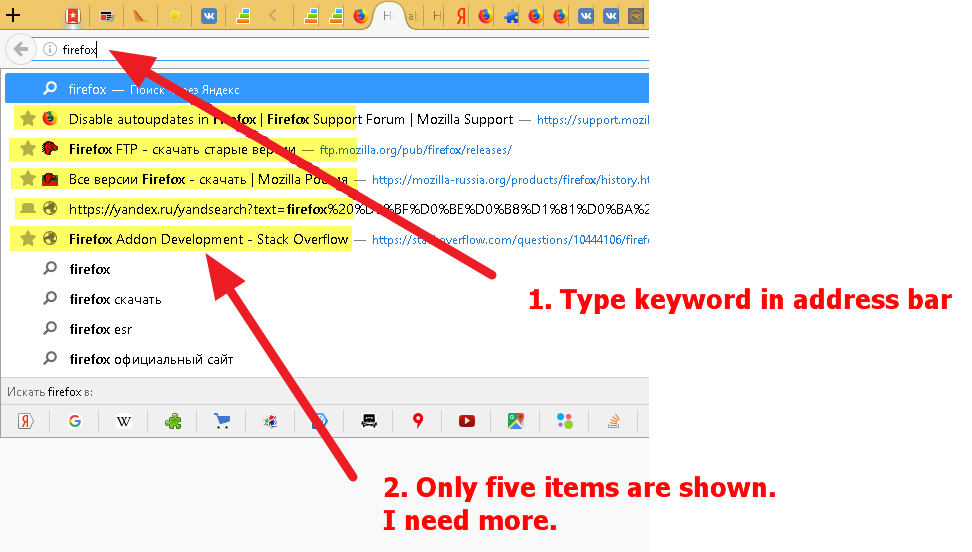
I need to watch more than 5 matches from my bookmarks while typing keyword in address bar. Is it possible? Maybe Firefox has any advanced option in about:config?
See my scrrenshot below:
I need to watch more than 5 matches from my bookmarks while typing keyword in address bar.
Is it possible?
Maybe Firefox has any advanced option in about:config?
See my scrrenshot below:
All Replies (2)

Chosen Solution
Hi, whilst not specifically bookmarks, you can increase the number of results by: Type about:config into the address bar, press Enter, accept the warning, scroll down the alphabetical list to browser.urlbar.maxRichResults then right click > Modify, and enter a higher number. You might need to restart Firefox to apply the change.
If your question is resolved by this or another answer, please take a minute to let us know. Thank you!
Excellent!