


Cannot send messages. Log-in failed messages repeats in circles again, again and again

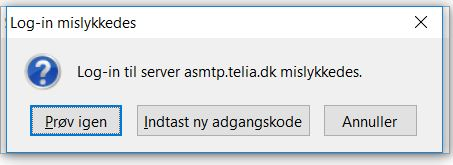
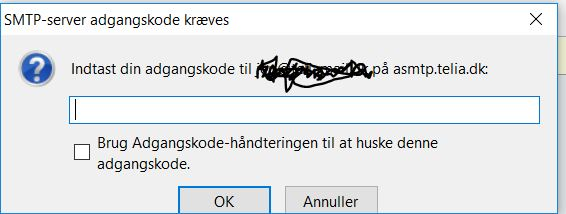
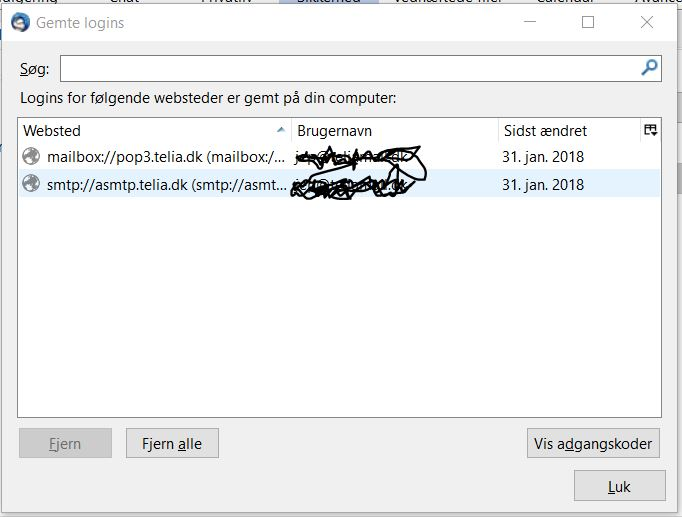
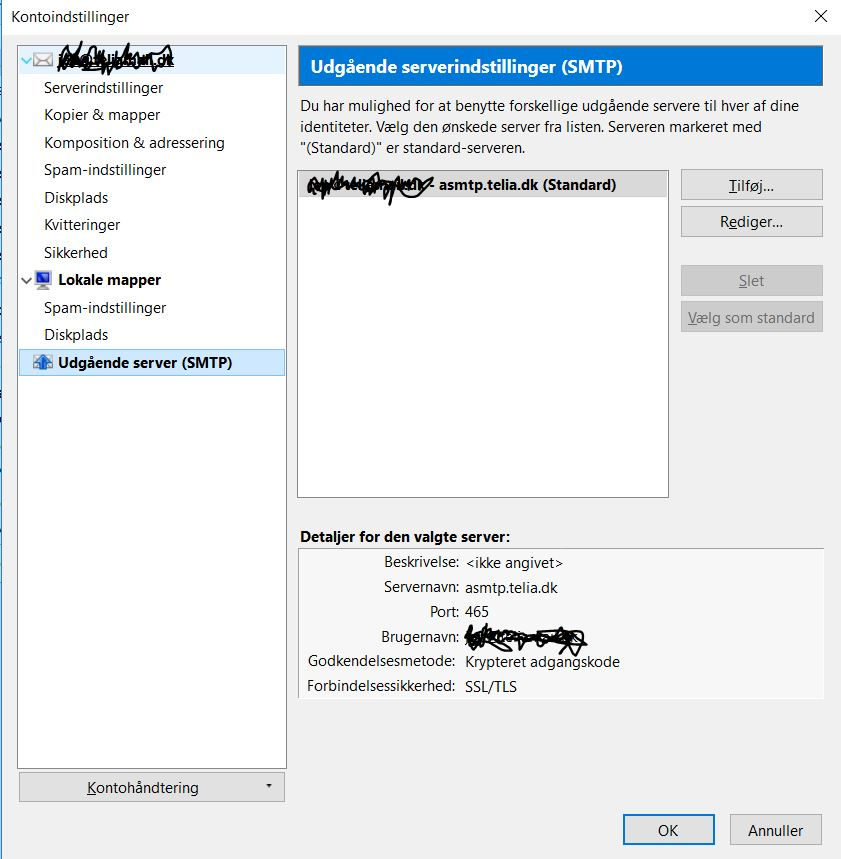
When sending emails - I receive the message box: Log-in failed (In Danish Log-in mislykkedes). See first image file. Further, Log-in to the server asmtp.telia.dk failed (but written in Danish). I am a Telia customer, and the outgoing server name is correct. I click the button in the middle; "Type in new password" - next file picture comes up, named "SMTP-server password is required". I type in the, correct, password for my e-mail account at Telia. - Tried both variations of clicking the box to ask the password manager to keep the password - and not clicking it. - And click OK. No difference. Then it returns back to the first image file again - and so it goes into circles again, again and again! In Settings, Security, saved password menu - both the in-going and the outgoing servers are correct - see third picture, and when I want to see the passwords they are equal and correct. I also attach a screen shot of my SMTP settings. I have tried to disable and enable the firewall and my antivirus program, but no difference. I use Bullguard 18.0.346.2 version. I can send e-mails from other devices from the same e-mail account and server, but not from Thunderbird, so it must be a local problem here. I use Windows 10 home, version 1709. My Thunderbird is 52.6.0 (32-bit). I had the same issue for a few days ago, but only once, first time for about 2 years usage of Thunderbird, but typing in the password in the second image, solved the problem and it has been running for a couple of days until now when in runs in circles. So, what is wrong - and what to do? Thanks in advance.
Modified by Fiskeren
Chosen solution
Just before contacting Telia, I did check if it worked sending messages. And it did! I may have been a Telia issue, which they have fixed now, - but still I struggle to understand why I could send from other devices with the same server settings, but not from Thunderbird!?!?!? Anyway, things are solved, and case close - until next it (hopefully do not) come up.
Read this answer in context 👍 0All Replies (2)
Thanks sfhowes. I tried in safe mode, but the problem remains. Best shot is to speak to Telia tomorrow, but while it works from other devices - with the same server settings - I have my doubt. So, same good solving ideas from anyone are still welcomed!
Chosen Solution
Just before contacting Telia, I did check if it worked sending messages. And it did! I may have been a Telia issue, which they have fixed now, - but still I struggle to understand why I could send from other devices with the same server settings, but not from Thunderbird!?!?!? Anyway, things are solved, and case close - until next it (hopefully do not) come up.