


MAC Your Thunderbird profile cannot be loaded. It may be missing or inaccessible.

I have recently downloaded High Sierra, today I tried to open Thunderbird and was greeted with a Profile Missing message 'Your Thunderbird profile cannot be loaded. It may be missing or inaccessible.'
I have googled the issue. The profile.ini solution doesn't work as the file doesn't seem to exist. I have also tried to access Profile Manager through Terminal but it just throws up the same message when I hit return.
These are the only 2 solutions I can find and neither work. I have also tried reinstalling and installing a previous version with no joy.
Please help!
Chosen solution
I have solved the issue, I read a bit about Apples Migration Assistant and decided to try the solutions surrounding the issue of using it.
I followed these instructions and it worked:
A user reports the following solution: [1]
Select the icon of your home folder in the sidebar of a Finder window. Open the Info window and click the lock icon to authenticate. In the Sharing & Permissions section, you should have read & write access. If not, make it so. Select "Apply to enclosed items" from the action (gear icon) menu.
Read this answer in context 👍 0All Replies (6)
Did you back up your Thunderbird profile before changing OS to High Sierra. Did you need to reinstall Thunderbird program afterwards?
Repeatedly reinstalling Thunderbird has nothing to do with your Profile, so I would expect the same error if the profile was missing or not accessble.
Profile folders are located here: ~/Library/Thunderbird/Profiles/<Profile name>/ The 'profiles.ini' file is located in the 'Thunderbird' folder The profile name' folder is usually 'xxxxxxxx.default' where the x's are letters and numbers'
You may need to make hidden files and folders visible: http://kb.mozillazine.org/Show_hidden_files_and_folders#Mac_OS_X
The tilde character (~) refers to the current user's Home folder, so ~/Library is the /Macintosh HD/Users/<username>/Library folder.
Post images showing contents of:
- Library/ 'Thunderbird' folder.
- The 'profiles.ini' file
- The 'Profiles' folder.
Thanks for the reply! No I wasn't aware I needed to do anything before updating, I have never had issues before.
You can see the image attached. I don't appear to have or am I able to find anything related to profiles.
I am stumped.
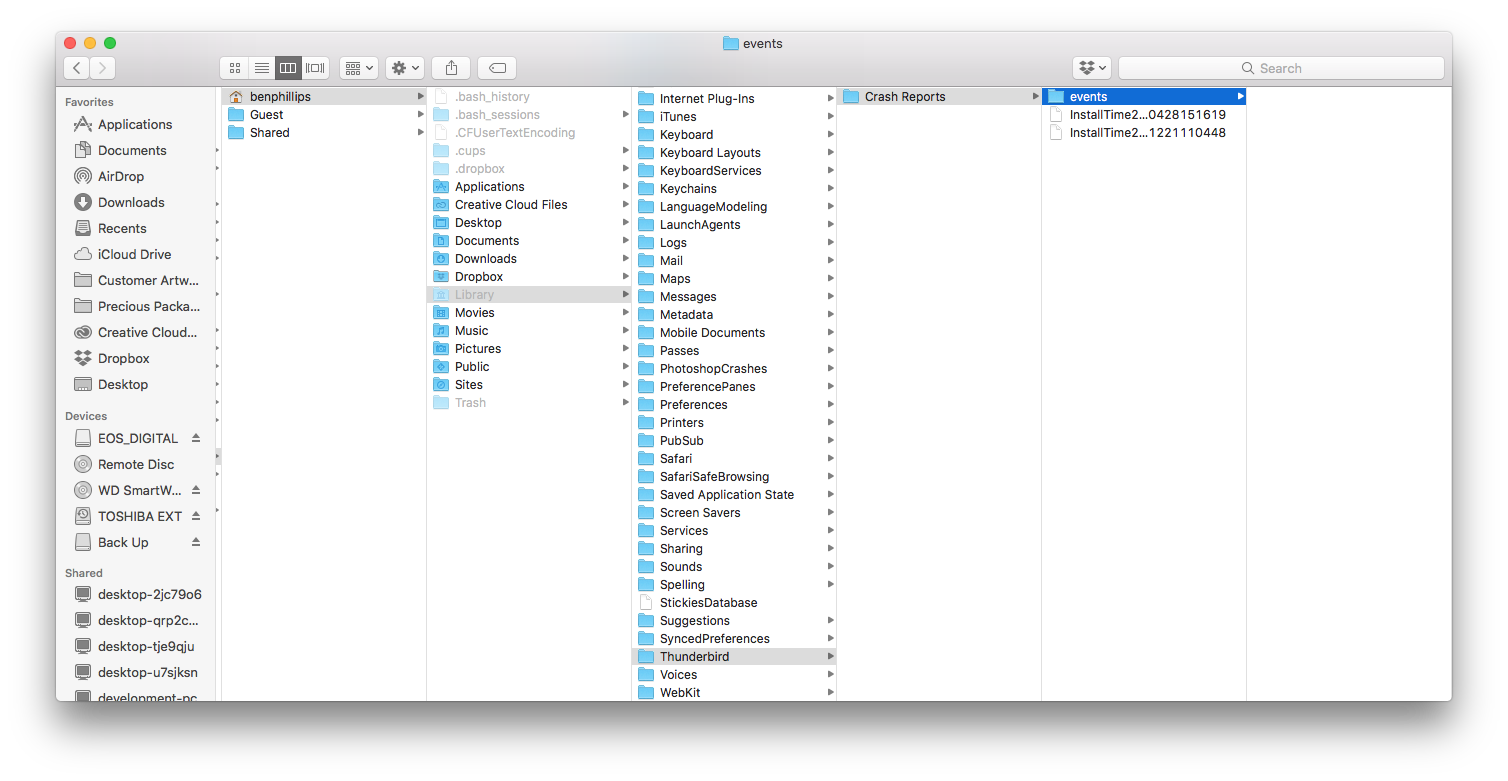
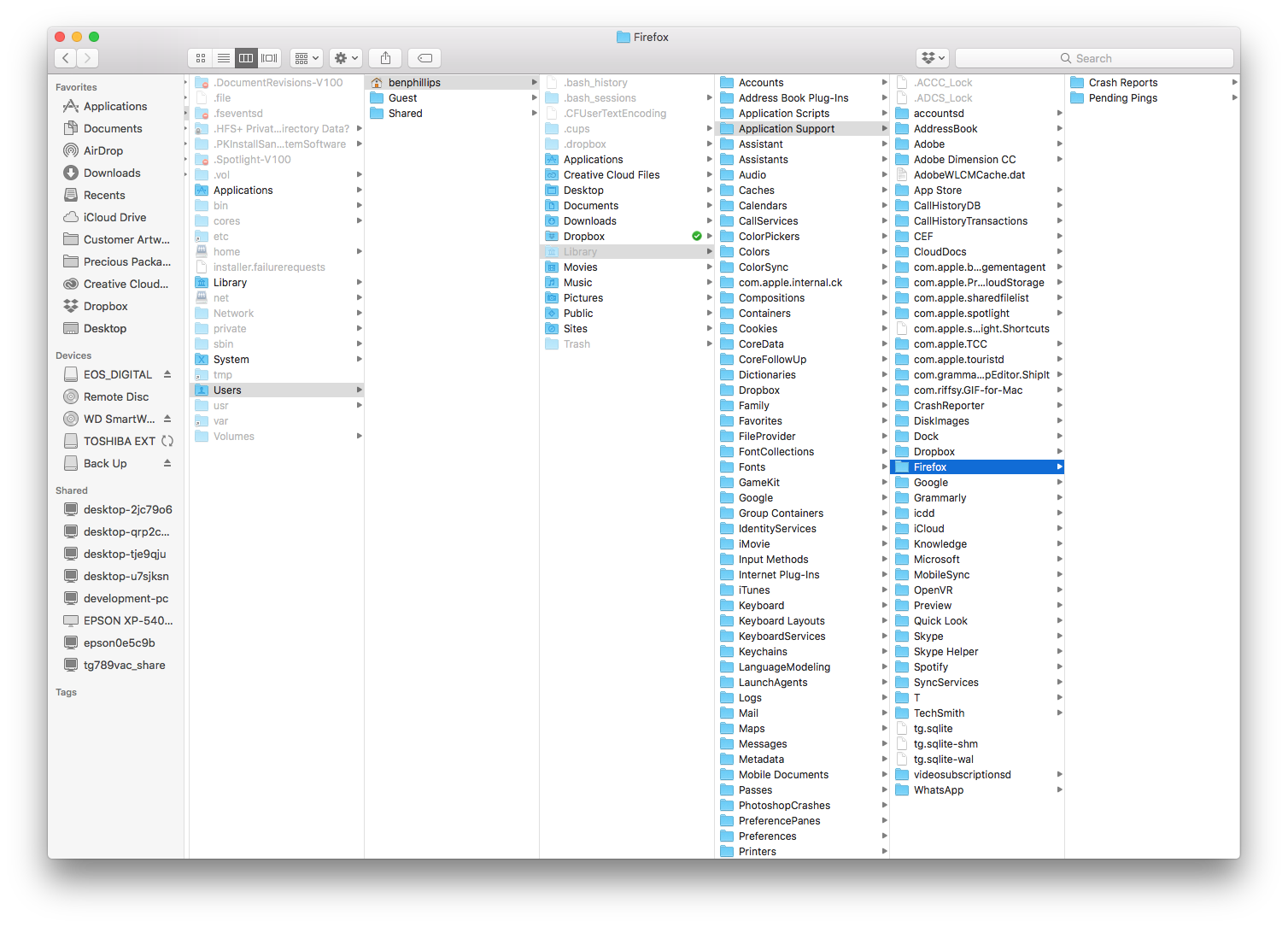
I've had a bit of a search around the internet. Can you show me an image if you have this: ~/Library/Application Support/Thunderbird/Profiles/<Profile name>/
If yes, do you have a 'profiles.ini' file in the Thunderbird folder? Open it using a text editor program and post image of contents.
No Thunderbird folder to be seen in App Support.
Only Mozilla app is Firefox and there isn't a Profile.ini file anywhere.
Chosen Solution
I have solved the issue, I read a bit about Apples Migration Assistant and decided to try the solutions surrounding the issue of using it.
I followed these instructions and it worked:
A user reports the following solution: [1]
Select the icon of your home folder in the sidebar of a Finder window. Open the Info window and click the lock icon to authenticate. In the Sharing & Permissions section, you should have read & write access. If not, make it so. Select "Apply to enclosed items" from the action (gear icon) menu.
Many thanks for posting the info.