


adding an icloud mail account to TB

I have tried several times to add my icloud imap mail account to TB without success.
I have been able to talk to a live person at Apple and they have tried there best to help me. They have an app. specific passwords for third party applications. I have used this password in my setup with TB.
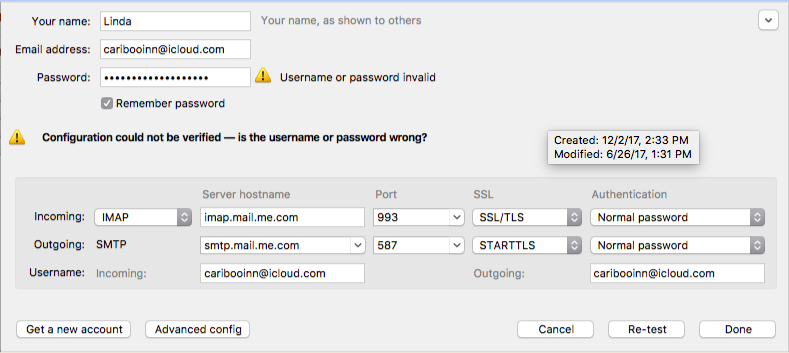
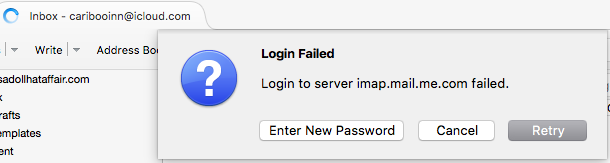
The enclosed image shows the settings from Apple for this mail account. A second image shows the error message when trying to send an email from this icloud account.
I would really appreciate any help you can give me to fix this problem. Linda
All Replies (12)
Per Apple's site the username is just the portion before the @ sign. You would think the Apple genius at their help desk would know that. https://support.apple.com/en-us/HT202304
I know the username is the portion before the @ sign. I didn’t realize it but the screen shot was a old image as we were trying everything possible.
The following images are taken from the settings within TB:
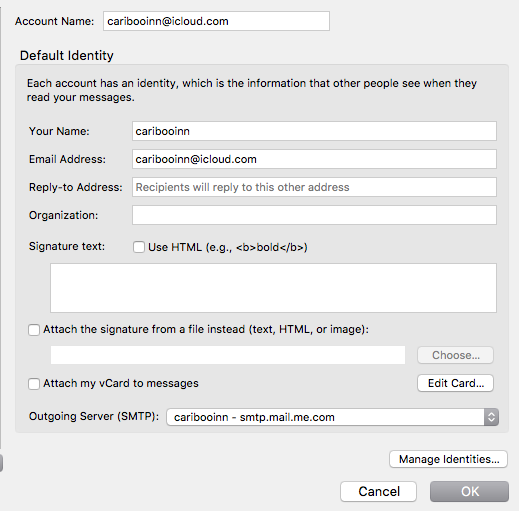
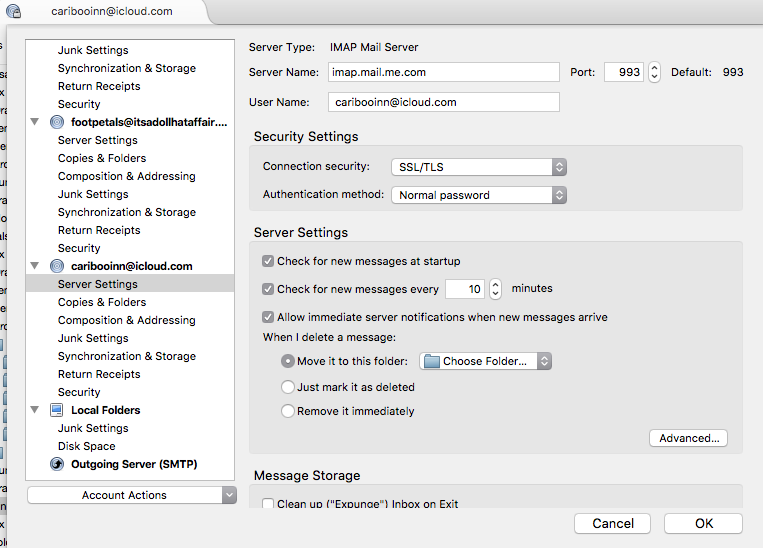
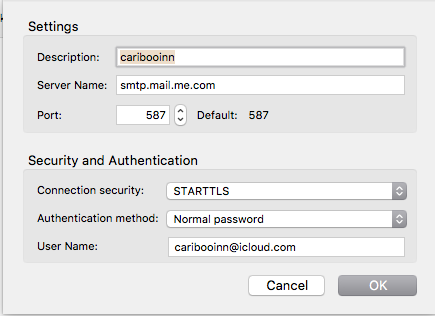
Is this what you want?
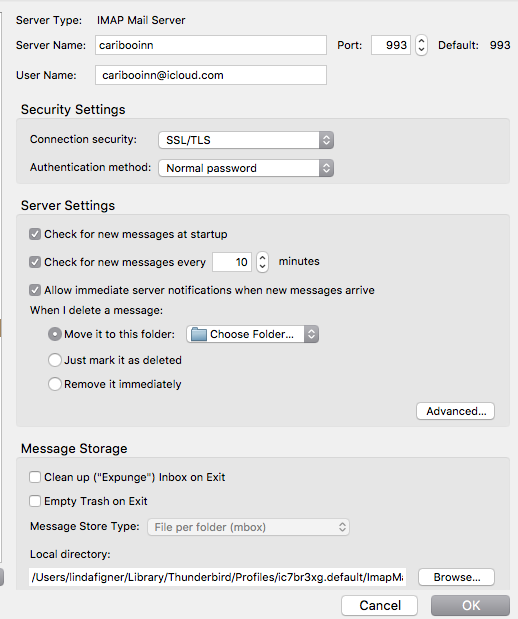
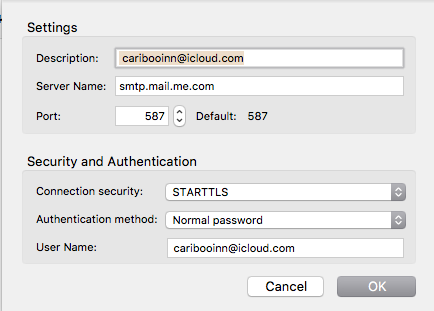
This setting does not work.
Please look at your screenshot. The username still has @icloud.com on each screen and you removed it from the server name which is why it will never work like that.
Would you please check my changes:
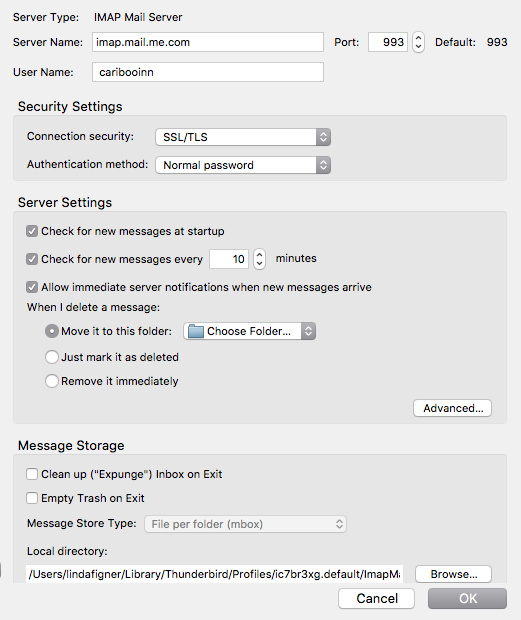
It's not working. I have generated a new app. specific password in my Apple settings and close TB out and used new password. Window says, Login Failed and wants a password.
iCloud works with my Mac Mail but not TB.
Yes, I have 2-factor authentication and the app specific password for 3rd Party apps. I created a TB app specific password and use this when TB asks for a password.
Do you have an anti virus? What is it?
No Anti Virus.
Have you given up on this issue? Linda