This thread was archived.
Please ask a new question if you need help.

Archived
screen shots
How do you take screen shots on this new version?
How do you take screen shots on this new version?
All Replies (1)

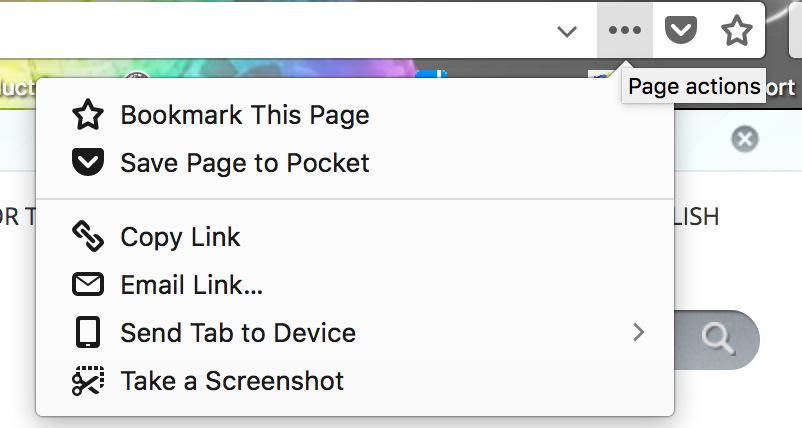
In the URL bar, to the right, you'll see a "..." icon, close to the Pocket icon and the star icon for bookmarking a page.
If you click the 3-dot icon, you'll find "Take a screenshot".
See attached image for a clearer understanding.