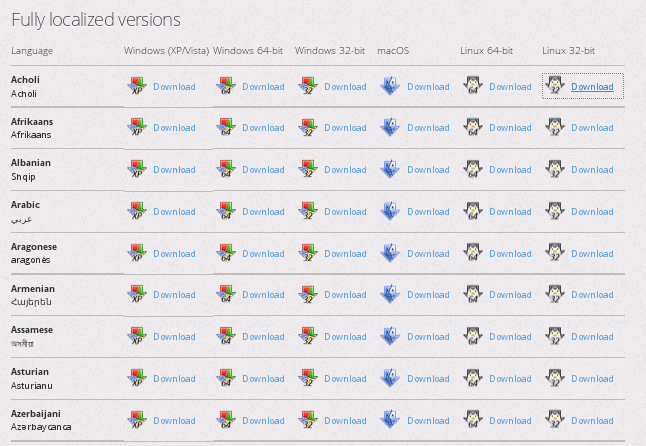
I want 32-bit firefox back. Link to return to 32-bit goes to languages. Please provide link to download 32-bit..

The 2 sites I use most are slowed to stopped with 64-bit Firefox (possibly due to flash player use.) I want 32-bit back but can't find a way to do it. I am not a computer geek. The link to change it goes to downloads for all the languages available - not a help. I have Firefox 56.0.2 & Adobe flash player.
Chosen solution
You can find the full version of the current Firefox release (56.0.2) in all languages and all operating systems here:
- https://www.mozilla.org/en-US/firefox/all/
- https://www.mozilla.org/en-US/firefox/56.0.2/releasenotes/
All Replies (5)
Chosen Solution
You can find the full version of the current Firefox release (56.0.2) in all languages and all operating systems here:
I need 32-bit Firefox - not 64- bit which I believe is the 56.0.2 that is making my favorites sites not run correctly.

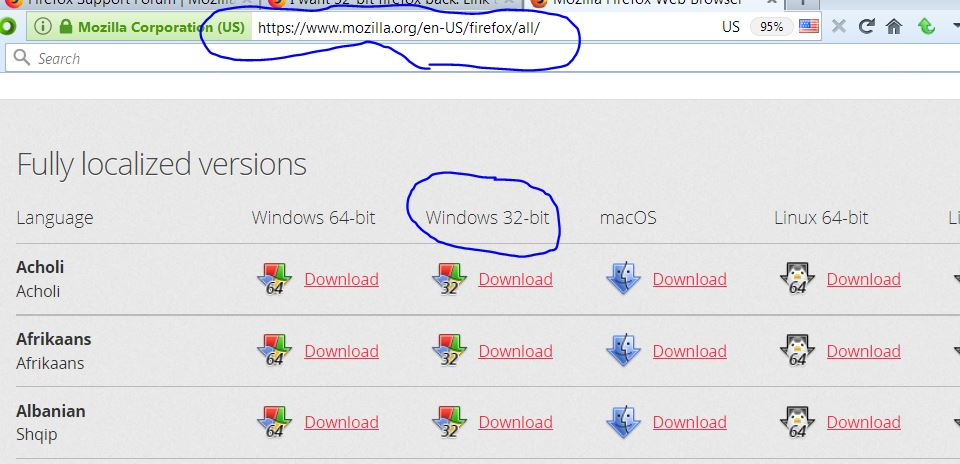
Here is how to get 32bit for Windows;
blacklabs said
I need 32-bit Firefox - not 64- bit which I believe is the 56.0.2 that is making my favorites sites not run correctly.
Do you not see the separate rows on https://www.mozilla.org/firefox/all/ where it says
Windows 64-bit Windows 32-bit macOS Linux 64-bit Linux 32-bit
Or maybe you did download and install the 32-bit version but still have the 64-bit (Win64) version installed also and the desktop Firefox shortcut you use is pointing to the 64-bit version.
Note that there is also a possibly hidden SHA1 column for legacy platforms. A suitable bookmarklet to unhide this column.
javascript:/*SHA1*/(function(){var e=document.querySelectorAll('.winsha1'),E,i;for(i=0;E=e[i];i++){E.setAttribute('style','display:block')}})()