


The Firefox built in pdf viewer scroll bar indicator is missing, how do I repair this?

As the title says, the indicator in the scroll bar is missing when I open a .pdf file in the in-built pdf viewer in Firefox. I have a Mac running MacOS High Siera version 10.13. When I run $ /Applications/Firefox.app/Contents/MacOS/firefox -v it returns: Mozilla Firefox 56.0.2
I have tried refreshing Firefox using the button on this page: https://support.mozilla.org/en-US/kb/refresh-firefox-reset-add-ons-and-settings
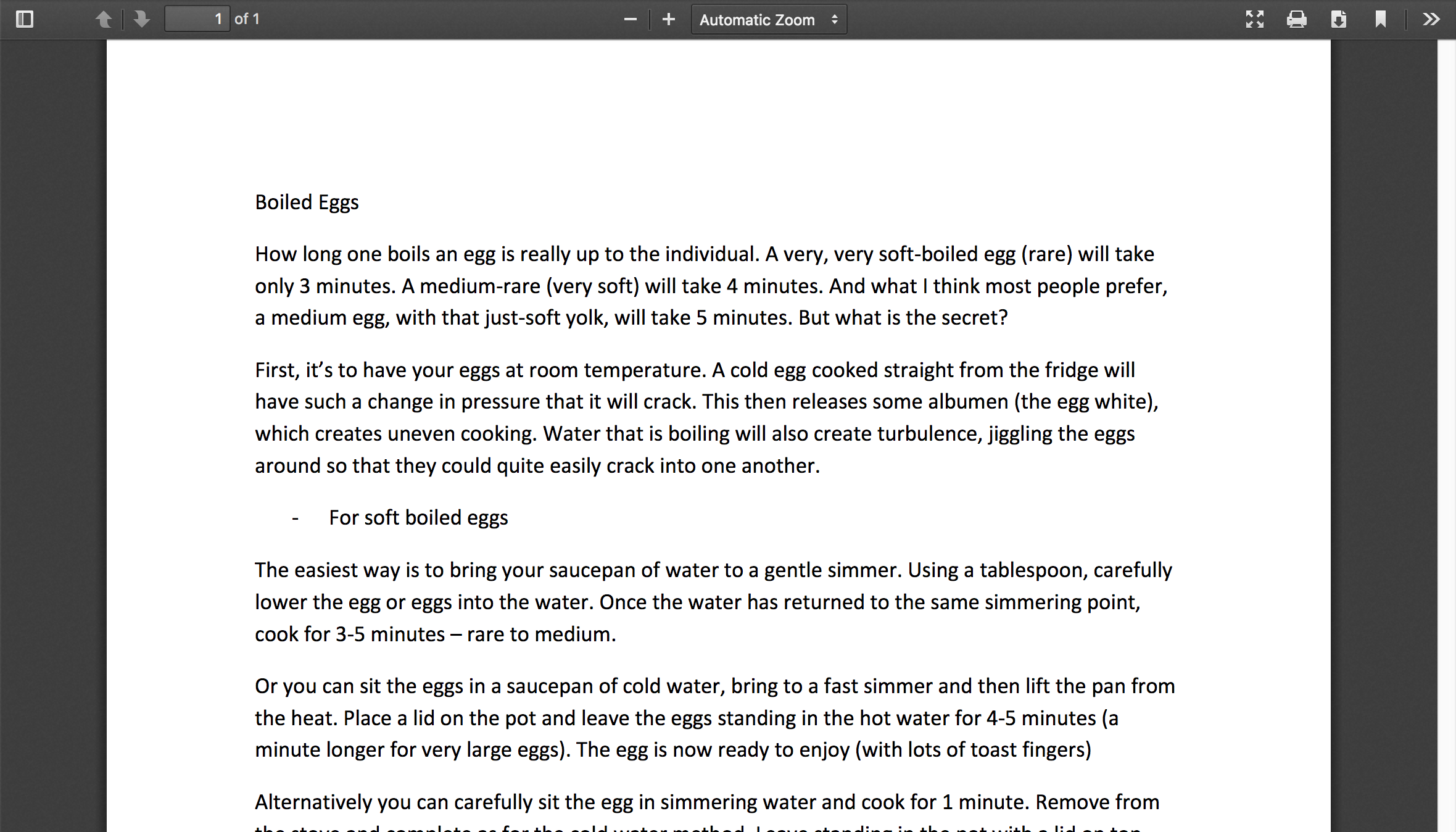
Yet the problem persists. How might I fix this? I have attached a picture of the problem for clarity. Thanks in advance.
All Replies (3)
Here is what I'm looking at...
See:
- bug 1408701 - Firefox scrollbar has no thumb on some pages (on macOS 10.13?)
(please do not comment in bug reports
https://bugzilla.mozilla.org/page.cgi?id=etiquette.html)
Hi, I'm not exactly sure what to do with this - it's not exactly the same as the problem I'm reporting. It doesn't occur on "some pages," but rather at all times in the .pdf viewer. I've never encountered it on a page (as far as I've noticed, anyway).
I have tried changing to "automatically based on mouse or trackpad" from "always", then restarting Firefox, but this does nothing. I am using an external mouse and the scroll bar is always there, but it's thumb is never there on the built in pdf viewer mode.
Sorry - I have no experience of reading 'bug' reports and I'm still learning about all this computer-jargon (with limited success). Thanks for your attention and patience.
N