


After the 38.6.0 update to thunderbird it does not display emails and several options do not work, freezes (Lightning related?)

The update was automatically installed and now the attached image is the only screen I get and nothing happens when I click around the program. When I try to open Add-ons or help or any other file options nothing happens. I need a fix ASAP...
Thank you.
Modified by Wayne Mery
All Replies (7)
Image attached
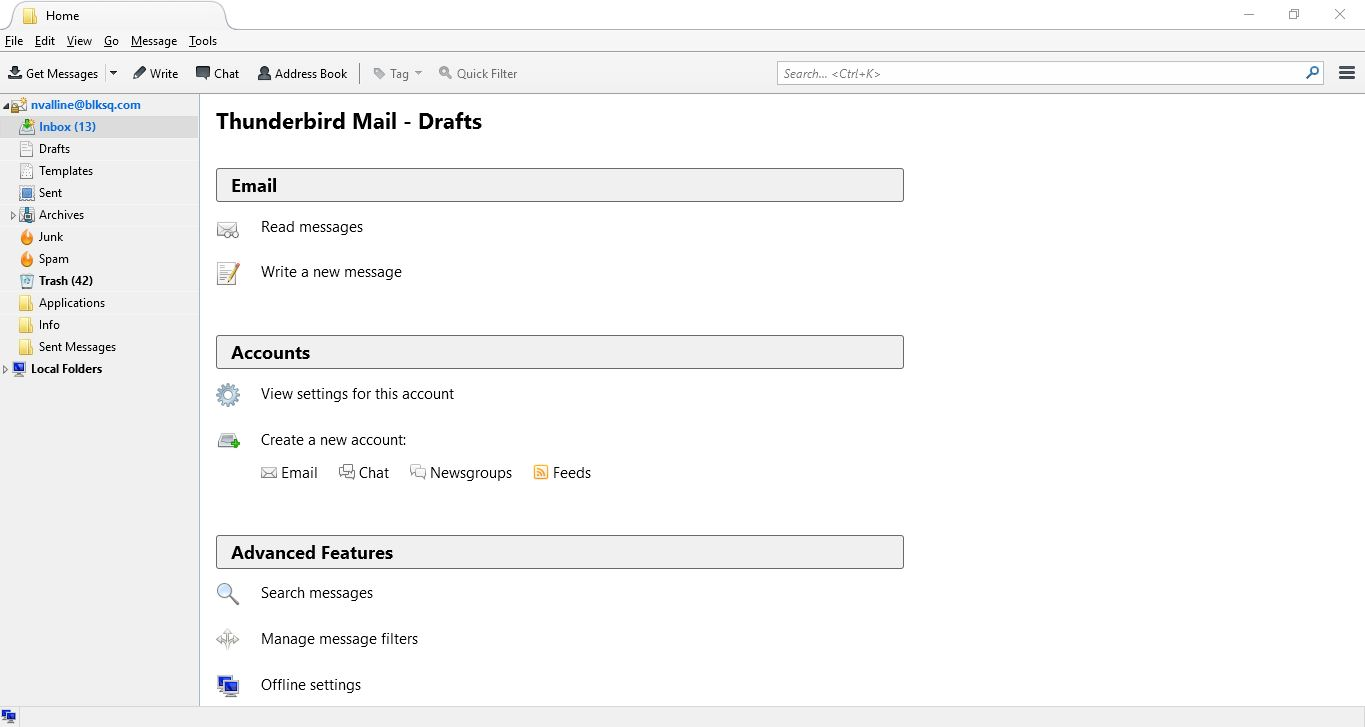

Uninstall Lightning via the Add-Ons Manager. Restart Thunderbird. Re-install Lightning if it's needed.
I was not able to open the Add-on Manager. I ended up uninstalling and installing 38.5.0.
We have an issue with an add-on.
On the toolbar  then
then  and disable first lightning if you have it. then all add-ons of disabling Lightning does not fix the issue
If you have trouble getting to the toolbar, shut down thunderbird and start in safe mode, then do the above steps.
Your results?
Wayne Mery said
We have an issue with an add-on. On the toolbar
When I clicked on Add-ons nothing happened. When I tried to start in safe mode nothing happened.
nvalline said
When I tried to start in safe mode nothing happened.
What do you see, or don't see when you start Thunderbird in safe mode?
Wayne Mery said
nvalline saidWhen I tried to start in safe mode nothing happened.What do you see, or don't see when you start Thunderbird in safe mode?
I saw absolutely nothing. When I tried to open in safe mode NOTHING happened.
To get things working I uninstalled Thunderbird and installed version 38.5.0, disabled automatic update and for good measure deleted the Lightening add-on