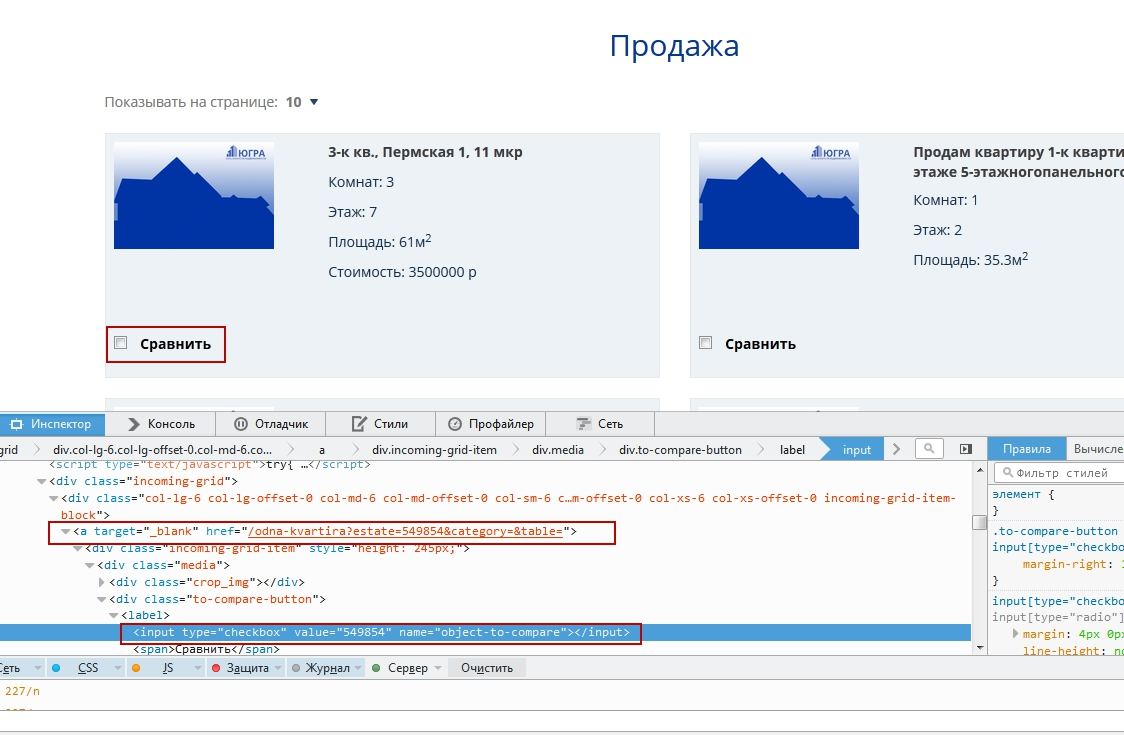
<a href="#"><input type="checkbox"></a>

By clicking on the checkbox browser downloads link. In chrome it's work correctly. How i can fix this bug? Thenks!
Chosen solution
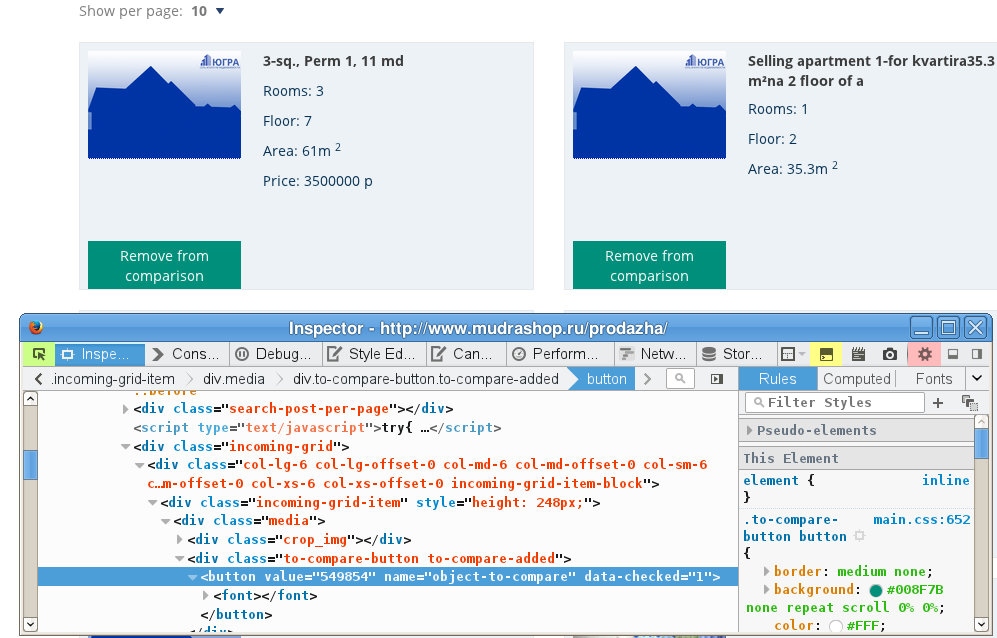
I'm seeing different code, not a link and a checkbox, but a button, label changed from Compare the Remove from comparison.
You can reload web page(s) and bypass the cache to refresh possibly outdated or corrupted files.
- Hold down the Shift key and left-click the Reload button
- Press "Ctrl + F5" or press "Ctrl + Shift + R" (Windows,Linux)
- Press "Command + Shift + R" (Mac)
All Replies (3)
Links that have href="#" usually have a JavaScript onclick handler attached that performs the actual action. You would have to check this JavaScript code for errors. You should see an 'ev' button appended to the link in the Inspector (Inspect Element) if you right-click this button.
Thanks for you answer. On this page http://www.mudrashop.ru/prodazha/ if you click on the checkbox fires <a> parent and opens new tab. No events attached to <a> or <input>.
Chosen Solution
I'm seeing different code, not a link and a checkbox, but a button, label changed from Compare the Remove from comparison.
You can reload web page(s) and bypass the cache to refresh possibly outdated or corrupted files.
- Hold down the Shift key and left-click the Reload button
- Press "Ctrl + F5" or press "Ctrl + Shift + R" (Windows,Linux)
- Press "Command + Shift + R" (Mac)