


Why do my picked sites not stay on the opening page of firefox
I am engaged in a survey and haves 6 websites that I wish to open every time I sign on. Although I have made sure I anshor these FireFox does not agree with my choices and brings in others which I do not want and I have to start again. Two- I have made DuckDuckGo my choice and removed all others. Yet Google keeps coming back and taking over even though it was removed.
Thank you
Chosen Solution
Pinned tabs are stored in a pref (browser.newtabpage.pinned). If you do mot keep all pinned tabs then that would indicate a problem with prefs that are stored in prefs.js in the Firefox profile folder.
There is software like Advanced SystemCare with its Surfing Protection feature that can protect files in the Firefox profile folder against changes. If you have such software then check the settings or uninstall this software.
If you do not keep changes after a restart or otherwise have problems with preferences, see:
All Replies (5)
The default Firefox Homepage doesn't allow for websites to be added.
Are you using the "new Tab Page" with "pinned tiles" as your own home page?
If not, please explain what you are using for your home page.
Might be helpful if you provided a screenshot of what you are talking about. How do I create a screenshot of my problem? It is best to use a compressed image type like PNG or JPG to save the screenshot and make sure that you do not exceed a maximum file size of 1 MB.
Then use the Browse .... button below the Post a Reply text box to upload the screenshot.
Is this about tiles on the about:newtab page?
App (pinned) tabs and Tab Groups (Panorama) are stored as part of the session data in the sessionstore.js file in the Firefox profile folder.
Make sure that you do not use "Use custom settings for history" to clear the "Browsing History" when you close Firefox because that prevails and prevents Firefox from opening tabs from the previous session.
To see all History and Cookie settings, choose:
- Tools > Options > Privacy > Firefox will: "Use custom settings for history"
Good day
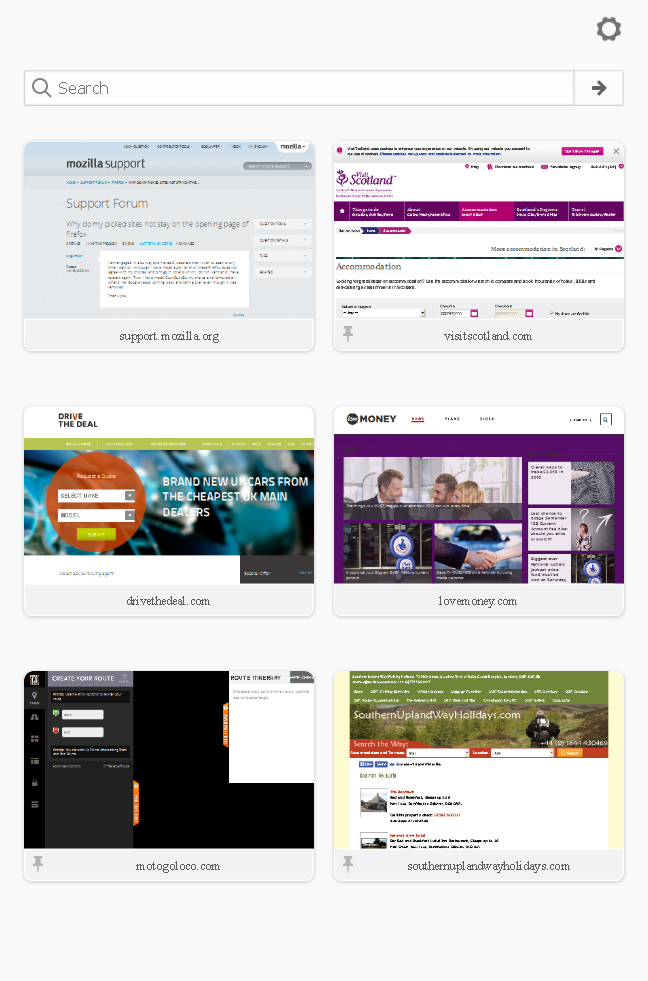
Thank you for your replies. As my sites appear in the page I pin them. But this does not appear to work. I can have the 6 sites pinned at the end of the day and close down. Open next day and if Im lucky 2/3 will appear along with a lot of other sites which I did not pin. I should add that I am not engaged in this daily - 74 and retired - but I try 2/3 times a week to do so.I enclose a screenshot which is current and shows 2 of my sites. The rest have flown. I do not clear the browsing history except once in a blue moon.FF is set to remember history in "Privacy". "Make sure that you do not use "Use custom settings for history" to clear the "Browsing History" when you close Firefox because that prevails and prevents Firefox from opening tabs from the previous session.
"To see all History and Cookie settings, choose:
Tools > Options > Privacy > Firefox will: "Use custom settings for history"
I am a little confused with this. Are you saying that I should set it on custom so that only my pinned appear. This seems at odds with the previous statment.??? Thanks again and if we could clear these points I would appreciate it.
Chosen Solution
Pinned tabs are stored in a pref (browser.newtabpage.pinned). If you do mot keep all pinned tabs then that would indicate a problem with prefs that are stored in prefs.js in the Firefox profile folder.
There is software like Advanced SystemCare with its Surfing Protection feature that can protect files in the Firefox profile folder against changes. If you have such software then check the settings or uninstall this software.
If you do not keep changes after a restart or otherwise have problems with preferences, see:
Good day Cor-el
Thank you for your reply and indded I do use ASC regularly. I will check iout your suggestions and hopefully that will ease the problem.
Regards