


New Server - certificate belongs to a different site (but seems correct)

Hope someone can clarify if I did anything wrong.
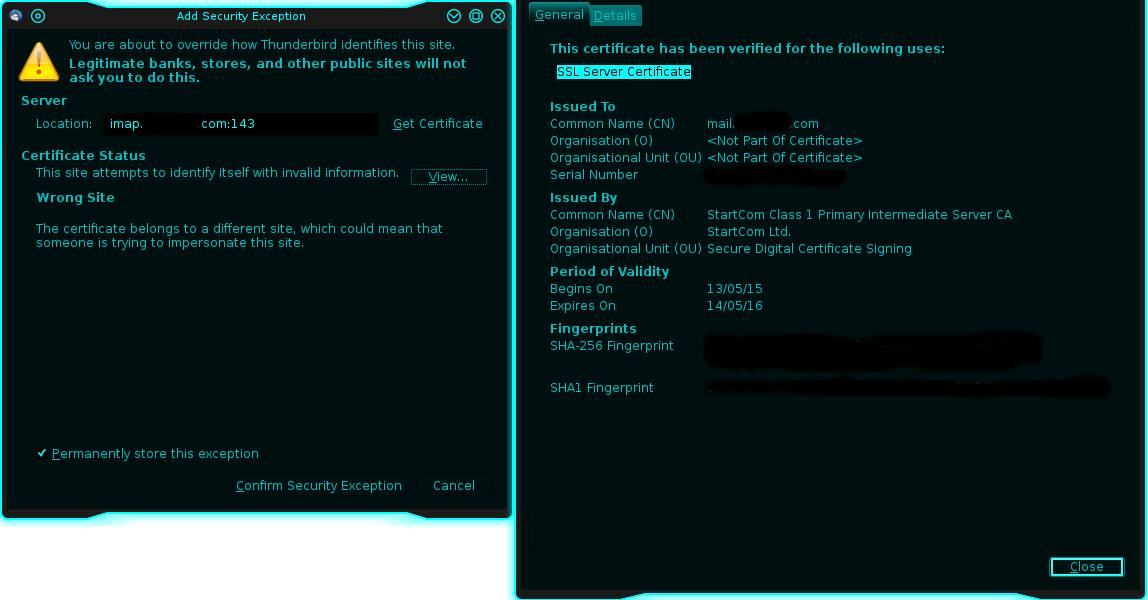
I did a new Mail-Server with domain and everything working just fine. The only thing that keeps bothering me is that Thunderbird says "The certificate belongs to a different site, which could mean that someone is trying to impersonate this site.".
The certificate (see image) I got is for "mail.<domain>.com" which should be correct. My MX record redirects to "mail.<domain>.com" while I also have an A record with a prefix "mail" which redirects to the correct IP.
Are my settings correct or did I do something wrong at configuring my server? The error may lie in the fact that Thunderbird sees the Location as "imap.<domain>.com" while the certificate is for "mail.<domain>.com" - how to fix this?
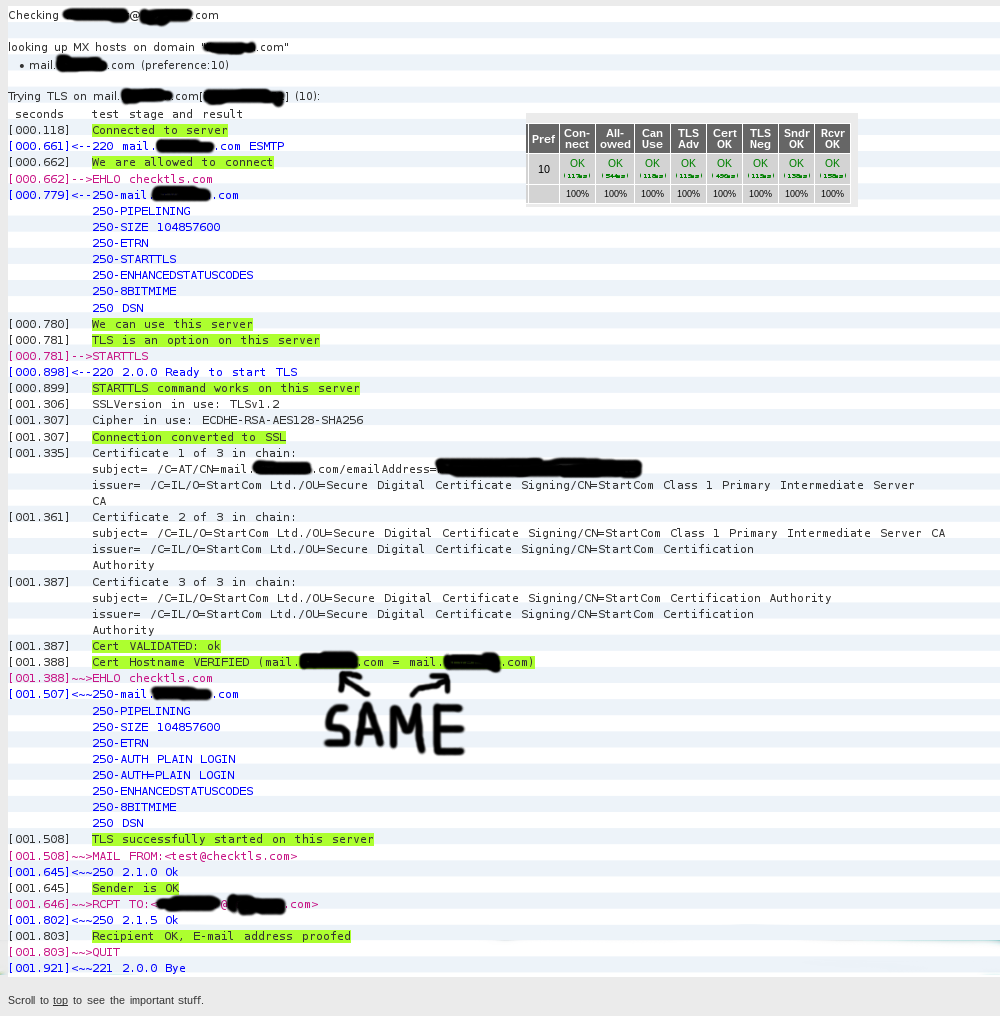
As a bonus here is also a screen from www.checktls.com where all seems to work, sorry for commenting the domain name out.
All Replies (7)

The error may lie in the fact that Thunderbird sees the Location as "imap.<domain>.com" while the certificate is for "mail.<domain>.com"
This is exactly it.
how to fix this?
Fix the cert. Or may be use a wildcard cert for *.<domain>.com? You know your set up best, so use what fits your needs.
Thanks for the answer!
christ1 said
The error may lie in the fact that Thunderbird sees the Location as "imap.<domain>.com" while the certificate is for "mail.<domain>.com"This is exactly it.
How come Thunderbird wants imap as a prefix - that's the type of connection not the real location of the server to connect, isn't it? To my knowledge every server has to have the "mail" prefix as a standard for MX records? If I go by that logic wouldn't I need imap and smtp prefix?
Also most important, is that a general error on my side or is this just the way specially Thunderbird behaves? Other certificate check sites I tried seemed to be happy with the mail prefix. Could I maybe solve it with another MX or A record? For security reasons I wanted to avoid a wildcard certificate.
How come Thunderbird wants imap as a prefix - that's the type of connection not the real location of the server to connect, isn't it?
Thunderbird doesn't want imap as a prefix. It's your server, you decide about the server name and for which name the server offers specific services. Many email providers use e.g. imap or smtp as a prefix in order to distinguish between incoming and outgoing server. But mail as a prefix would also work for both ways, assuming the server is responding to requests properly. Whatever you set for your server you tell Thunderbird to use.
After you said so, I researched a bit deeper into my server configuration and think the reason I missed it is because I used a partly preconfigured package for ubuntu called "mail-stack-delivery".
If I can't find it there I will maybe do an autoconfiguration which I recently found out about.
Modified by Akimiya
have you tried simply changing the IMAP to mail in Thunderbird? The account wizard probes on standard ports and server names. If your server responded appropriately on IMAP, it may never have got as far as MAIL.
Matt said
have you tried simply changing the IMAP to mail in Thunderbird? The account wizard probes on standard ports and server names. If your server responded appropriately on IMAP, it may never have got as far as MAIL.
Yes it works fine and the certificate is accepted when changing it manually to mail.<domain>.com but because I am about to open it to multiple other users I want the automatic configuration to work. =)
I tried SRV records which did not help and will next see what good topics on auto configuration I can find. On a side note I am using Dovecot for the IMAP server and installed Dovecot and Postfix in a recommended combined package for ubuntu called "mail-stack-
I would just redirect request to IMAP.servername to the bit bucket on the router.
However, as it is your server you have an option that is very rarely used. You can put auto configuration files on your server. See https://developer.mozilla.org/en-US/docs/Mozilla/Thunderbird/Autoconfiguration#Configuration_server_at_ISP
Note for XML examles there is nothing like live data. This is where Thunderbird looks for the ISPDB for major ISPs. The XML format is the same when hosting yourself https://autoconfig.thunderbird.net/v1.1/