


what happened to the PDF checkbox in the Print Preview Menu?

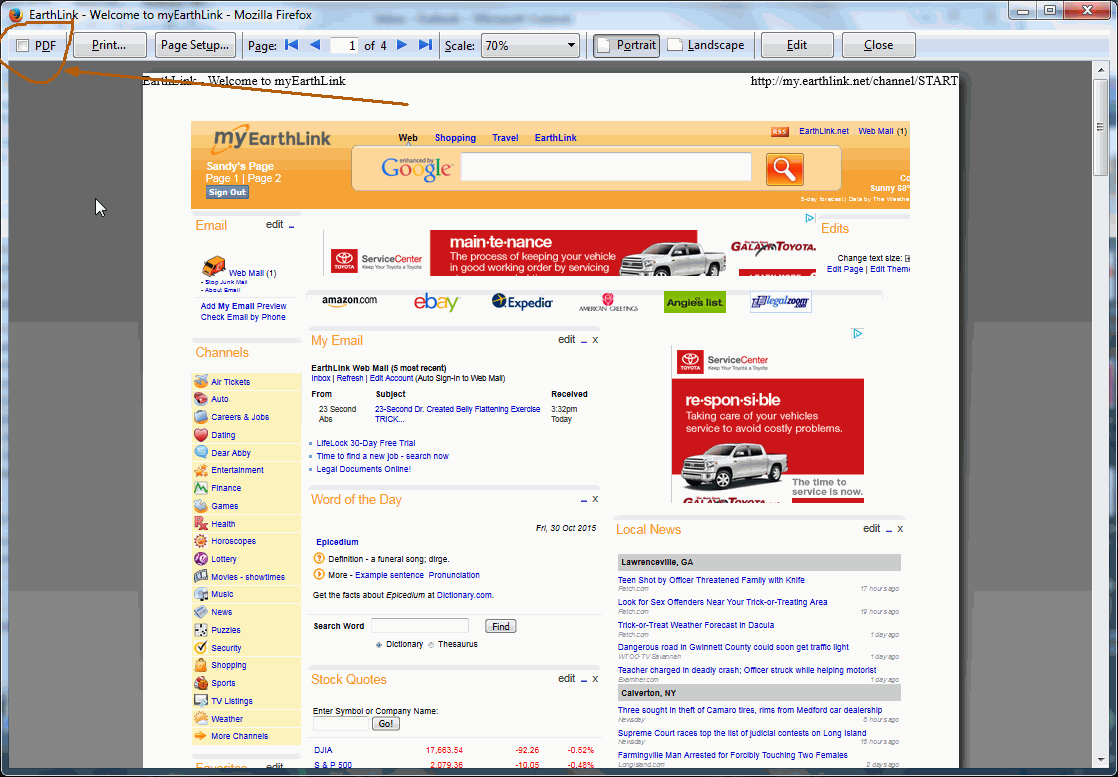
On my Win-7 Pro computer, v41.0.2 Firefox has a PDF checkbox adjacent to the PRINT button, which changes to SAVE PDF when the box is checked. This GREAT feature is missing from Firefox v41.0.2 on my wife's WIN-8.1 computer. How come???
Chosen Solution
Print Edit => Do you have it on both Firefoxes?
All Replies (8)
Hi Sandybrown, I think that must be from an add-on. Could you check your extensions list to see whether you can spot the one which is PDF-related? Either:
- Ctrl+Shift+a
- "3-bar" menu button (or Tools menu) > Add-ons
In the left column, click Extensions. Then peruse the list on the right side. Any obvious candidates?
Thanks, jscher, but... when I entered my question, there was a box that showed my current settings and add-ons. Did that not go through, or am I missing something? Thanks again, Sandy
I think it's didn't come through, it usually appears in the right column under "Question Details", "More System Details".
If you want to paste a list now, it's easiest to copy from the support information page. Either:
- "3-bar" menu button > "?" button > Troubleshooting Information
- (menu bar) Help > Troubleshooting Information
- type or paste about:support in the address bar and press Enter
Scroll down to the Extensions heading, use the mouse to select from there through the table that follows and copy (e.g., Ctrl+c or right-click > Copy) and then paste into a reply (e.g., Ctrl+v or right-click > Paste). It will look a little message, but don't worry, we're used to it.
Okey-doke! Here's the list: ADB Helper 0.8.5 true adbhelper@mozilla.org Garmin Communicator 4.2.0.0 true {195A3098-0BD5-4e90-AE22-BA1C540AFD1E} Geolocater 1.7.1.1-signed true geolocater@3liz.com Print Edit 16.3 true printedit@DW-dev RoboForm Toolbar 7.9.15.9 true {22119944-ED35-4ab1-910B-E619EA06A115} Troubleshooter 1.1a.1-signed true troubleshooter@mozilla.org Valence 0.3.3 true fxdevtools-adapters@mozilla.org Norton Toolbar 2015.5.4.10 false {EBA722F5-038F-4CAF-9EE2-545A221628BC}
Chosen Solution
Print Edit => Do you have it on both Firefoxes?
No, this is from the machine WITH the checkbox. Want the other list?
OOps! Mis-read your question. But the answer is NO. I had a funny feeling that might be the "cluprit!" I'll install and see what happens! Thanks!
Yep! "Hidden" feature of Print Edit! Have a great week!