


Is Firefox version a Mozilla based browser?

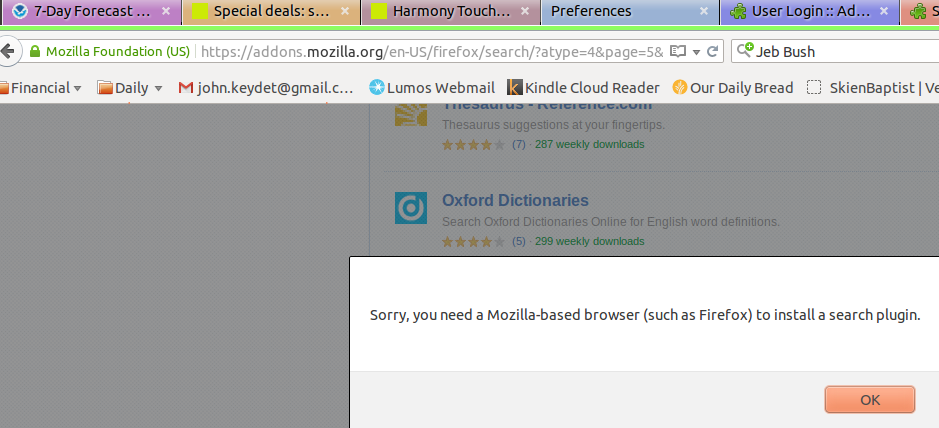
I am suing Firefox 40 on my computer and when I try to add an search engin or an add on I get the following message:
"Sorry you need a Mozilla based browser (such as Firefox) it install a search engine."
So my question IS: IS Firefox a Mozilla based browser and if it is, why do I get that stupid message???????????
I hope someone is smatt enough to answer the question and provide me with a solution to this delima, because I am confused or Mozilla is confused, I think it is the latter.
I have uploaded a screen shot showing that I am using Firefox and the message I am getting.
Chosen Solution
I Disabled Unity Desktop Integration extension (UDI ex), restarted FF and then successfully added several additional search engines.
Should I leave UDI extension disabled or just toggle it when I want to add some new search engine?
All Replies (8)
Yes, why are you getting that message?!
Previously this has been linked to particular extensions, but many users simply installed the search plugin in Firefox's Safe Mode without further investigation so this probably is not an exhaustive list:
- DoNotTrackPlus extension
- Unity Desktop Integration extension
Your User Agent: Mozilla/5.0 (X11; Ubuntu; Linux x86_64; rv:40.0) Gecko/20100101 Firefox/40.0
Hmm you appear to be using a third-party build supplied by Ubuntu and not from Mozilla.org however the UA does not appear to have anything added that could result in this message.
That is my question why am I getting the message. Obviously I know that Firefox is Mozilla based, but it seems the site that has the searchengins does not know it. I am trying to find out why the site cannot correctly determine my browser. I believe 40.x is the most recent stable version of FF.
More info: I am using a System76 computer with Ubuntu 15.04 installed. I should have the standard Ubuntu installation of Firefox.
Try disabling the Unity Desktop Integration extension on the Add-ons page. Either:
- Ctrl+Shift+a
- "3-bar" menu button (or Tools menu) > Add-ons
In the left column, click Extensions. Then you should find it listed on the right.
Often a link will appear above at least one disabled extension to restart Firefox. You can complete your work on the tab and click one of the links as the last step.
Can you install the search plugin?
Chosen Solution
I Disabled Unity Desktop Integration extension (UDI ex), restarted FF and then successfully added several additional search engines.
Should I leave UDI extension disabled or just toggle it when I want to add some new search engine?
I have no idea whether that extension adds anything valuable. Someone must have thought so at one time. If you click the "More" link for that extension, does it explain what it does (other can creating this problem)?
"more" is less. The more button only gives the same info as the name. I sure don't know what Unity could do on web sites. From my current perspective, I think you were correct "it only causes problems"
I think I will try it a while with it disabled and see if I can tell any difference over several weeks.