


Firefox messages that certificates are un trusted when I know the sites are trusted and I know the date and time on my computer are correct

The operating system is windows 7 and I have restarted the program and deleted the cert8 file as described but to no avail
The operating system is windows 7 and I have restarted the program and deleted the cert8 file as described but to no avail
All Replies (3)

What is the exact error message you get?
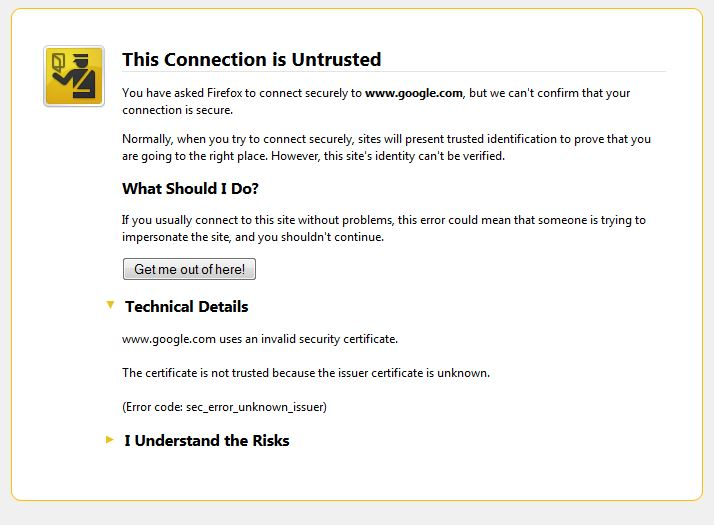
Hi the message is the site is untrusted, I've uploaded a snip of it.
Regards
Garry C
You can check the date and time and time zone in the clock on your computer: (double) click the clock icon on the Windows Taskbar.
You can retrieve the certificate and check details like who issued certificates and expiration dates of certificates.
- Click the link at the bottom of the error page: "I Understand the Risks"
- Let Firefox retrieve the certificate: "Add Exception" -> "Get Certificate"
- Click the "View" button and inspect the certificate and check who is the issuer.
You can see more details like the intermediate certificates that are used in the Details tab.
Can you post a screenshot that shows the Certificate viewer that shows the issuer?