

This thread was archived.
Please ask a new question if you need help.

Archived
Entering "manual config" when adding new e-mails

Hi all! I use Thunderbird on my Desktop for work-realted e-mails, therefore I have different e-mail accounts linked to it. I recently bought a new laptop and when I tried to enter my work-emails, by pressing "New Account" -> "Email Account" I am met with a new interface that does not provide an option for the manual configuration of IMAP, Incoming Server, Outgoing Server etc. Without them, I cannot access my work emails.
Can anyone help me how I can access these configs? Or the previous interface?
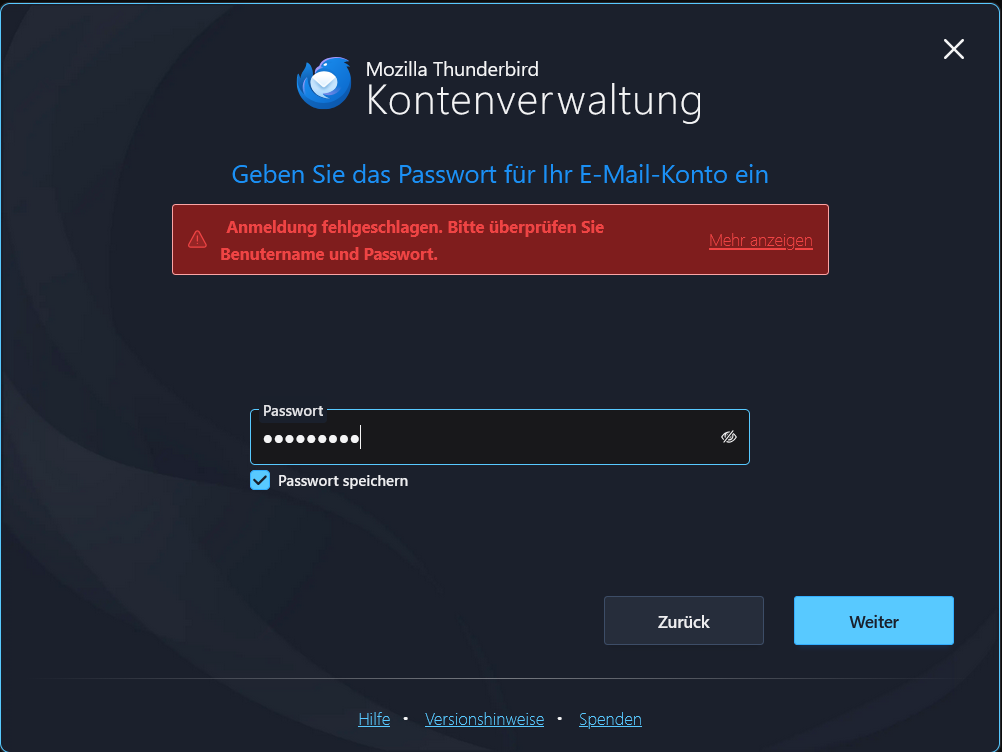
Unfortunately, the screeshot is in german, but it says "Exchange auth error"
Hi all!
I use Thunderbird on my Desktop for work-realted e-mails, therefore I have different e-mail accounts linked to it. I recently bought a new laptop and when I tried to enter my work-emails, by pressing "New Account" -> "Email Account" I am met with a new interface that does not provide an option for the manual configuration of IMAP, Incoming Server, Outgoing Server etc. Without them, I cannot access my work emails.
Can anyone help me how I can access these configs? Or the previous interface?
Unfortunately, the screeshot is in german, but it says "Exchange auth error"
All Replies (1)
What version are you using?
Disable Experimental Hub in Settings and retry.
Modified by Wayne Mery