


simultaneous use of mailbox

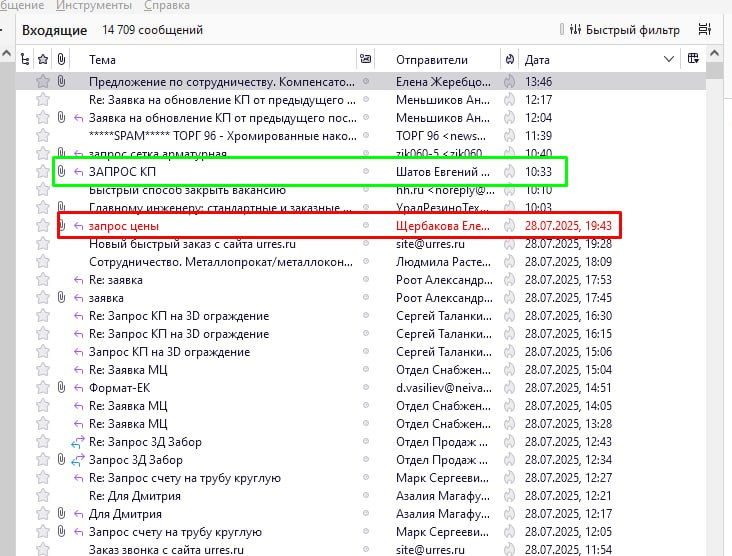
Hello. I encountered the following difficulty. There is an email address that is used on several computers. How can I make it so that each user can highlight a letter in a different color from the others to understand who is working with it? For example, one - red, and the other - green
All Replies (5)

Thanks for the tip, but this is not quite what I need. It does not allow syncing tags on different devices
Then I guess it's not possible. If the accounts are set up as IMAP, you could create folders for each user to move the message they're working on into.
Ed said
Then I guess it's not possible. If the accounts are set up as IMAP, you could create folders for each user to move the message they're working on into.
Will these folders be synchronized for all users or will only one user who created them have access?
Вадим Александрович said
Ed said
Then I guess it's not possible. If the accounts are set up as IMAP, you could create folders for each user to move the message they're working on into.Will these folders be synchronized for all users or will only one user who created them have access?
Yes, if each user is accessing the same email account and using the same password to do so.